Unable to get IncusOS up and running, thinking the two drives are confusing the installer.
In the the image generator tool, what details would I need to put in the "Specific Drive selection"text field?
In iLO I can see the drive details. Is there any values in iLo [Storage] that I could use in this field.
Here is the comment under the Target Drive identifier:
“This is a (potentially partial) value (as seen in /dev/disk/by-id). The value must match exactly one drive.
If empty and no other selection criteria are selected below, IncusOS will auto-install so long as only one drive is present.”
Unless I install an OS, I can’t see /dev/disk/by-id
That’s a SecureBoot error so suggests that SecureBoot isn’t correctly configured on the system.
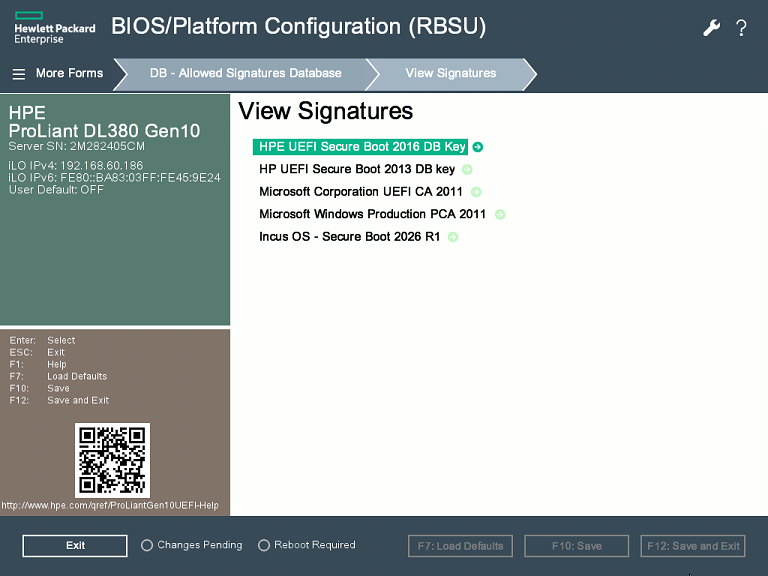
Do you have the Incus 2026 DB key in the Secure Boot DB table?
Thanks SG. Is there a reason the error isn’t more specific, eg; “Secure boot mismatch”, or does that error potentially exist for other conditions?
Then finally, since I’m not hanging around Secure Boot and BIOS / OS interactions, is the message actually saying that, it’s just that I don’t know it. Guessing the latter. I’m new to this game.
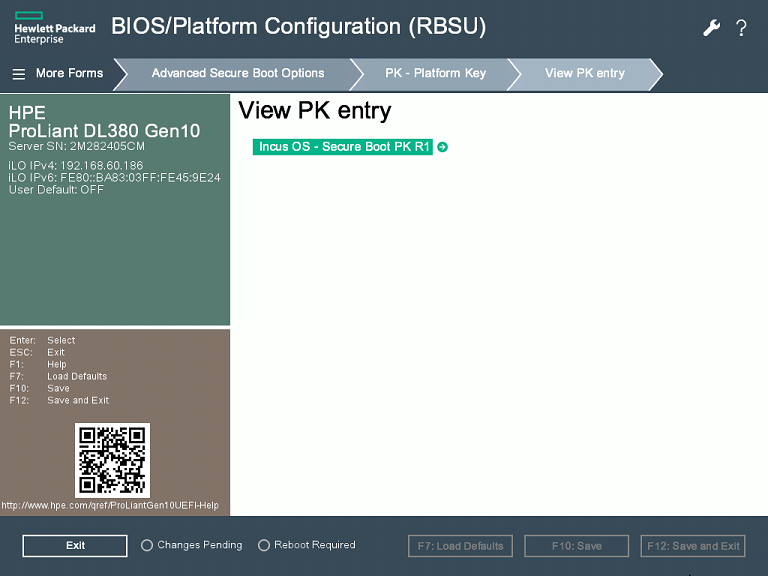
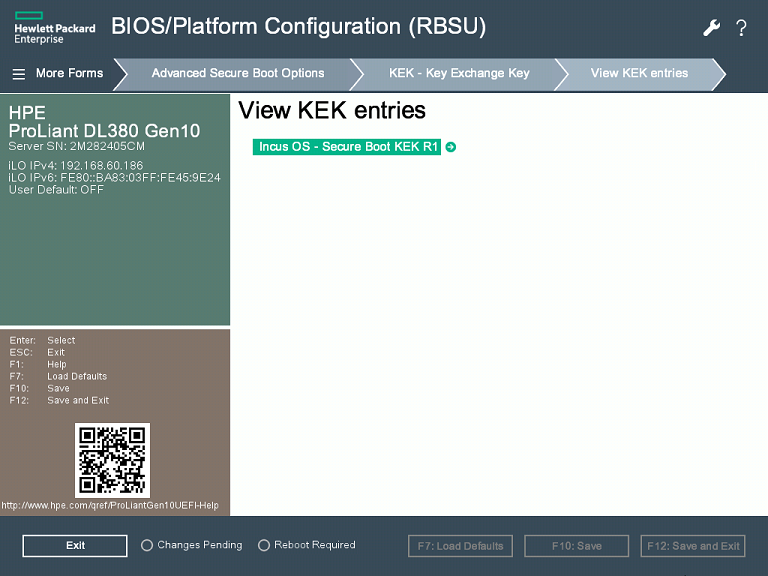
Now the 2026 DB key. Does the DB key change for every image downloaded for the Web IncusOS created. So my IncusOS install documents should say any downloaded image must update the kek, pk and db on the target system BIOS?
And while I’m here, the typical default DB keys on our servers have HP UEFI, Microsoft UEI,
Microsoft Production…etc. Will removing all those keys prevent the server from booting?
I’m trying to clean the keys out, like VMWARE, Suse etc.
Thanks again for the response, I’m not giving up!!
We don’t control that error as it’s happening before any of our code can be executed.
Exact phrasing varies manufacturer to manufacturer. Most common is a plain “Access denied”
No, they’re fixed, except for the yearly key which does change yearly. Existing systems automatically enroll and revoke keys as needed once they’re running. Installation instructions have to be updated once a year as we transition to the new key.
We’re now preparing an update that will fully revoke the old 2025 key and rollout the upcoming 2027 key so we can transition to 2027 at the beginning of the year.
It depends on the servers. HP UEFI and Micrsoft Production should be safe to remove, Microsoft UEFI CA 2011 and Microsoft UEFI Add-In 2023 can be necessary depending on what the server boots from and whether that needs some additional code coming from a ROM on the controller or not.
I usually try to remove everything, then if that doesn’t work, I reset Secure Boot and try again by keeping just the two UEFI ones.