Yep, not only the cable but also router ports. Just in case, I just ordered 4 new Cat6a cables, it should arrive in a few days and I will be able to tell for sure it is not a cable problem, as I only have cat5e patch cables over here  . But this machine is the only one physically connected to the router reporting 10M. And as I said, before IncusOS I was running Incus on Debian just fine.
Cat5e works fine at up to 2.5G, over 100 metres. So if you’ve tried multiple Cat5e cables with the same results, using Cat6a won’t make any difference.
1G and above use all four pairs in the cable; 100M and 10M use only two pairs (pins 1,2,3,6 IIRC). A break in any of the other four pins will bring the speed down from 1G to 100M. If that happens, you should see a TCP payload throughput of ~92Mbps.
If your adapter is choosing 10M, that’s unusual. Maybe something is wrong with its handling of auto-negotiation. Or maybe one of pins 1,2,3,6 is broken so one of the pairs is running on a single leg - over a short distance, that may just about work at 10M. But if it worked fine with Debian, it’s very likely a driver issue.
Either way, a different adapter may be the way to go, perhaps even an external USB to Ethernet. (Beware that some USB-Ethernet adapters are USB 2.0 only, so only run up to ~480Mbps)
Or as you said: just run incus on Debian (or Ubuntu, because of the better ZFS support) instead of incusOS.
@candlerb, thank you so much for taking your time for such complete answer.
I’m starting to think it’s a hardware failure and migrating to IncusOS this weekend was just a coincidence. I quickly reinstalled Debian and the problem persists. After a few BIOS tweaks, I managed to get it to 100M. But maybe you’re right and the way to go is to just buy a USB-Ethernet adapter.
@stgraber, apparently nothing wrong with IncusOS drivers  .
.
BTW, I loved IncusOS, amazing project.
[EDIT]
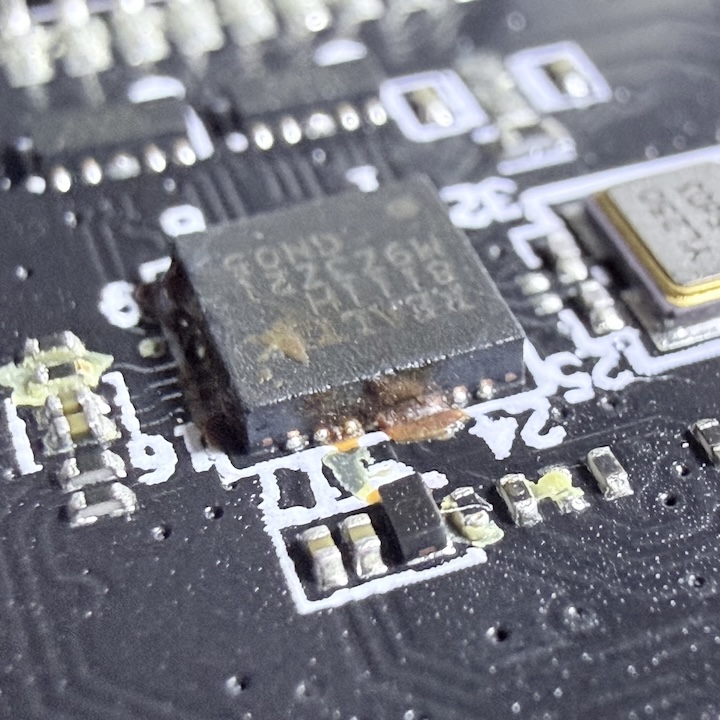
I opened the machine and found a CMOS battery with burnt glue right next to the Realtek chip  . I tried to clean it using isopropyl alcohol and contact cleaner, but the chip died for good. The burnt glue was probably acting as a bridge and keeping it alive at 10M.
What a terrible coincidence. At least installing IncusOS and setting everything up from scratch helped me discover this. The machine had probably been suffering from a degraded network for a while. Thankfully the machine is still alive, I will disable this from BIOS attach an USB-Ethernet adapter and move back to IncusOS.
Thank you everybody 
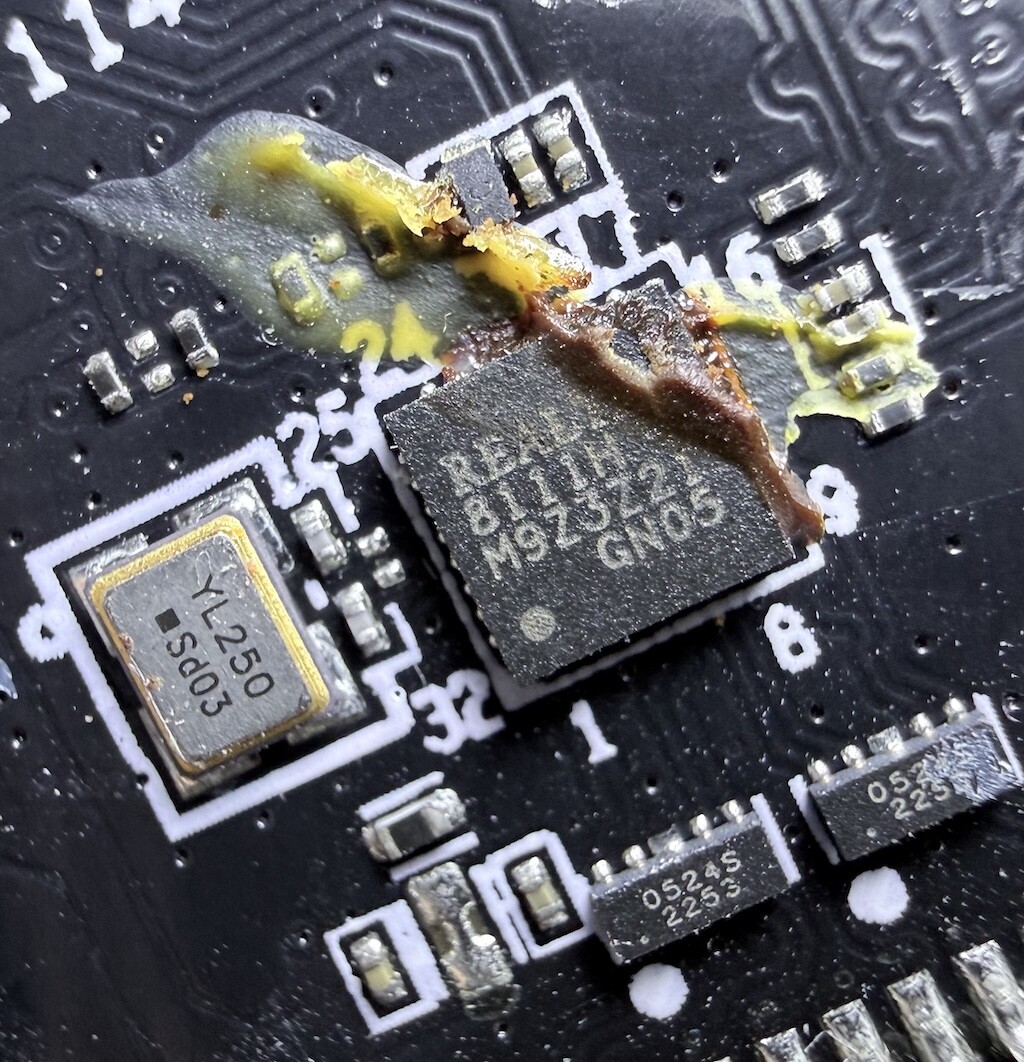
Ouch, that doesn’t look too good 
You won’t believe it and I have no idea how, but after cleaning it up, the chip went back to normal at full speed today  ! The God of electronics operates in mysterious ways.
The problem is, I had already bought a USB-ETH adapter at a local store, so now this little N100 machine has two network interfaces. I’m thinking about installing OpenWRT on Incus and letting it drive my network instead of my MediaTek/Filogic router; and maybe, who knows, finally be able to buy 1G FTTH.
Do you know if it’s possible to have OpenWRT running on Incus governing the network? One ethernet port would go to the ISP and the other to the Wi-Fi router (also running OpenWRT). But how would IncusOS itself stay online?
Some people have mentioned running OpenWRT on an IncusOS system. I don’t have any personal experience, but if the VM is configured with boot.autostart=yes then I think it should work. I did create Make update check delay more generic · Issue #1153 · lxc/incus-os · GitHub which would make the IncusOS boot update check a bit smoother for this use case.
If you passed both NICs to the VM for its exclusive use, you’d need a third to provide IncusOS connectivity. Maybe an additional veth pair on the wifi NIC would work?
I’ve been running IncusOS with OpenWRT as a container since December. It’s actually been working solid with the only hiccup with the Incus LTS issue a week or so back.
I setup each network port using this guide:
https://linuxcontainers.org/incus-os/docs/main/tutorials/network-direct-attach/#
The “WAN” port gets a DHCP from the modem and the “LAN” port gets its IP from the running OpenWRT container. I have that port going into a router that is using OpenWRT and setup as an Access Point.
This gives you an idea what the container looks like running OpenWRT:
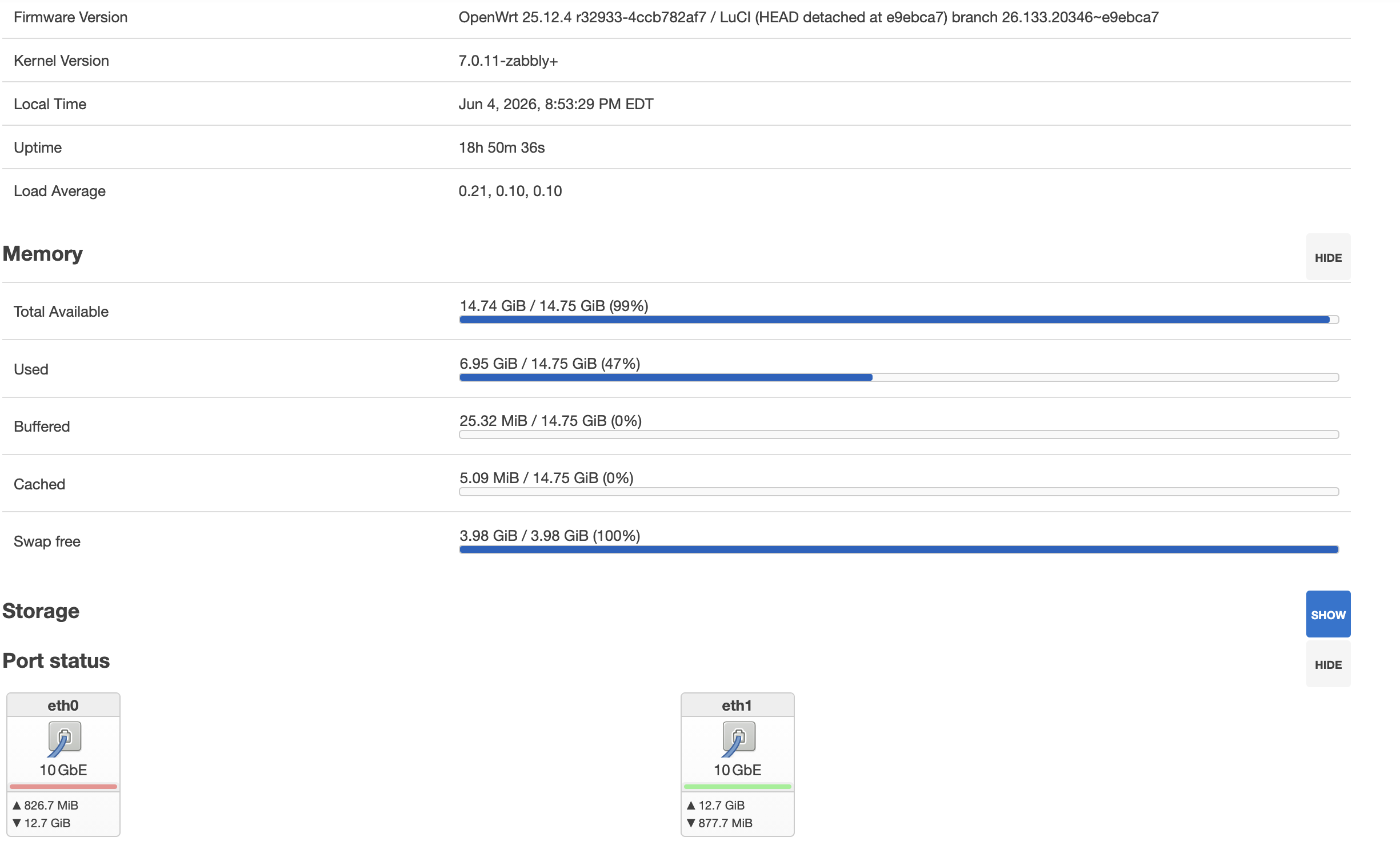
You can use the image for OpenWRT, but you will need to do some customization of the configuration once it’s running. I formalized making my own image using distrobuilder and added my custom configuration for my setup. Anytime a new iteration of 25.12 gets released, I make a new image and deploy the update.
At the moment, the IncusOS system hosts my OpenWRT, Adguard Home, Plex and also functions as my NAS. I bought a 4TB SSD before the prices shot to the moon…
The last function I use as a container, I setup Cloudflare WARP for additional internet filtering.