Let me check I understand what you’re asking for:
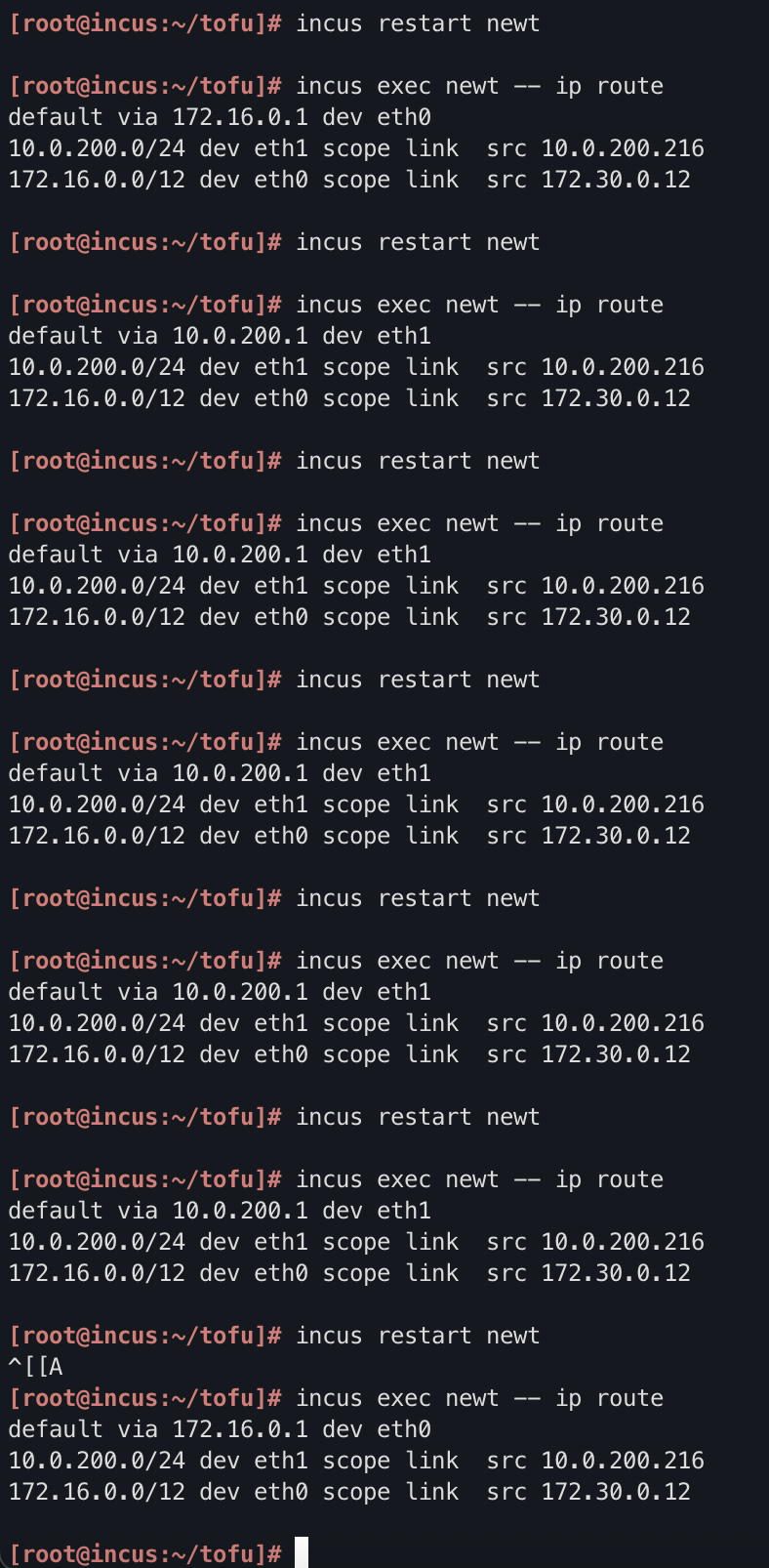
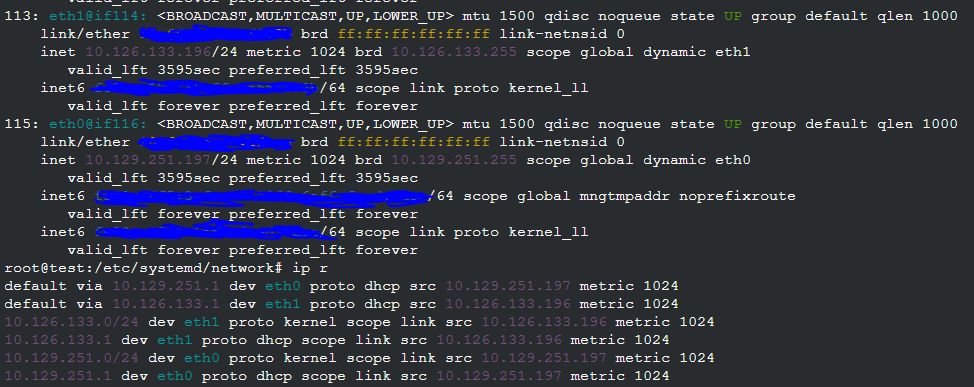
- An unmanaged bridge (eth0/br0) connected to the subnet behind the Mikrotik. Containers pick up their IP address, and their default gateway, directly from the Mikrotik DHCP server. This all works fine, except no auto DNS.
- A managed bridge (eth1/internal0). The incus DHCP server configures this, and updates the incus DNS server.
- Containers connect to both networks, and use the incus DNS server.
AFAICS, the only purpose of the proposed internal0 network is to get DNS names registered (since container-to-container traffic would work fine over the other bridge - it would stay internal to br0 and wouldn’t leave the host).
Now, to make this work you have several problems. Apart from the one you’ve already identified (you don’t want to pick up default gateway from internal0), you need the containers to use the incus DNS server to resolve each others’ names. That means that the Mikrotik DHCP server will have to give out the incus server’s IP address as the DNS server setting. And that means that everything else on your network, not just the incus containers, will use the incus DNS.
Or: you will get conflicting DNS settings from the two DHCP servers, similar to how you are getting conflicting default gateway settings. Therefore, I think this is the wrong approach for getting container names into DNS.
Now, it is possible to get the Mikrotik DHCP server to update DNS. There are script hooks which you may be able to use for this, or just periodically scan the leases.
Another option is to run your own local DNS server, authoritative for some domain like internal.mydomain.com, and forward DNS requests from the Mikrotik:
/ip dns static
add forward-to=192.168.0.53 regexp="\\.internal\\.example\\.com\$" type=FWD
add forward-to=192.168.0.53 regexp="\\.168\\.192\\.in-addr\\.arpa\$" type=FWD
Then you need to update it as containers come and go. I’m not aware of hooks in incus to trigger updates automatically. What I do is more or less the opposite: first I create an entry in Netbox for my container, which runs a webhook trigger to update the DNS. Then I create the container, using a shell script which fetches the desired IP from Netbox and launches the container, passing a cloud-init config which assigns the chosen IP address statically. I admit that’s more complexity than most people would like!
If you still want to use the incus DHCP/DNS, I can offer you another solution:
- Create a single incus managed bridge (eth0/br0) with its own subnet. Assign it its own subnet, but disable NAT.
- Add a static route on your Mikrotik which routes the bridge’s subnet via your incus host.
- That’s it. Create containers with a single eth0 connection on br0.
Since br0 is a bridge, it will be used for internal container-to-container communication (this traffic will not leave the incus host). And the containers will see the local DNS as you require.
The problem then you’ll get is if you communicate between some other device behind the Mikrotik (e.g. a laptop) and a container. If the incus host is on the same subnet as the laptop, then the flow is asymmetric: it goes laptop → Mikrotik → incus host → container in one direction (following the laptop’s default gateway), but container → incus host → laptop in the other direction. This breaks connection tracking on the Mikrotik: what you’ll see is connections work for about 20 seconds, and then break. I’ve been there 
This can be fixed though: make a separate subnet from the Mikrotik for the incus host uplink - either a separate VLAN, or a separate physical connection. That is:
                 ^
                 |
              Mikrotik
              |.1   |.1
192.168.0     |     |     192.168.1
--------+-----+     +------+-------
        |                  |.2
     laptop             incus
                        br0|.1
                           |  192.168.2
                          -+-+-+-+--
                             | | |
                           containers

/ip route
add disabled=no dst-address=192.168.2.0/24 gateway=192.168.1.2
This is actually a pretty decent way to run. All laptop<->container traffic is routed via the Mikrotik. However, your laptop won’t see the container names in its DNS.
What if you want multiple incus servers? They can each have their own IP pool and their own uplink on the 192.168.1 network and static route. The problem is that if you move a container from one to another, its IP address will change; and you also won’t have all the names registered in a single DNS view.
An incus cluster with OVN would probably solve that, but that’s a large hammer for a small nut. I don’t use incus clustering myself, as it introduces failure modes that standalone incus servers don’t have.
Another suggestion is a small hook inside your containers, which updates dynamic DNS. You can use cloud-init to apply this to all containers you create.
And yet another possibility is to run a standalone DHCP server behind the Mikrotik (i.e. turn off the MT DHCP) which can do dynamic DNS updates.
Anyway, I hope there are a few useful ideas there.