I’m new to Incus and currently exploring its networking concepts.
I want to understand the best way to create a bridge to my LAN and attach it to an Incus VM.
My LAN setup
-
LAN network: 192.168.1.0/24
-
Incus host: 192.168.1.200 (on WiFi interface wlp0s20f3)
-
I created a manual Linux bridge using Netplan:
-
Bridge: incusbr0ext
-
Physical interface: enp0s31f6
-
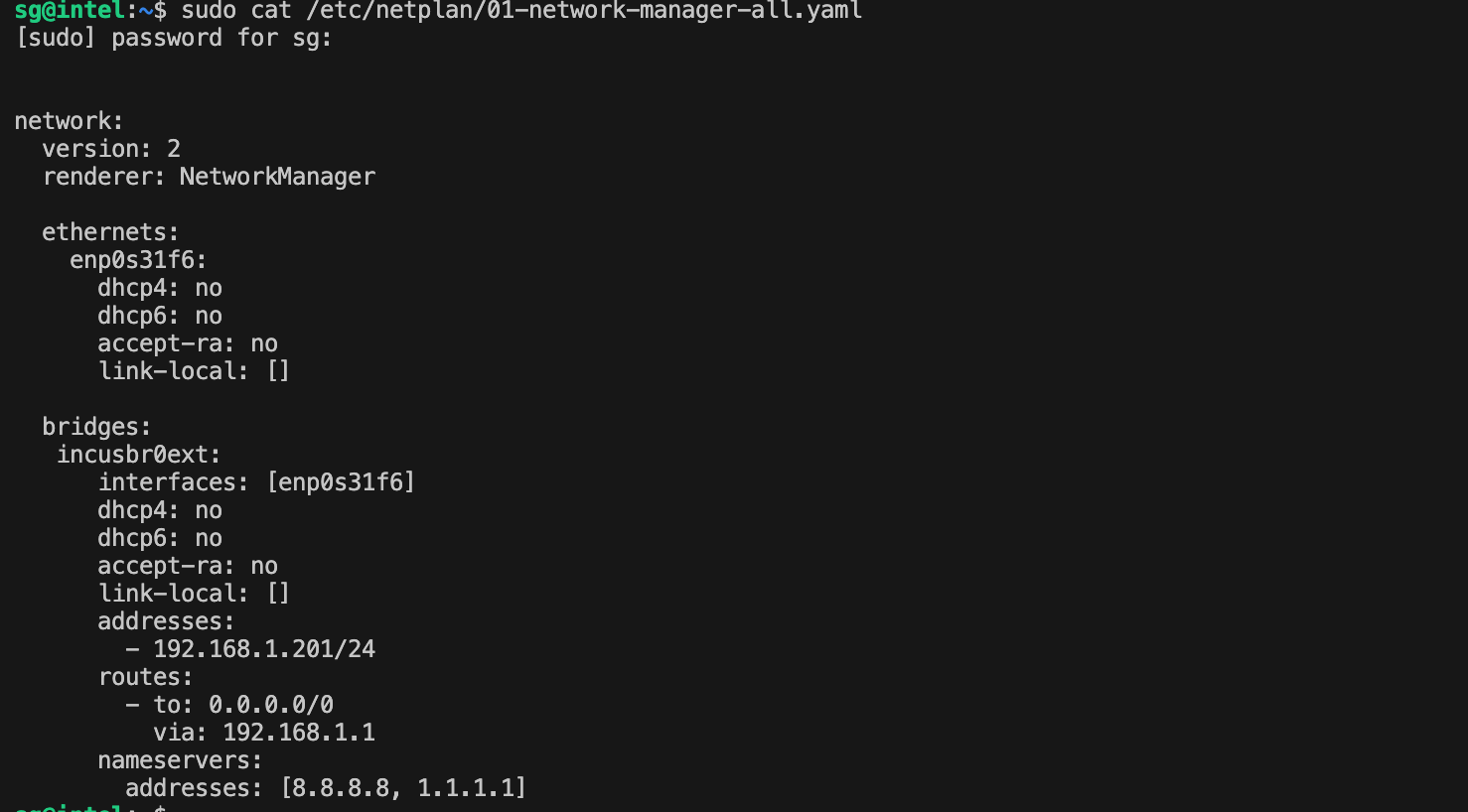
Current host interfaces
enp0s31f6 → enslaved under incusbr0ext
wlp0s20f3 → host’s internet/LAN IP (192.168.1.200)
incusbr0ext → bridge IP 192.168.1.201 (manually created bridge)
incusbr0int → internal NAT network (10.10.10.1/24) (incus created default NAT)
then, I also created a profile
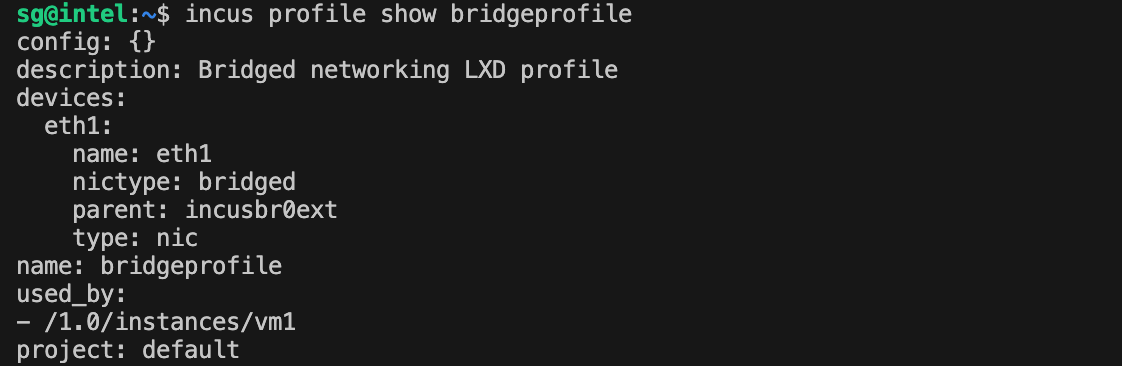
VM interface result
Inside the VM:
-
enp5s0 gets an IP from incusbr0int (10.10.10.x) (as expected)
-
enp6s0 (LAN bridge NIC) appears DOWN after launch
My Questions
1. Is there a better or recommended approach to bridge a VM directly to the LAN?
2. In incus network ls, this bridge appears as “NO” under Managed.
Is it better to let Incus manage the bridge, or is unmanaged the right choice?**
3. When I launch a VM, the bridged NIC comes up as DOWN by default.
Why does this happen, and how can it be fixed?