To import as a container, it needs to be dealing with a mount filesystem or set of filesystems so it can transfer individual files. If all you have is a compressed full disk image like you have here, this only can be imported as a VM.
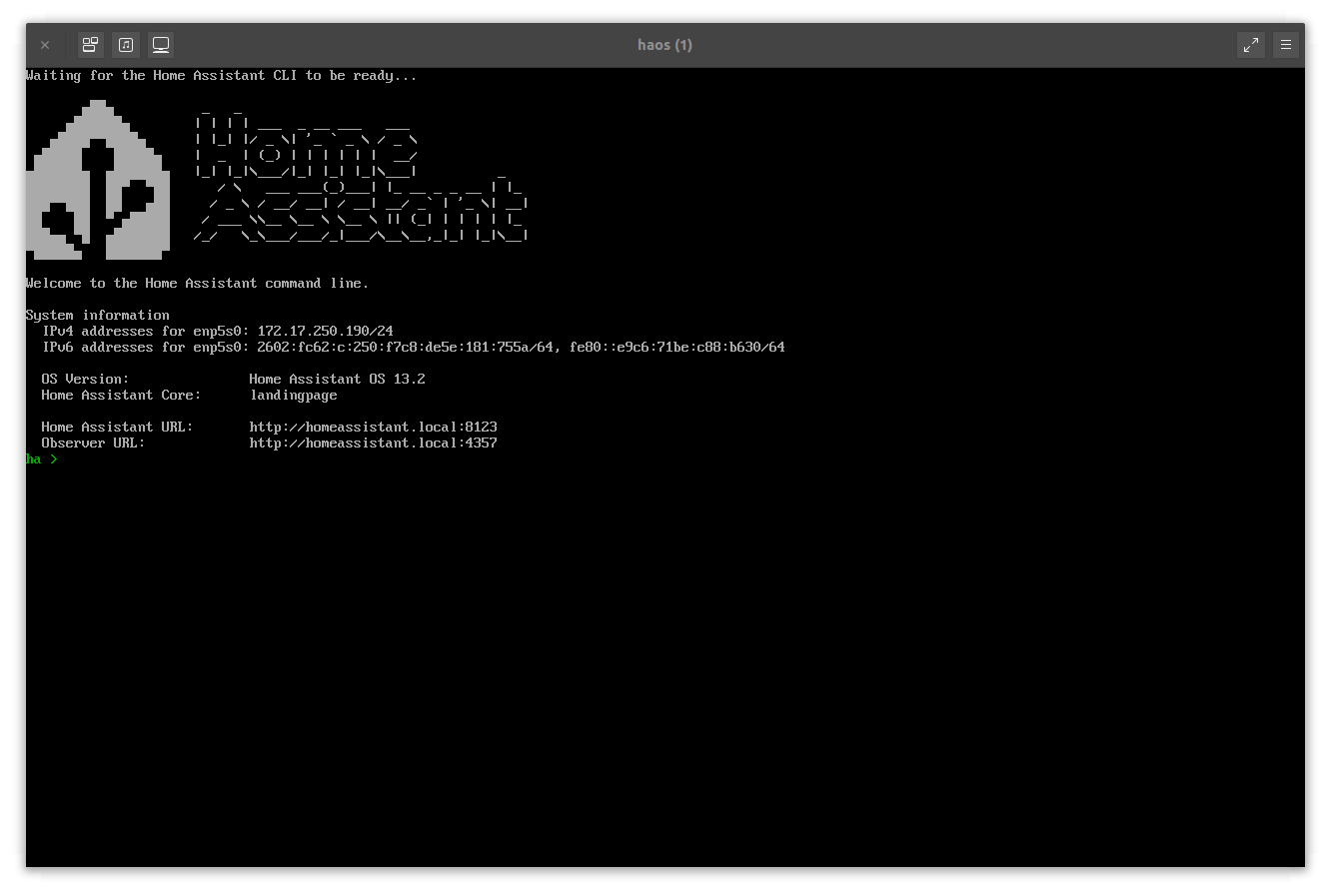
if i understand correclty, i could import it as a vm, run the tool inside to migrate it to a container?
Possibly. Home Assistant runs a whole bunch of containers, so it’s not a very good candidate for running nicely as a container itself.
1 Like
thank you very much for your time
Hi all, I’m actually using the 4th option, ie running HA OCI Container directly in Incus:
This works but I need to run Addon OCI Containers alongside the HA Container,
in lieu of real Addons.
The normal way of doing this requires network_mode: host and then it all just works.
But I cannot for the life of me figure out how to do that for OCI.
Without this, getting these pseudo “add-ons” working, becomes a nightmare.
Host networking works for LXC but getting it to work for OCI eludes me.
Any insights would be appreciated :o) Here is my current config:
admin@zero:~$ incus config show --expanded homeassistant
architecture: x86_64
config:
  boot.autorestart: "true"
  boot.autostart: "true"
  environment.HOME: /root
  environment.LANG: C.UTF-8
  environment.PATH: /usr/local/bin:/usr/local/sbin:/usr/local/bin:/usr/sbin:/usr/bin:/sbin:/bin
  environment.S6_BEHAVIOUR_IF_STAGE2_FAILS: "2"
  environment.S6_CMD_WAIT_FOR_SERVICES: "1"
  environment.S6_CMD_WAIT_FOR_SERVICES_MAXTIME: "0"
  environment.S6_SERVICES_GRACETIME: "240000"
  environment.S6_SERVICES_READYTIME: "50"
  environment.TERM: xterm
  environment.TZ: America/Vancouver
  environment.UV_EXTRA_INDEX_URL: https://wheels.home-assistant.io/musllinux-index/
  environment.UV_NO_CACHE: "true"
  environment.UV_SYSTEM_PYTHON: "true"
  image.architecture: x86_64
  image.description: ghcr.io/home-assistant/home-assistant (OCI)
  image.id: home-assistant/home-assistant:stable
  image.type: oci
  oci.cwd: /config
  oci.entrypoint: /init
  oci.gid: "0"
  oci.uid: "0"
  security.privileged: "true"
  volatile.base_image: 77723dbee4ea658ff1df2d16c40242be5a171eb55785eba11df1f4d143850fef
  volatile.cloud-init.instance-id: b5bd0a0e-8071-4617-a5a8-f3ee7da1006f
  volatile.container.oci: "true"
  volatile.eth0.host_name: veth2377e034
  volatile.eth0.hwaddr: 10:66:6a:c0:94:a9
  volatile.idmap.base: "0"
  volatile.idmap.current: '[]'
  volatile.last_state.power: RUNNING
  volatile.uuid: d1f3db6c-7301-462b-b4b3-4b1c67b40974
  volatile.uuid.generation: d1f3db6c-7301-462b-b4b3-4b1c67b40974
devices:
  dbus:
    path: /run/dbus
    readonly: "true"
    source: /run/dbus
    type: disk
  eth0:
    name: eth0
    nictype: bridged
    parent: br1
    type: nic
  ha-config:
    path: /config
    pool: default
    source: ha-config
    type: disk
  root:
    path: /
    pool: default
    type: disk
ephemeral: false
profiles: []
stateful: false
description: ""
I have tried
incus config set ha1 raw.lxc="lxc.net.0.type=none"
But it fails with error:
Invalid config: Only interface-specific ipv4/ipv6 lxc.net. keys are allowed
Apparently OCI runs within LXC so how can I get this to pass the host network stack through from LXC to OCI instead of using a bridge or macvlan which would break integration between OCI containers?
Thanks and agreed; The better way might be to allow sharing of the network stack belonging to a SPECIFIED interface or bridge among several OCI containers, instead of the entire host stack. I can imagine that would be a LOT of work if even possible (clone the host namespace?), but it would be superior to anything else currently available out there.
But thanks for the fixup, I will move Home Assistant into Incus instead of using Docker as soon as your raw.lxc fix is released to production.
Perhaps the ability to create and share among specific OCI containers,
a new “private” instance of “localhost” interface,
alongside a specific (named) interface that already exists in the host,
might satisfy most use cases which would normally require “–network=host”?
Call me crazy, but I think within 2 years, AI will solve this problem without having to iteratively figure it out the hard way. Free code!
Full solution to run Home Assistant OCI container in Incus using Host Networking:
admin@main:~$ incus init ghcr:home-assistant/home-assistant:stable homeassistant --no-profiles --storage default -c raw.lxc=“lxc.net.0.type=none” -c security.privileged=true -c boot.autostart=true -c boot.autorestart=true -c environment.TZ=America/Vancouver
1 Like
Why did you need security.privileged=true?
It’s very very rare that it’s truly needed and it makes things quite badly unsafe.
The main exception (at least in all the environments I’m dealing with) is for image building where the container needs to be able to directly mess with disk images, create partitions and mount arbitrary filesystems. But those I’m generally moving to VMs these days to avoid security.privileged.
The official Home Assistant instructions for Docker recommend the “–privileged” flag so I replicated this, but yeah …I’ll try to get rid of it once I have matter-server and hass-otbr-docker all up and running alongside. Would be nice to also get rid of host networking, but I’m no guru so for me it’s one step at a time. Thanks for bringing this up and thanks for making it possible to run Docker containers alongside VM’s and LXC in Incus. What a great project! I think the TrueNAS community is goiing to LOVE this, and I’m going to try TrueNAS this winter too!
Hi,
I’m thinking about running homeassistant this way as well. What are the implications of “raw.lxc=“lxc.net.0.type=none” ?
I guess I could use this with other simple app containers and avoid software bridge and associated cpu overhead?
I assume there are some security downsides but what else?
FWIW I had to also use host networking for the matter-server OCI container but raw.lxc=“lxc.apparmor.profile=unconfined” is wrecking network connectivigy (have not looked into why yet). Mosqitto works fine over localhost. Thread border router is next on my ToDo list. If I get everything working, and then working without these security holes, then I’ll post it on the HA forum. I’m reasonably confident that I’ll get there if I don’t die of old age first.
2 Likes
I tried it and couldn’t get it work.
I could get it running as a container a week ago, but it won’t launch the needed docker images because of rauc not working under Incus, it requires the partitions for the immutable system