Hello there,
i tried to install homeassistant as virtual machine with the given image. Here is what i did:
root@homelab:/home/jan# incus-migrate
The local Incus server is the target [default=yes]:
Would you like to create a container (1) or virtual-machine (2)?: 2
Project to create the instance in [default=default]:
Name of the new instance: homeassistant-new
Please provide the path to a disk, partition, or raw image file: haos_ova-16.0.qcow2
Does the VM support UEFI booting? [default=yes]:
Does the VM support UEFI Secure Boot? [default=yes]: no

Instance to be created:
  Name: homeassistant-new
  Project: default
  Type: virtual-machine
  Source: haos_ova-16.0.qcow2
  Config:
    security.secureboot: "false"

Additional overrides can be applied at this stage:
1) Begin the migration with the above configuration
2) Override profile list
3) Set additional configuration options
4) Change instance storage pool or volume size
5) Change instance network

Please pick one of the options above [default=1]:
Instance homeassistant-new successfully created
I have also read the following topic: (Home Assistant OS (HA OS) VM vs system container in Incus - #22 by stgraber)
Stephane is showing how to migrate that qcow2 file,but that did’nt work for me. If i run the virual machine, the “boot loader” says that he did’nt find a disk to boot:
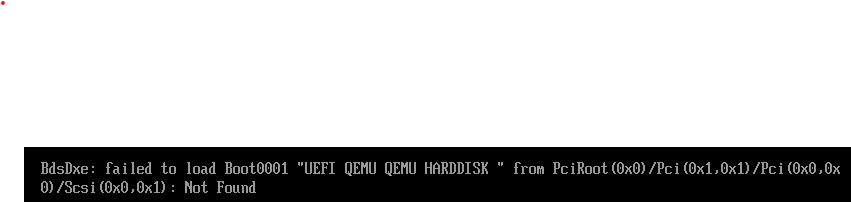
Can someone give me a hint please?`
Looking forward to your feedback.