I am running an Incus cluster on IncusOS, and I recently added a new physical network interface (`enp6s0`) to one of our cluster nodes (`incus-node02`) for uplink.
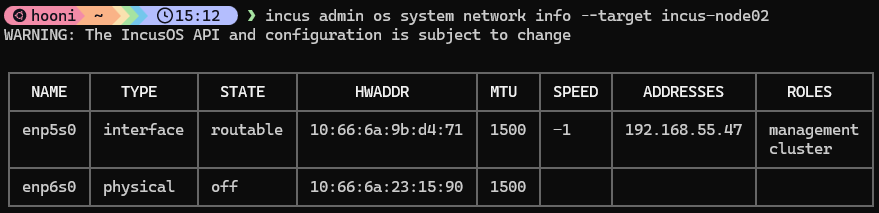
However, the interface remains in the `off` state, and I am having trouble bringing it up. Here is what `incus admin os system network info --target incus-node02` shows:
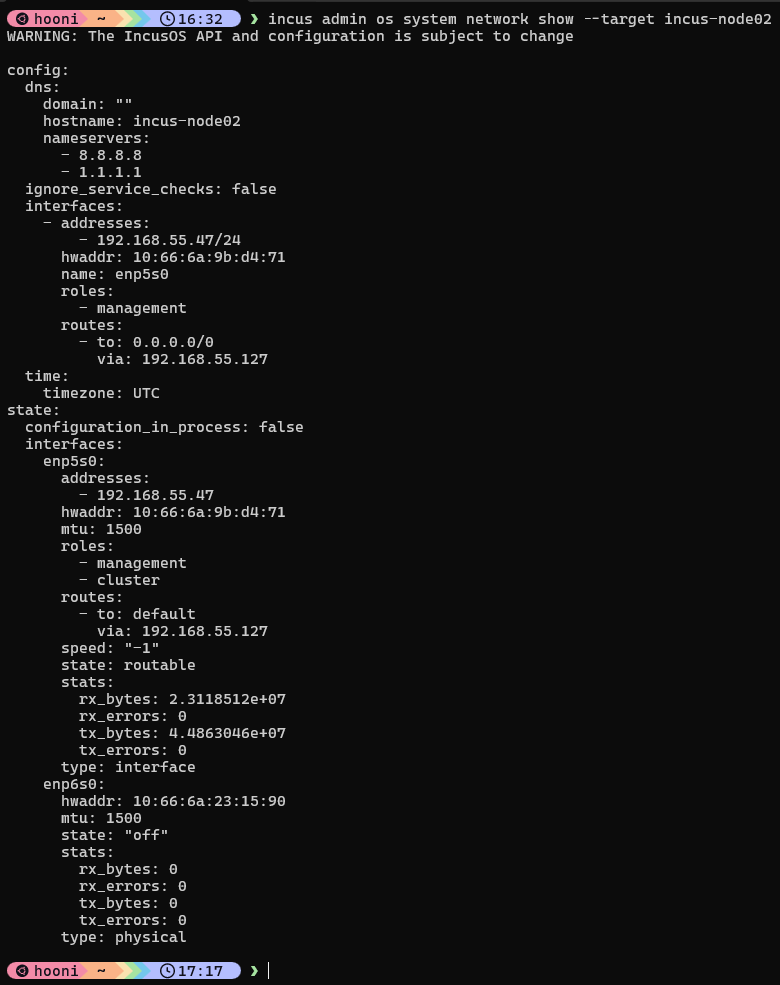
Could you share just the config.interfaces entry for enp6s0 from incus admin os system network show --target incus-node02? Please redact any personal details.
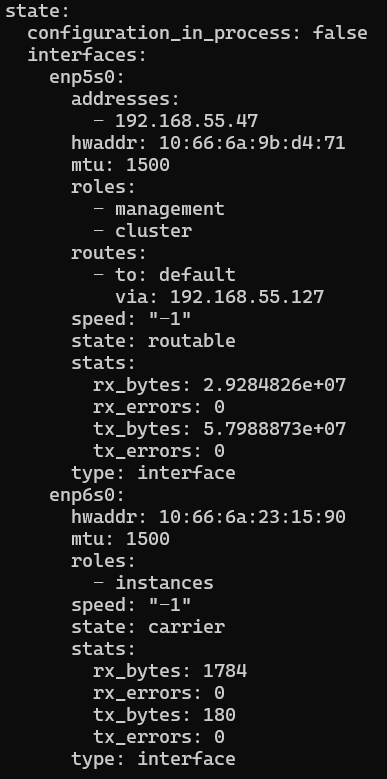
That’s the reported state section, rather than the saved config section. In the same output, look under config: then interfaces: for an entry with the same hwaddr as enp6s0 in your output. If there is no matching entry, just say so; please don’t change anything yet.
That confirms enp6s0 is missing from config.interfaces; it is only listed under state.interfaces. For an interface intended to connect VMs directly to the physical network, IncusOS documents the instances role in the interface configuration. Please leave your existing management interface unchanged.