I’m not sure if this belongs here else let me know.
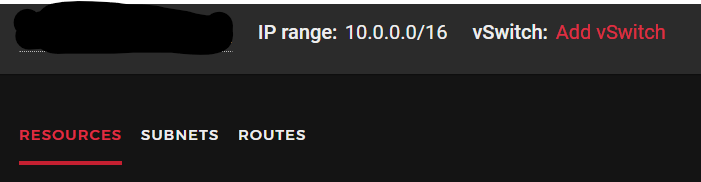
Right now the hosting provider allows me to have an internal network (10.0.0.1/16) where I can create multiple servers and if I want to I can let it assign whatever it allocates from that range (10.0.0.2(server4), 10.0.0.3(server2).
The thing is I want my containers to actually use that but I don’t know if it’s possible at all sadly I just suck at networking and I may very well be talking nonsense to those who really understand networking.
This is what I’m seeing atm with the links
1: lo: <LOOPBACK,UP,LOWER_UP> mtu 65536 qdisc noqueue state UNKNOWN mode DEFAULT group default qlen 1000
link/loopback 00:00:00:00:00:00 brd 00:00:00:00:00:00
2: eth0: <BROADCAST,MULTICAST,UP,LOWER_UP> mtu 1500 qdisc fq_codel state UP mode DEFAULT group default qlen 1000
link/ether 96:00:00:ca:7d:e7 brd ff:ff:ff:ff:ff:ff
3: ens10: <BROADCAST,MULTICAST,UP,LOWER_UP> mtu 1450 qdisc fq_codel state UP mode DEFAULT group default qlen 1000
link/ether 86:00:00:ca:7d:e8 brd ff:ff:ff:ff:ff:ff
4: lxdbr0: <BROADCAST,MULTICAST,UP,LOWER_UP> mtu 1500 qdisc noqueue state UP mode DEFAULT group default qlen 1000
link/ether 00:16:3e:50:5d:c1 brd ff:ff:ff:ff:ff:ff
8: veth421212be@if7: <BROADCAST,MULTICAST,UP,LOWER_UP> mtu 1500 qdisc noqueue master lxdbr0 state UP mode DEFAULT group default qlen 1000
link/ether 22:44:b1:c3:4c:7c brd ff:ff:ff:ff:ff:ff link-netnsid 2
12: vethc113d828@if11: <BROADCAST,MULTICAST,UP,LOWER_UP> mtu 1500 qdisc noqueue master lxdbr0 state UP mode DEFAULT group default qlen 1000
link/ether 4e:36:89:83:1b:eb brd ff:ff:ff:ff:ff:ff link-netnsid 0
ens10 assigning me the 10.0.0.2 to the current server I’m in.
Please can you show output of ip a and ip r on each of your LXD hosts?
So to help me understand, do you have a single private subnet that is currently shared across multiple servers provided by your ISP, and on those servers you would like to setup LXD instances that are also allocated an IP in that shared subnet?
Not much about my ISP in this case. But the latter does cover most of what you said. The host servers also have an IP assigned on that private subnet aside public ip it would just allow me seeing the containers on different purpose servers within the same subnet.
Of course if there’s a better way for this and I’m going backwards on this I’m all ears. All I wanted out of this in general was to set up a load balancer on a different server but I can’t see the containers and I didn’t want to do an overhead adding an http server or more configurations (unless simplified) on the host server.
Anyway here’s the outputs of one right now I’m just going through the initial setup and learning LXD so I can finally have a big picture on what to do in the following weeks.
1: lo: <LOOPBACK,UP,LOWER_UP> mtu 65536 qdisc noqueue state UNKNOWN group default qlen 1000
link/loopback 00:00:00:00:00:00 brd 00:00:00:00:00:00
inet 127.0.0.1/8 scope host lo
   valid_lft forever preferred_lft forever
inet6 ::1/128 scope host
   valid_lft forever preferred_lft forever
2: eth0: <BROADCAST,MULTICAST,UP,LOWER_UP> mtu 1500 qdisc fq_codel state UP group default qlen 1000
link/ether 96:00:00:ca:7d:e7 brd ff:ff:ff:ff:ff:ff
inet 195.201.96.207/32 scope global dynamic eth0
   valid_lft 79023sec preferred_lft 79023sec
inet6 2a01:4f8:1c1c:e33b::1/64 scope global
   valid_lft forever preferred_lft forever
inet6 fe80::9400:ff:feca:7de7/64 scope link
   valid_lft forever preferred_lft forever
3: ens10: <BROADCAST,MULTICAST,UP,LOWER_UP> mtu 1450 qdisc fq_codel state UP group default qlen 1000
link/ether 86:00:00:ca:7d:e8 brd ff:ff:ff:ff:ff:ff
inet 10.0.0.2/32 brd 10.0.0.2 scope global dynamic ens10
   valid_lft 76296sec preferred_lft 76296sec
inet6 fe80::8400:ff:feca:7de8/64 scope link
   valid_lft forever preferred_lft forever
4: lxdbr0: <BROADCAST,MULTICAST,UP,LOWER_UP> mtu 1500 qdisc noqueue state UP group default qlen 1000
link/ether 00:16:3e:50:5d:c1 brd ff:ff:ff:ff:ff:ff
inet 10.85.250.1/24 scope global lxdbr0
   valid_lft forever preferred_lft forever
inet6 fd42:5d46:d516:c5fe::1/64 scope global
   valid_lft forever preferred_lft forever
inet6 fe80::216:3eff:fe50:5dc1/64 scope link
   valid_lft forever preferred_lft forever
8: veth421212be@if7: <BROADCAST,MULTICAST,UP,LOWER_UP> mtu 1500 qdisc noqueue master lxdbr0 state UP group default qlen 1000
link/ether 22:44:b1:c3:4c:7c brd ff:ff:ff:ff:ff:ff link-netnsid 2
12: vethc113d828@if11: <BROADCAST,MULTICAST,UP,LOWER_UP> mtu 1500 qdisc noqueue master lxdbr0 state UP group default qlen 1000
link/ether 4e:36:89:83:1b:eb brd ff:ff:ff:ff:ff:ff link-netnsid 0
routes
default via 172.31.1.1 dev eth0 proto dhcp src 195.201.96.207 metric 100
10.0.0.0/16 via 10.0.0.1 dev ens10
10.0.0.1 dev ens10 scope link
10.85.250.0/24 dev lxdbr0 proto kernel scope link src 10.85.250.1
172.31.1.1 dev eth0 proto dhcp scope link src 195.201.96.207 metric 100
Out of interest can you ping the containers on one server from another if on the other server you add a static route to the lxdbr0 subnet of the first server.
I.e. If server 1 has a lxdbr0 address of 10.85.250.1/24, and on server 2 if you add a static route to it via server 1’s IP on ens10 using:
ip route add 10.85.250.0/24 via 10.0.0.2 dev ens10
If that works then you could just setup static routes between your servers, and then this would allow you to continue using the lxdbr0 DHCP server for automatic allocation to containers.
Show me ip a and ip r on the server you ran that command on please. Im still not clear on how many servers you have or what their addressing config is.
Not many servers yet just two running on the same subnet since I’m just currently configuring the LXD host.
:~# ip a
1: lo: <LOOPBACK,UP,LOWER_UP> mtu 65536 qdisc noqueue state UNKNOWN group default qlen 1000
    link/loopback 00:00:00:00:00:00 brd 00:00:00:00:00:00
    inet 127.0.0.1/8 scope host lo
       valid_lft forever preferred_lft forever
    inet6 ::1/128 scope host
       valid_lft forever preferred_lft forever
2: eth0: <BROADCAST,MULTICAST,UP,LOWER_UP> mtu 1500 qdisc fq_codel state UP group default qlen 1000
    link/ether 96:00:00:ca:7f:5d brd ff:ff:ff:ff:ff:ff
    inet 159.69.188.5/32 scope global dynamic eth0
       valid_lft 72349sec preferred_lft 72349sec
    inet6 2a01:4f8:c010:233f::1/64 scope global
       valid_lft forever preferred_lft forever
    inet6 fe80::9400:ff:feca:7f5d/64 scope link
       valid_lft forever preferred_lft forever
3: ens10: <BROADCAST,MULTICAST,UP,LOWER_UP> mtu 1450 qdisc fq_codel state UP group default qlen 1000
    link/ether 86:00:00:ca:7f:5e brd ff:ff:ff:ff:ff:ff
    inet 10.0.0.3/32 brd 10.0.0.3 scope global dynamic ens10
       valid_lft 63409sec preferred_lft 63409sec
    inet6 fe80::8400:ff:feca:7f5e/64 scope link
       valid_lft forever preferred_lft forever
r:~# ip r
default via 172.31.1.1 dev eth0 proto dhcp src 159.69.188.5 metric 100
10.0.0.0/16 via 10.0.0.1 dev ens10
10.0.0.1 dev ens10 scope link
172.31.1.1 dev eth0 proto dhcp scope link src 159.69.188.5 metric 100
OK so you’ve got a bit of an unsual L2 setup (Hetzner does this I think).
Rather than have a ‘proper’ L2 subnet so that your ens10 address has an address like 10.0.0.3/24, which would then create an L2 route for 10.0.0.0/24 down the ens10 interface, instead you have a single /32 address on the interface, and a static route for the rest of the 10.0.0.0/16 subnet pointing to the (presumably) Hetzner gateway.
So presumably the Hetzner gateway then needs to know about each IP available in that subnet and which server to route it to. I’m not familiar with that, but it suggests that adding static routes for lxdbr0 address won’t work (as your servers don’t look like they are technically on a true L2 network).
Your other option is to use a bridge onto ens10 and then connect your containers to that bridge, but again, it may be that won’t work as Hetzner are known for implementing MAC address filtering, and the unusual routing setup may well hinder you there also as the Hetzner gateway may well not known about the container addresses.
One option that may be viable is to move the IPv6 /64 subnet that each server gets allocated to each server to the lxdbr0 interface, and then modify your eth0 addressing to use a /128 address inside the /64.
Then your other servers can reach the containers directly via their IPv6 addresses.
This way you wouldn’t use the internal interface at all and just use the public IPv6 addresses between servers, simplifying the network structure.
Alright guess I have some more reading to do, in terms of LXD bridging how would I go around it in general… any documentation/samples I could go with.
Can I alter the current bridge lxdbr0 if so what would be the command to throw in the ens10 in the mix? Does it also automatically impact all containers or do I have to restart them one by one?
Then, assuming that maintains connectivity between servers on the private subnet, you can then try connecting a container to it as well using:
lxc config device add <instance> eth0 nic nictype=bridged parent=br0
That won’t get an IP, as there is likely no DHCP server provided by your ISP, you’d then need to enter the container using lxc shell <instance> and then configure manual IPs inside the container on eth0 and see if you can communicate with the other servers on the private network.
It seems I managed to work through it and it started working with the static route you initially gave me (yes, I know it seems Hetzner has some additional options for routing)
I’ll write the full solution later on today for anyone on that hosting at least and hopefully it helps someone in the future.
But again, thank you so much for all the help and patience!
Results so far (different server from container)
:~# ip a
1: lo: <LOOPBACK,UP,LOWER_UP> mtu 65536 qdisc noqueue state UNKNOWN group default qlen 1000
    link/loopback 00:00:00:00:00:00 brd 00:00:00:00:00:00
    inet 127.0.0.1/8 scope host lo
       valid_lft forever preferred_lft forever
    inet6 ::1/128 scope host
       valid_lft forever preferred_lft forever
2: eth0: <BROADCAST,MULTICAST,UP,LOWER_UP> mtu 1500 qdisc fq_codel state UP group default qlen 1000
    link/ether 96:00:00:ca:7f:5d brd ff:ff:ff:ff:ff:ff
    inet 159.69.188.5/32 scope global dynamic eth0
       valid_lft 69898sec preferred_lft 69898sec
    inet6 2a01:4f8:c010:233f::1/64 scope global
       valid_lft forever preferred_lft forever
    inet6 fe80::9400:ff:feca:7f5d/64 scope link
       valid_lft forever preferred_lft forever
3: ens10: <BROADCAST,MULTICAST,UP,LOWER_UP> mtu 1450 qdisc fq_codel state UP group default qlen 1000
    link/ether 86:00:00:ca:7f:5e brd ff:ff:ff:ff:ff:ff
    inet 10.0.0.3/32 brd 10.0.0.3 scope global dynamic ens10
       valid_lft 60958sec preferred_lft 60958sec
    inet6 fe80::8400:ff:feca:7f5e/64 scope link
       valid_lft forever preferred_lft forever
:~# ip r
default via 172.31.1.1 dev eth0 proto dhcp src 159.69.188.5 metric 100
10.0.0.0/16 via 10.0.0.1 dev ens10
10.0.0.1 dev ens10 scope link
10.85.250.0/24 via 10.0.0.1 dev ens10
172.31.1.1 dev eth0 proto dhcp scope link src 159.69.188.5 metric 100
:~# ping 10.85.250.65
PING 10.85.250.65 (10.85.250.65) 56(84) bytes of data.
64 bytes from 10.85.250.65: icmp_seq=1 ttl=62 time=3.84 ms
64 bytes from 10.85.250.65: icmp_seq=2 ttl=62 time=3.10 ms
^C
--- 10.85.250.65 ping statistics ---
2 packets transmitted, 2 received, 0% packet loss, time 1002ms
rtt min/avg/max/mdev = 3.101/3.472/3.844/0.371 ms
Interesting that routing the lxdbr0 subnet to the gateway works, I wonder how the gateway then works out which server actually hosts that subnet as, it could be either server (that is why normally we would use the server’s IP in the via part).