Use case
I am still at setting up Home Assistant and it has two cool (network) features:
- AFAIK it advertises
homassistantas the hostname, so you can reach it underhomeassistant.local. - It uses things like mDNS (or apparently other methods) to auto-discover other (IoT etc.) devices. This has not worked for me in
bridgemode (or I am too dumb to see it).
Also:
- With MQTT etc. it can have quite a lot of ports to expose, which is cumbersome if you reach it under the same IP as the Incus host.
Problem
The default network (in IncusOS) is a NAT bridge apparently. However, for this VM, IMHO, a different networking would be great, but I was unable to configure it.
Tried solutions
MacVLan
I found How to use my local lan instead of incus network? Ipv4 and ipv6? - #4 by simos which seems to be exactly what I want.
Also the doc seems to describe Macvlan as exactly what I want.
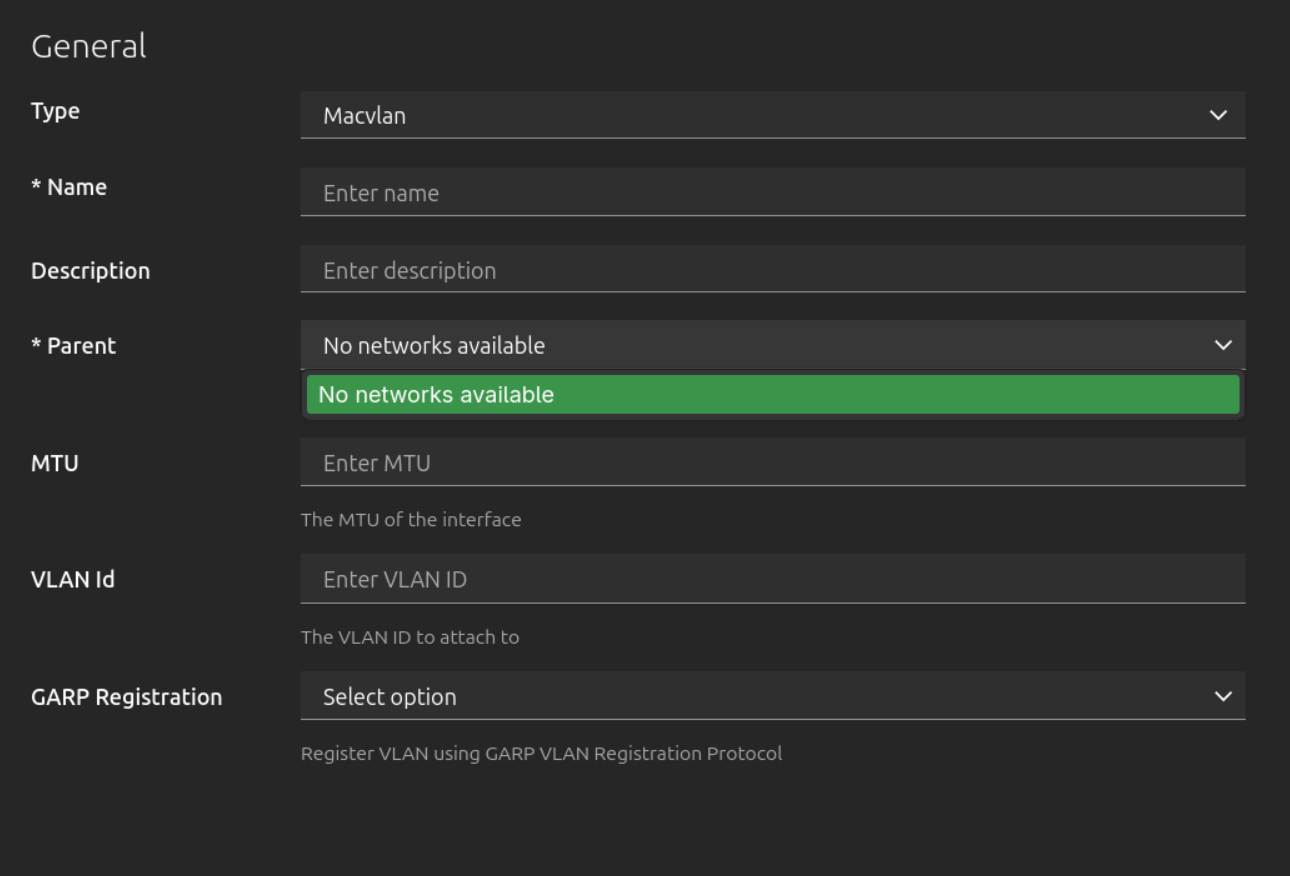
However, in the Incus-UI aka the GUI, I need to provide one required parameter named parent.
The problem is: what parent network(?) should I add here? If I could, I would add my ethernet interface, but the second problem is: In the UI the dropdown is empty – I literally cannot create and configure a macvlan network:
Keep the bridge but configure it
Initially when I read I could just disable nat in the bridge options, I thought this setting could help achieve my goal. Problem is: It does not, I guess it just routes/“bridges” nothing from the “outside LAN” then.
I however also found this article, but it looks really like a vibdecoded/LLMed website and I do not really think all makes sense there. Aka there is a YAML config in the (low resolution) screenshot (that is to be added in the GUI) that is totally different from what is shown before.
Questions
So what is the suggested approach here? What may I be doing wrong?