Greeting!
Please, show me how to install Incus-Agent in OPNsense (FreeBSD 14.3)
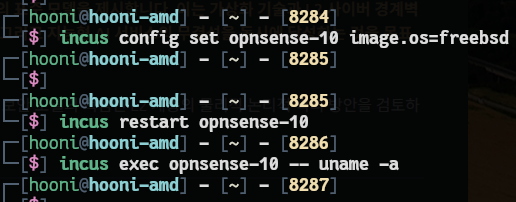
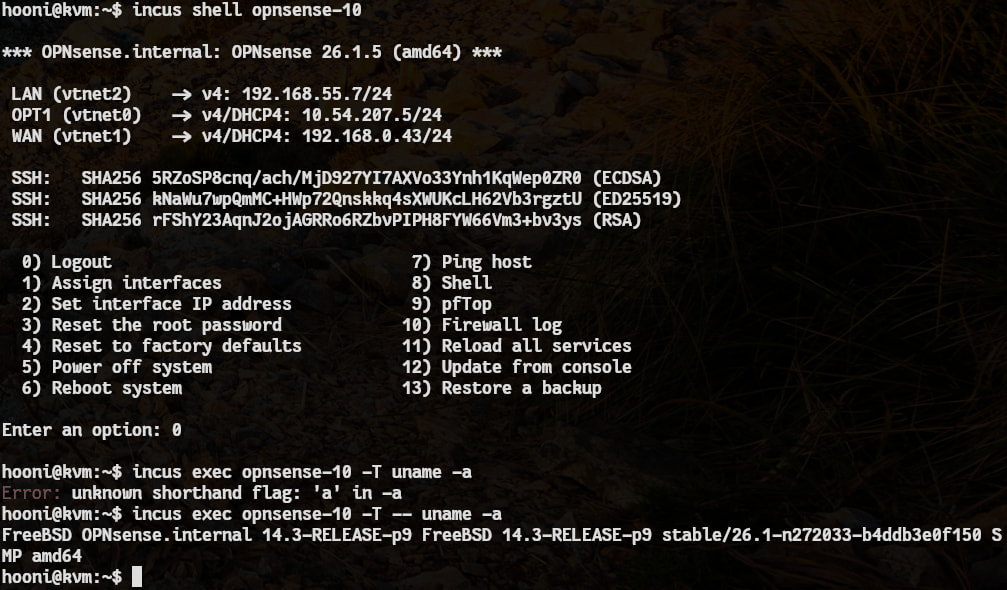
During two days with Gemini, I tried installing incus-agent in OPNsense.
Step 1 - add agent disk
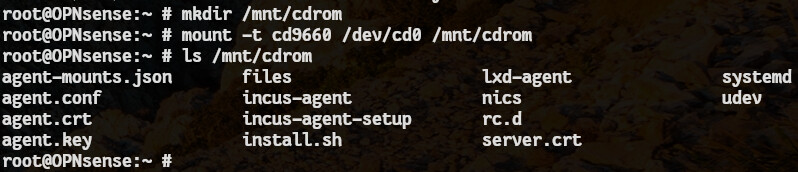
incus config device add opnsense-10 agent disk source=agent:config
Step 2 - mount
mount -t p9fs -o ro config /mnt/incus_config
Step 3 - Copy incus-agent from freebsd which installed with incus image.
incus file pull freebsd-143/var/run/incus_agent/incus-agent ~/
And opnsens download by sftp
Step 4 - install.sh ← it is for linux. I changed it for freebsd
install_bsd.sh ← Of course it is from Gemini
#!/bin/sh
set -e

# 1. 환경 체크
if [ ! -f "incus-agent" ] || [ ! -f "agent.conf" ]; then
    echo "에러: incus-agent 바이너리와 설정 파일이 현재 디렉토리에 없습니다."
    exit 1
fi

echo "FreeBSD/OPNsense용 Incus 에이전트 설치를 시작합니다..."

# 2. 경로 설정
BIN_TARGET="/var/lib/incus-agent"
RCD_TARGET="/usr/local/etc/rc.d/incus_agent"

# 3. 디렉토리 생성 및 파일 복사
mkdir -p "${BIN_TARGET}"
cp incus-agent "${BIN_TARGET}/"
cp agent.conf agent.crt agent.key "${BIN_TARGET}/"
chmod 755 "${BIN_TARGET}/incus-agent"
chmod 600 "${BIN_TARGET}/agent.key"

# 4. 커널 모듈 자동 로드 설정
echo "커널 모듈 설정을 확인합니다..."
touch /boot/loader.conf.local
for module in virtio_p9fs pty; do
    if ! grep -q "${module}_load" /boot/loader.conf.local; then
        echo "${module}_load=\"YES\"" >> /boot/loader.conf.local
        echo "  - ${module} 모듈을 부팅 시 로드하도록 설정했습니다."
    fi
    # 현재 세션에도 즉시 로드
    kldload ${module} >/dev/null 2>&1 || true
done

# 5. rc.d 서비스 스크립트 생성
echo "서비스 스크립트를 생성합니다: ${RCD_TARGET}"
cat << 'EOF' > "${RCD_TARGET}"
#!/bin/sh
# PROVIDE: incus_agent
# REQUIRE: FILESYSTEMS NETWORKING
. /etc/rc.subr
name=incus_agent
rcvar=incus_agent_enable
incus_agent_dir="/var/lib/incus-agent"
command="${incus_agent_dir}/incus-agent"
pidfile="/var/run/${name}.pid"
procname="${command}"
start_cmd="${name}_start"
load_rc_config "$name"
: ${incus_agent_enable:="NO"}
incus_agent_start() {
    echo "Starting incus_agent..."
    rm -f "${pidfile}"
    cd "${incus_agent_dir}"
    /usr/sbin/daemon -p "${pidfile}" -f -r "${command}"
}
run_rc_command "$1"
EOF

chmod 755 "${RCD_TARGET}"

# 6. 서비스 활성화
sysrc incus_agent_enable="YES"

echo ""
echo "설치가 완료되었습니다!"
echo "1. 현재 마운트된 9p 설정을 해제하세요: umount /mnt/incus_config"
echo "2. 에이전트를 시작합니다: service incus_agent start"
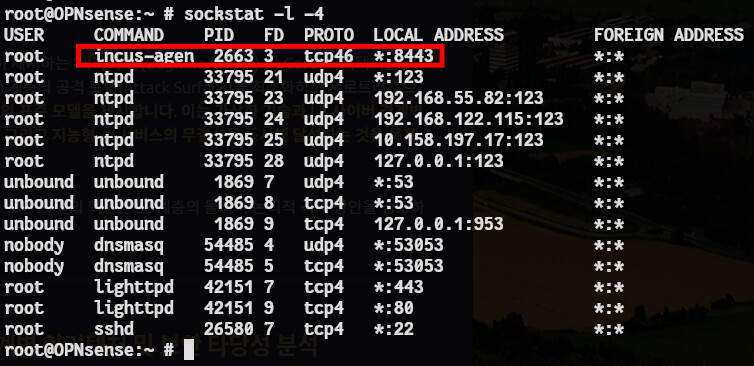
Step 5 - Service Start and check port
service incus-agent start
sockstat -l -4
Step 6 - Try communication
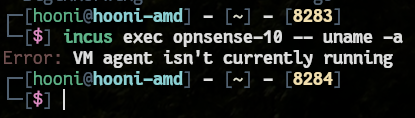
Gemini excuse is because of agent.conf.
I don’t think agent.conf is not existing FreeBSD. So It is not concern.
We are argued on it. So I need professional advice.
It’s all what I have done with Gemini.
Could you share your hand for me to use incus-agent on opnsense?