Hello fabulous guises?
I had a “Secure Bios Violation” with AMI aptio (cf56pro) before but 3 clicks en keyboard let think error.
From this update of IncusOS, new version freeze the boot. Keep in mind the case like older geek (62) that install it with some previous error messages ;-))
Your ambitious to secure the servers, nas or homelab (laptop next with gpu pass through)) but appliance is great !
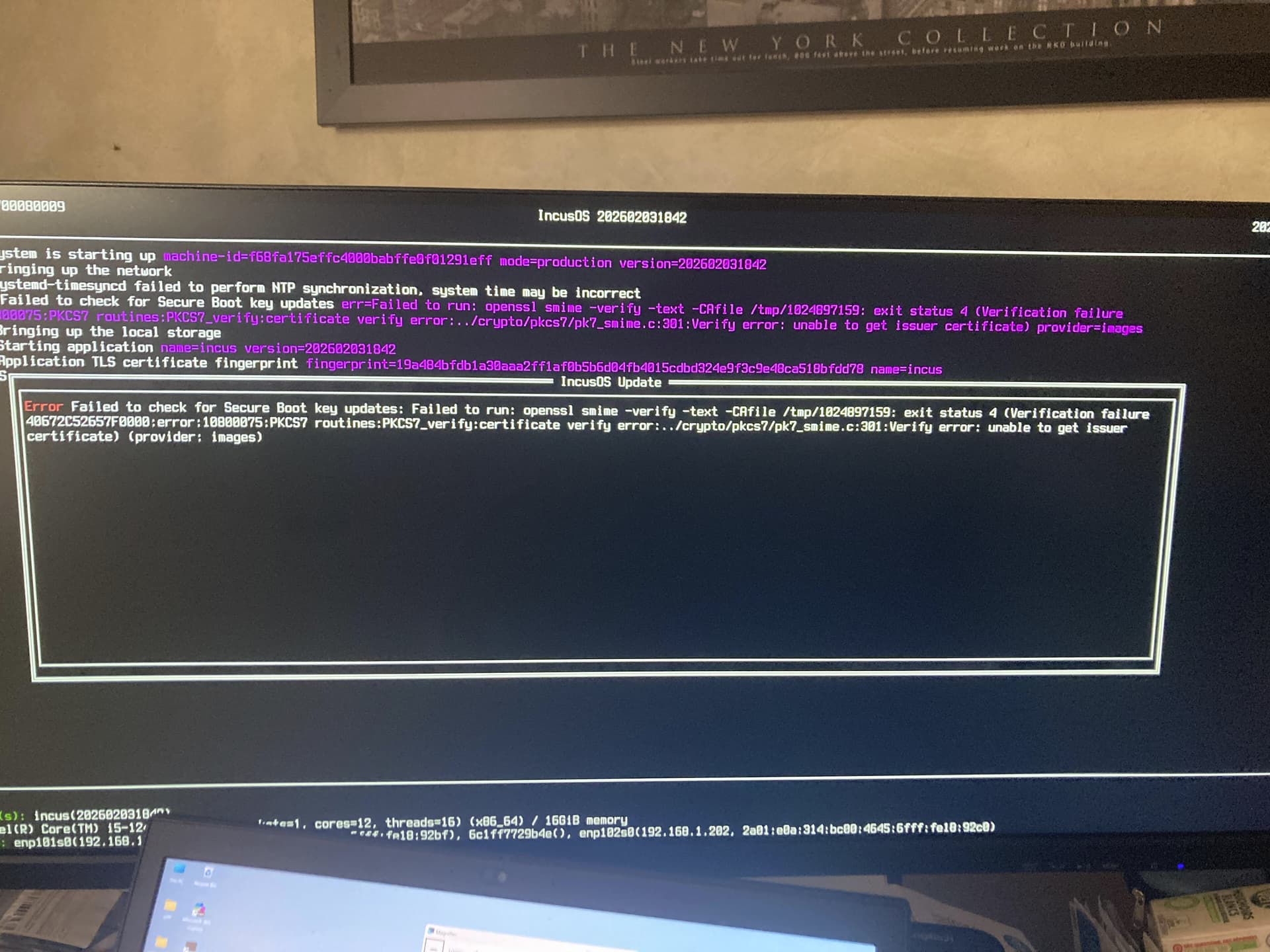
Version 202602031842 has a known bug ( Bad IncusOS update (202602031842) - #4 by stgraber ); if you reboot into the prior installed version of IncusOS it should pickup an update that fixes it and then your system should boot properly again.
I’m not sure what the “Secure BIOS Violation” was, but from the screenshot IncusOS booted correctly, so that means the Secure Boot certificates are installed and the TPM is working as expected.
Thanks you Mathias,
I think that come from EFI check certificat with the AMI Bios in cf56pro.
1/ How can I reinstall grub x86_64-efi in IncusOS ? How can I check that Debian certificate is configure in motherboard (nvram or tpm) ? I am not an expert on EFI, TPM, encrypted ZFS ..
=> grub-install --target=x86_64-efi --efi-directory=/boot/efi --bootloader-id=debian --recheck --no-floppy --removable
2/ Do you know how to launch a privileged Debian/13 container with which I will be able execute commands on boot partition (if write is enable) and zfs/zpool commands (ex:zfs list) from previous ‘dpool’ recovered with this command: incus admin recover ?