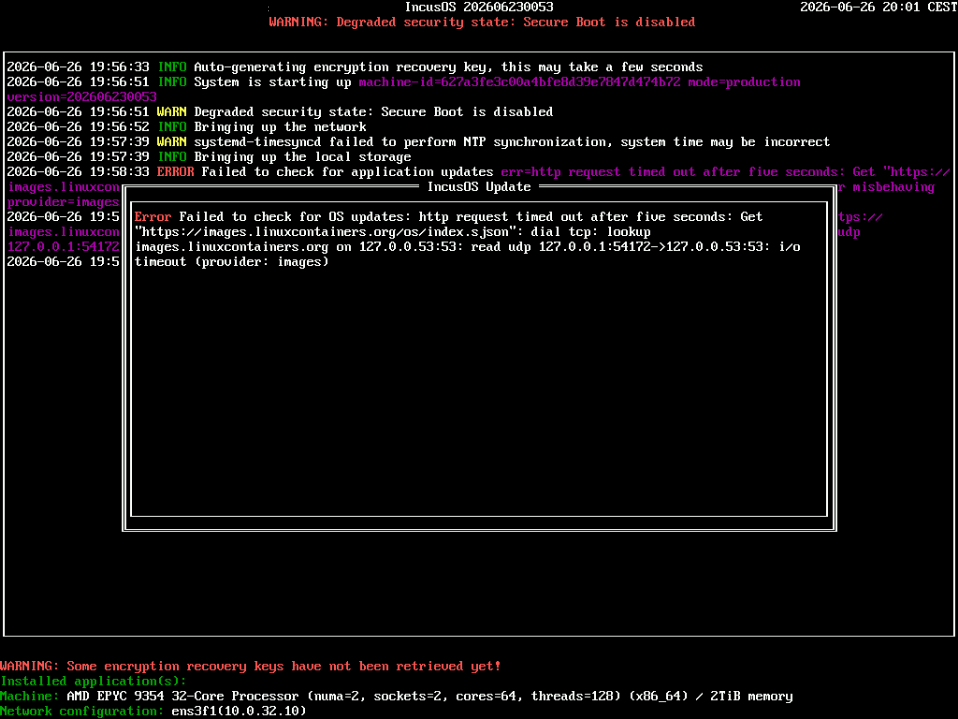
Previously ran into problems with the speed detection not working, which you fixed in a more recent version. However I still keep running into problems booting after initial install fails on first a time sync fail (warning) and then a failing nslookup when trying to check for OS updates.
It’s a bare metal machine (2 proc, 128core, 6 nics, one of which (10Gb/s) is plugged in).
On a Ubuntu live CD or Debian 13 install on the machine with the same network settings pinging the machine does work. So I don’t think security / filtering plays a part.
Is there really no way to flash and roll out a troubleshooting build that does have a local shell to interact with ? I understand the need for security of production environments, but not being able to install a working version of an operating system on a server all other OS installs do succeed will hamper adoption.
We have been trying to convince our EMs IncusOS is a perfect fit for our use case, but not having a working install over weeks from a team that’s quite Linux capable but has their hands tied behind their back is making things difficult.
Perhaps an important extra piece of technical information, there’s no dhcp or dns on this specific subnet / vlan (by design). So initial network needs to be set up directly with a fixed ip address, and dns calls need to be made through the gateway to dns servers outside the subnet. However, the information for that should be in the config, and just like a cloudinit Ubuntu should be able to work directly.
That’s not a valid test for port security or filtering. Those operating systems don’t run a virtual switch that leads to additional MAC addresses appearing on the physical network, IncusOS does.
We’ve seen a bunch of issues related to that, though typically when folks are running IncusOS within a platform like VMware which has port security enabled by default (only one expected MAC per port, if more MAC are seen or a different MAC is reported, traffic is cut).
The same can be done on physical networks too so if in a large corporate environment, it would be worth checking with your networking team as there may be something at play there.
Your config looks correct. The only outside traffic you’d see is NTP as you’ve not provided internal NTP servers but that’s not blocking. Anyway, NTP and DNS happen after the IP address has been set.
Look at the IncusOS screen. Once you see the IP address appear at the bottom of the screen, it means IncusOS has configured systemd-networkd with the virtual switch (VLAN-aware bridge) and has setup a switch port with your provided IP configuration. If a system on the same subnet can’t ping the server at that stage, you’ll really want to go have a look at the logs of your switches.