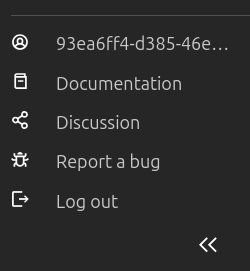
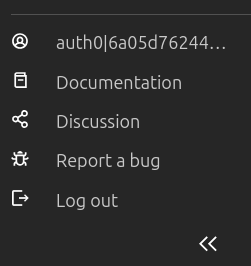
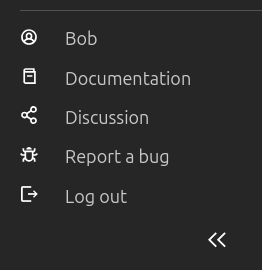
To change the username I set oidc.claim to prefferred_username but after the change when authenticated in authelia it sends me back to login screen. If I set it back to ‘sub’ (or delete) the login process success!!
config:
  core.https_address: :8443
  oidc.audience: https://server.local:8443
  oidc.claim: preferred_username  #works fine with sub
  oidc.client.id: incus
  oidc.issuer: https://authelia.local:9091
  oidc.scopes: openid,email,profile,groups
Checking the logs, I get the following warning message
level=warning msg=“Rejecting request from untrusted client” ip="10.0.10.100:4924
I paste the authelia config file relevant sectión.
I had a similar issue, a while ago, where nickname and preferred_username wouldn’t work when authenticating with the Incus cli (although the webui worked fine), giving me that same error. Only email would work.
It was went away after I had reinstalled my system, though, and I never figured out why it happened in the first place. I currently use preferred_username with Authentik.
I’m not familiar with authelia but on some platforms, the content of the ID token can be a bit limited so you may need to setup some configuration on the IdP side to include more fields in the ID token itself as opposed to just available through a userprofile query after the fact (which Incus can’t do).
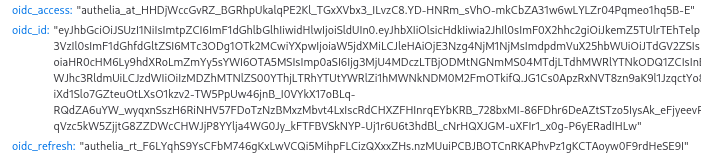
Using any value other than none for this option enables encoding Access Tokens as JWT’s per RFC9068. It is critical to note that these Access Tokens should not be treated as an ID Token and the semantics of validating these token types differ. The JWT Profile Access Token is intended for resource servers to perform stateless validation of the Access Tokens and they should not be used to prove identity. We therefore only recommend implementing these tokens in heavier use cases where the cost of validating the Access Tokens against a database is too costly.
It seems that access tokens requested this way can not be treated as ID Tokens so that might be the reason to not be able to claim ‘preferred_username’ or ‘email’.
I’ve used Auth0 to register an ‘incus’ app with the same results as authelia. that’s it, only works with oidc.claims=sub showing it as a username. I’ve tried diferents scopes, claims without success.
config:
   core.https_address: :8443
   oidc.audience: https://incus.local
   oidc.claim: sub #works only with sub
   oidc.client.id: xxxxxxxxxxxxxxxxxx
   oidc.issuer: https://dev-xxxxxxxxxx.eu.auth0.com/
   odc.scopes: openid,profile,email
After searching a bit more I found that in OIDC since the introduction of claims parameter most clamis have been removed from the ID Token leaving it with only the claims required by the specification for additional privacy and performance, requested claims are available only at the userinfo endpoint.
We strongly recommend implementers use the standard process for obtaining the extra claims not generally intended to be included in the ID Token by using the Access Token to obtain them from the UserInfo Endpoint. This process is considered significantly more stable and forms the basis for the future guarantee. This option only exists as a break-glass measure and is only offered on a best-effort basis
My guess is that incus oidc client is not requesting the claims from the userinfo endpoint, but I can’t not assure from the code
[NOTE] I set up a keycloak IdP and I was able to claim the ‘given_name’. My guess is because Keycloak maps those attributes in the ID Token.
I read all the comments but not exactly sure if you got Authelia working correctly in the end.
I recently spent some time on it ran in to the same issues detailed above, mainly missing claims and also the access tokens are opaque instead of full JWTs which Incus can’t use.
Hi, Thanks a lot!! I was missing the access_token section in claims_policy.
I took me weeks of search/try/error/but it helped to get a much better understanding of OAuth/OpenID.
Thanks to stgraber for his Incus OIDC with selfhosted authelia - random string as username - #3 by stgraber post that after reading it again makes much more sense.