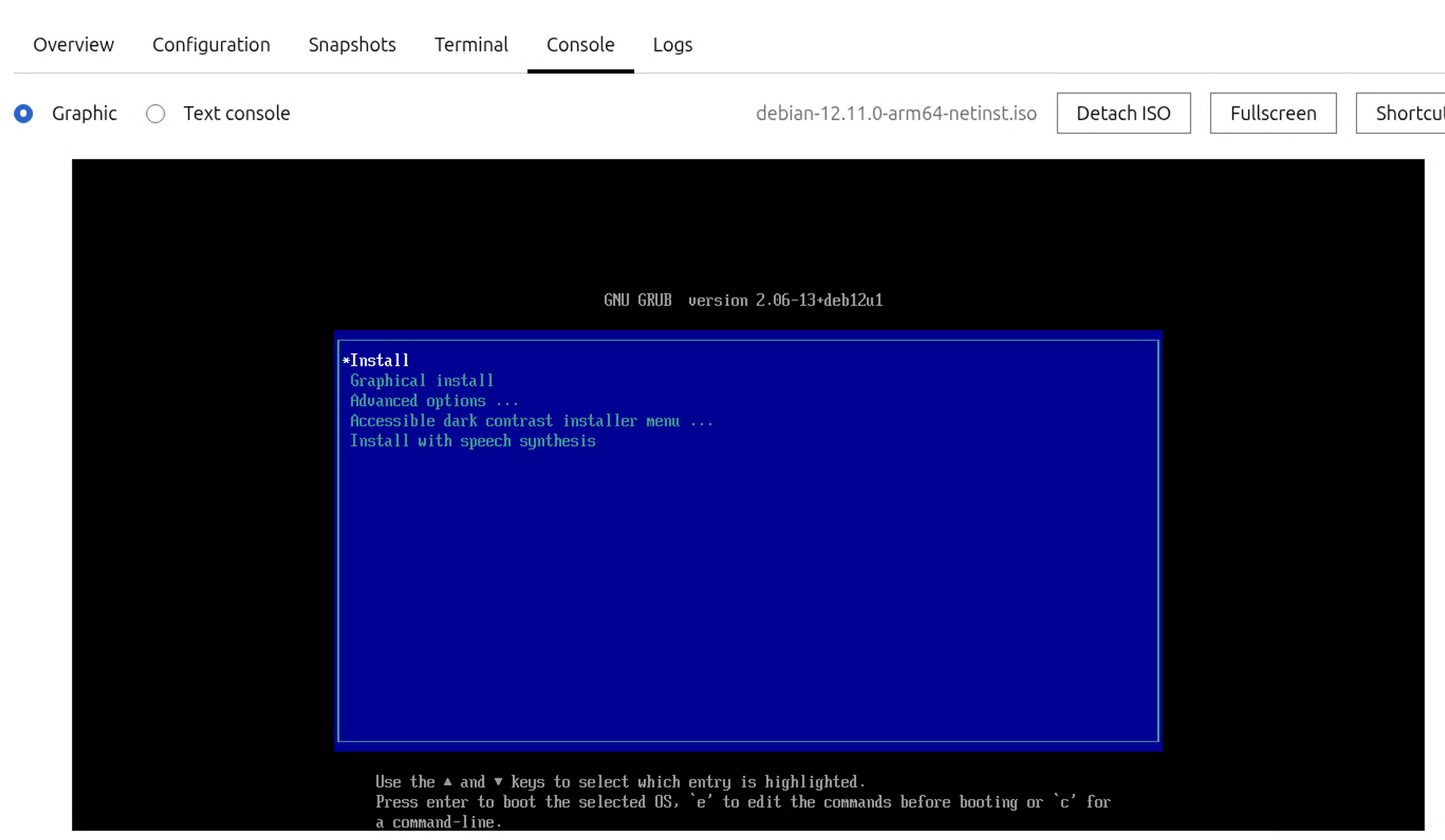
Here is what happens. I can create an instance, but when it boots to grub, I kind of need keyboard access and that’s the problem from my MacBookPro…I tried Firefox, Chrome, Safari from MacOS, I tried Firefox, Chrome from my Incus server directly nothing works. I think this may be an architecture support problem where arm64 is not fully supported for the UI piece of Incus.
I have validated that with standard containers this issue does not exist with Terminal nor Console. With containers I am able to fully manage from within Incus, but with VMs I still cannot get past the installer grub boot screen.
Why would the keyboard work on the Graphical Console tab with containers, but not with virtual machines? Wouldn’t they both use the same mechanism for keyboard entries?
They use the same mechanism on the Incus side, yes.
The difference may be at the VM firmware level where the arm64 version of the firmware may be having lacking/broken drives for the keyboard.
I just tested here and I don’t have any problem with the console interaction with my arm64 VMs, but those are fully booted. Yours is in the grub menu, so it could be that your particular version of grub doesn’t correctly handle the USB keyboard that’s part of the VM somehow.
An other issue could be USB2 vs. USB3 support. It seems Incus or better Qemu uses USB3 on default which works in most cases but some “older” grub versions might have trouble and require USB2. Just an experience I want to share as I run into similar issues recently on a complete different matter…
Could this be my MacBook then? I mean this whole thing never touches x86 at all. My Mac is Arm, my Incus server is Arm, and the VM is arm. I’m attempting to install Debian 12 which should be new enough to detect my keyboard. I swear this worked before I rebuilt it
So this isn’t that critical after all. I managed to just use a privileged and nested container to run my app and its actually more responsive. So if I have to use only containers on this server, not a huge deal.