Last night I tried to clean install IncusOS on a machine that had been running IncusOS a few months back, but ran into a problem after what otherwise looks like a successful install.
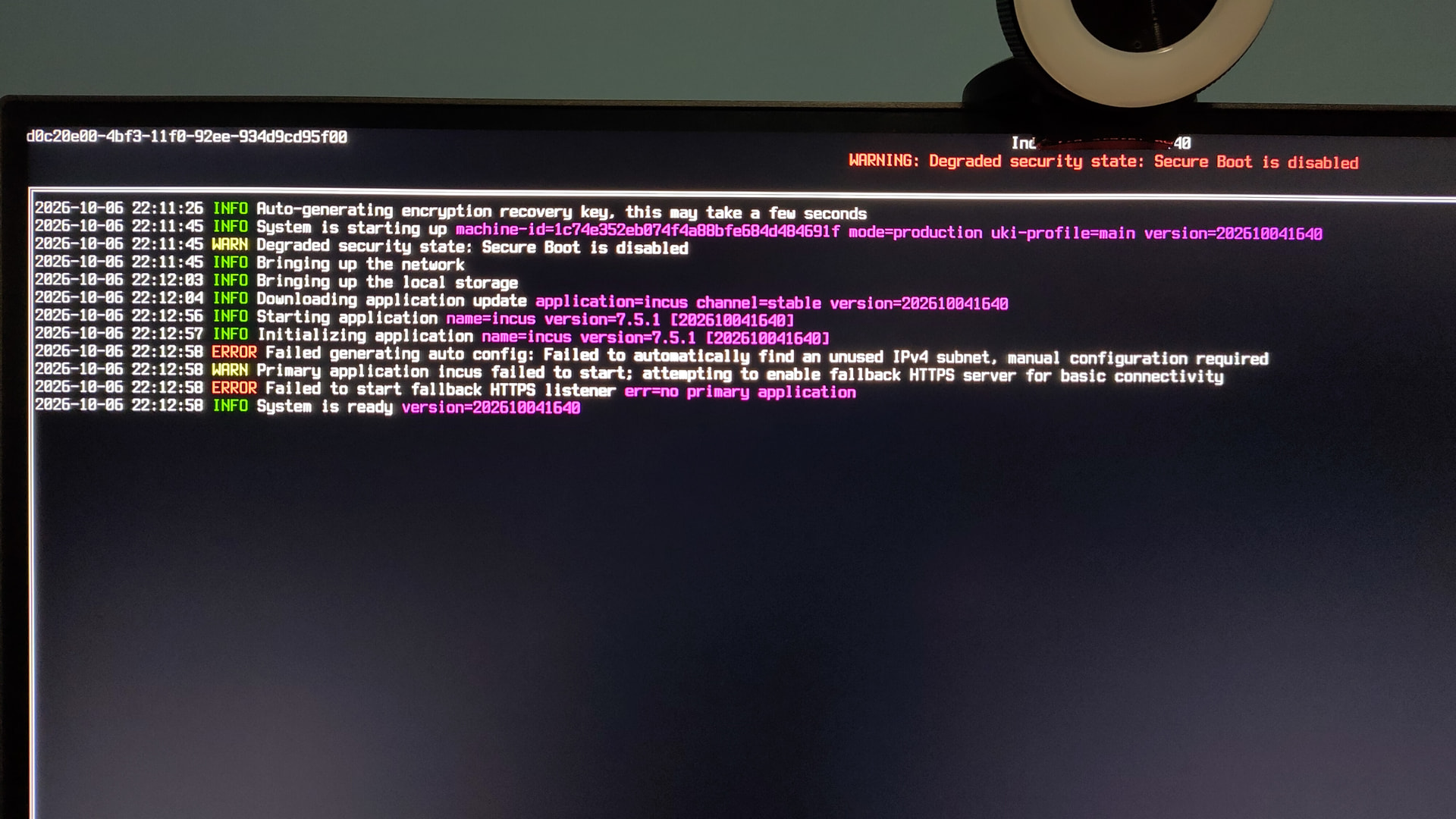
After install, on first boot, IncusOS downloaded an application update of Incus, failed when generating auto config, and ultimately failed to start the fallback HTTPS listener.
As that meant I couldn’t connect to it via Incus on my desktop machine, or via the web interface, I hit Ctrl+Alt+Del to have it reboot.
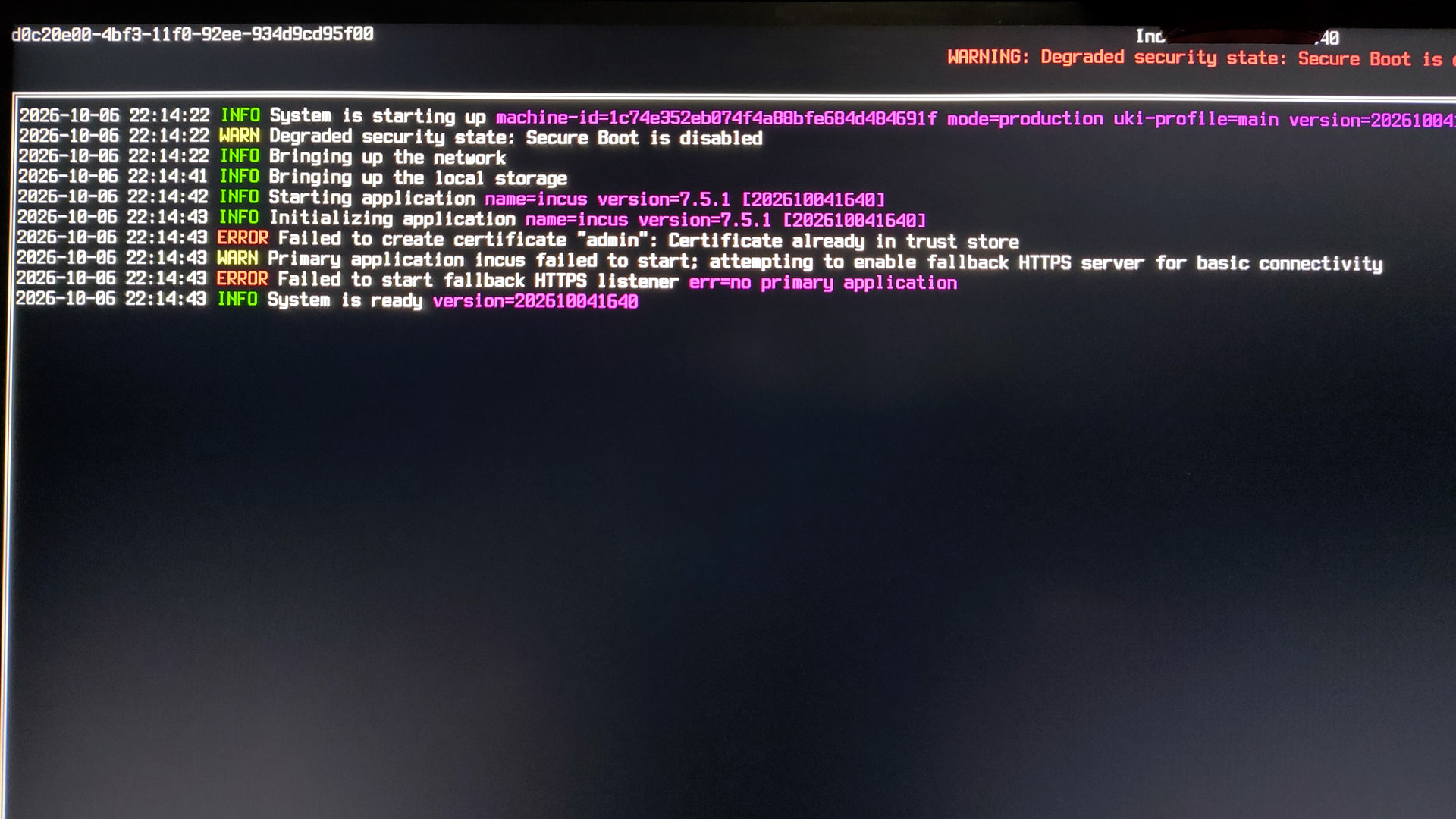
When it came back up it complained that it failed to create certificate “admin” as it was already in the certificate store. And then also failed to start Incus or the fallback HTTPS listener.
This was my second attempt, it had done this earlier in the evening, so I wiped the target disk, re-downloaded and flashed an install img just in case, but same issue.
Any ideas on what’s happening and whether there’s a way to fix this either in situ or via a re-install?
What’s your network configuration like? I could see this being possible if you had a rather misconfigured network using a /8 subnet, preventing Incus from finding an unused 10.x.x.0/24 subnet during initialization.
Incus checks both the subnet configuration on the existing interfaces (so a DHCP or static config using a /8 mask would cause this) and then attempts to ping the first and last address of the subnet it selected, skipping it if either ping, so a weird network where all addresses are made to ping would also cause this.
Your two main options to fix this are:
If your network uses a /8 mask, don’t do that, it’s much larger a broadcast domain than anyone should ever use, get it back down to something reasonable.
If your network is somehow responding to all addresses, also don’t do that as that’s preventing this kind of automatic allocation.
A workaround for this would be to grab an install image with the “Apply default configuration” option disabled so no default network gets intiialized.