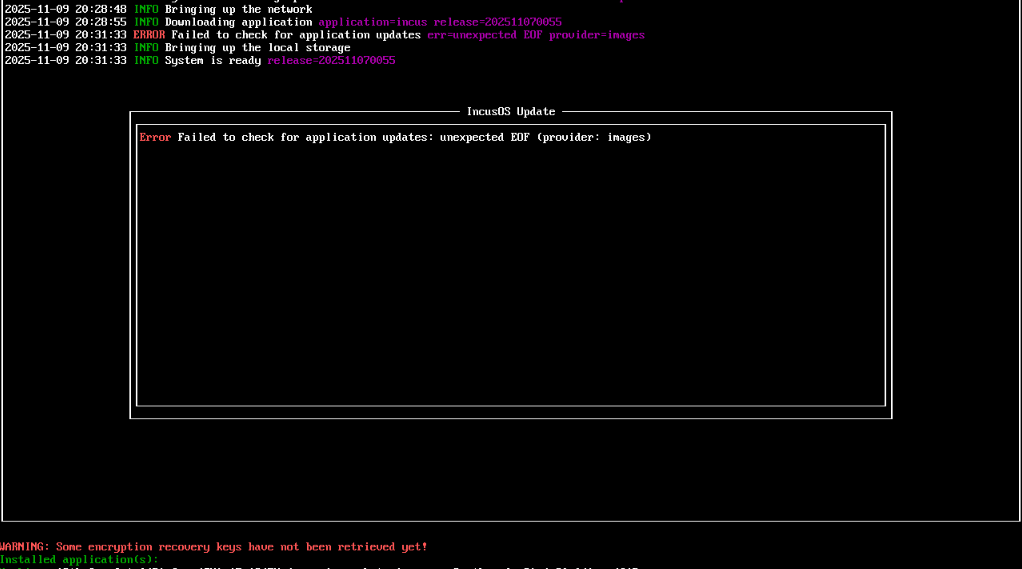
So after yesterday I managed to get the the keys registered and IncusOS installed (thanks for the video) but the incus download keeps failing with EOF error, it does start (? I have bad internet but not that bad, I have to restart the VM to retry);
I’ve also scanned the host looking for an API port for IncusOS on the host (as it says it up despite the download failing), and I cant see a port? (I did see that in the firewall thread you didn’t mention the API port? Maybe ive miss underrstood? It should be available of the network right?)
$ nmap -p 1-65535 10.43.22.213
Starting Nmap 7.93 ( https://nmap.org ) at 2025-11-09 20:27 GMT
Nmap scan report for 10.43.22.213
Host is up (0.000040s latency).
All 65535 scanned ports on 10.43.22.213 are in ignored states.
Not shown: 65535 closed tcp ports (conn-refused)

Nmap done: 1 IP address (1 host up) scanned in 0.60 seconds
Do you have a proxy or some sort of firewalling that would be blocking the IncusOS system from performing a HTTP request to http://images.linuxcontainers.org/os/?
IncusOS relies on an application (such as Incus) to proxy its API socket over the network. This allows us to rely on existing authentication/authorization provided by the application rather than having to handle duplicate logic in IncusOS. A downside is that if the system can’t install any application, there’s no exposed API over the network.
So IncusOS is booted, but without an application there’s no way to interact with it.
Nope its the most boring default network settings you can get. It was failing halfway, it now sometimes gets to what appears to be 100% and fails.
Yeah I guess that makes sense, less troublesome in these circumstances as its on a laptop infront of me but I guess if it was a remote server I’d be a bit more nervous. I guess the advise is to rely on the server firmware that gives remote access/restart function and not Incus? Should this maybe be retrying a couple more times than instead of just failing and stopping? As it appears I need to power cycle to retry.
Yay! We probably should add a task to be a bit more resilient when checking for/downloading updates. At the moment we expect a stable Internet connection, which clearly isn’t always the case.
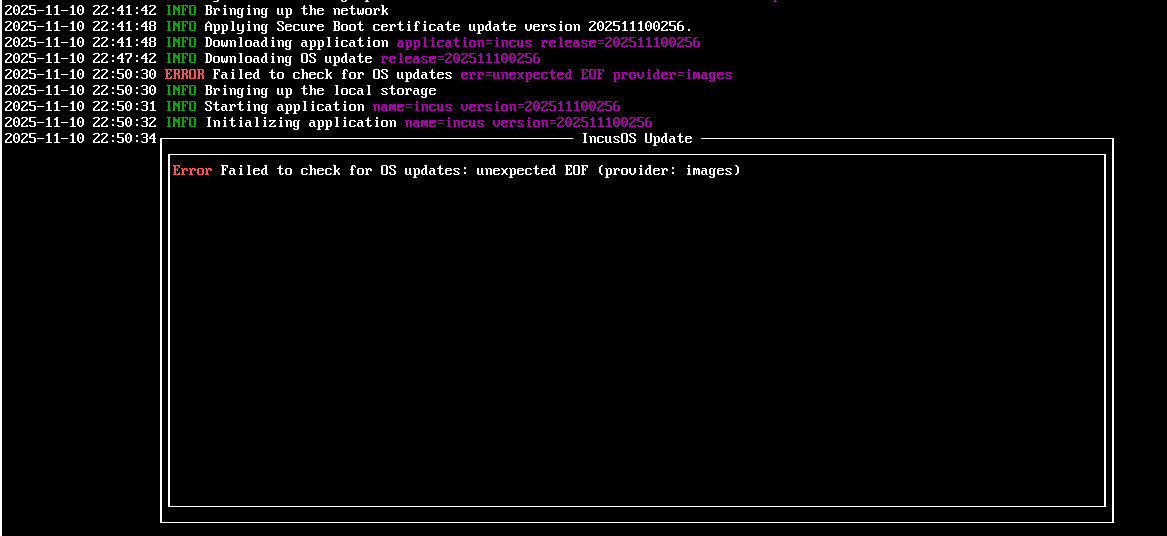
Thank you for putting in the loop, I did get it working yesterday, but on launching today its just going “download → eof” in a loop very aggressively and never resolving. I think the network is getting its self into a pickle but got no idea how to debug (other devices are using the net no problem and outside the vm it still works no problem).
So close and yet so far (after couple of restarts);