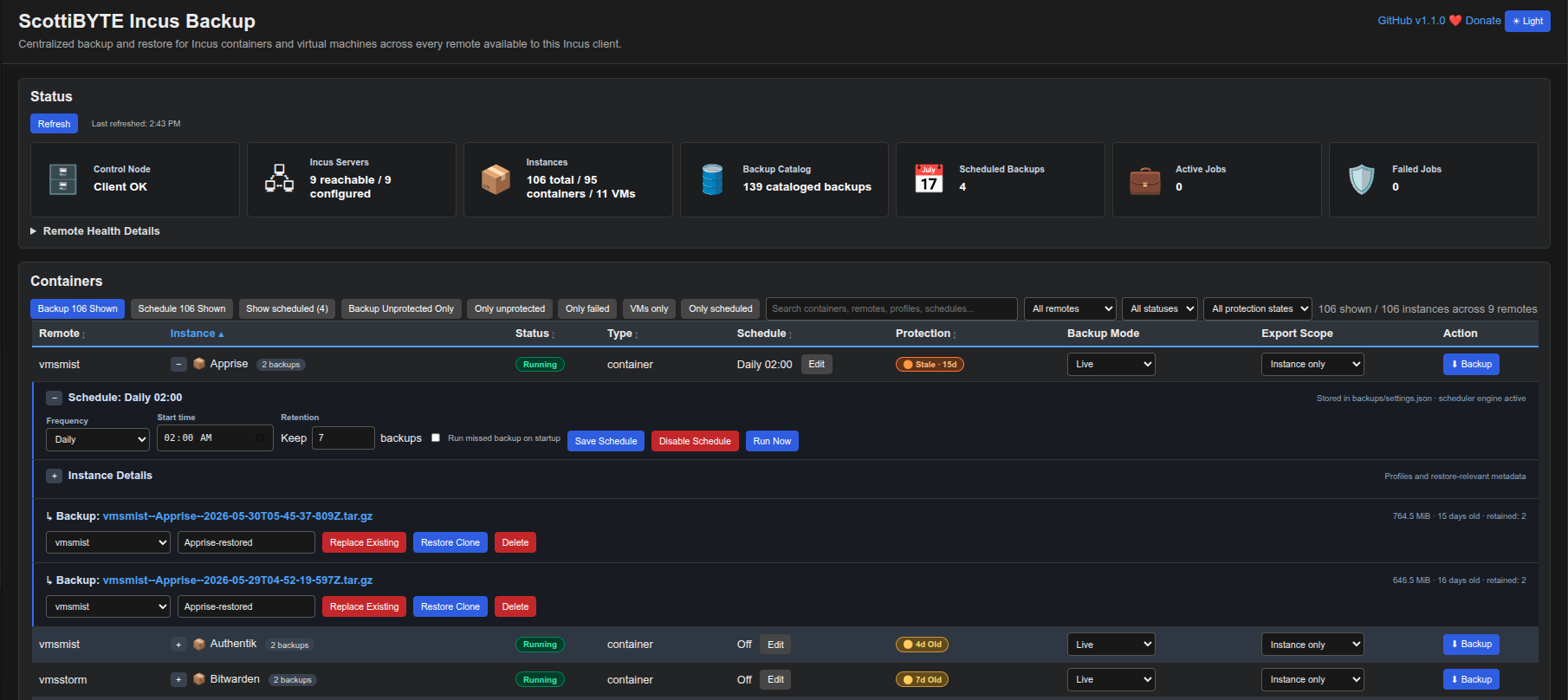
I have created a web based Incus Backup utility that I want everyone to know about. It has an integrated scheduling engine and options to backup containers with or without snapshots. It also supports either live container backups or backups where it shuts the container down and restarts it after the backup completes. This is V1.1.2 and I have three videos on my ScottiBYTE YouTube channel about this utility. I have many other Incus utilites as well. Check out my work on both Github and Docker Hub.
@Scott_T so that’s only using the old backup API (full .tar.gz backups)?
We’ve been doing a bunch of work recently on the VM front with the NBD bitmap and download API allowing for consistent incremental snapshots of very large running VMs.
I wonder how easy/hard that will be to fit into your project.
I am not sure. I am just doing the tar.gz backups, but I am cheating. I am shelling out to the Incus CLI inside the Docker container, and the Incus CLI talks to each remote Incus server using the configured Incus client trust relationships. So it’s basically “incus export”” with a wrapper. I took advantage of the:
incus export <remote>:<instance> <backup-file>.tar.gz --instance-only
to backup without snapshots which so many users have asked about.
Okay, so yeah, that’s the old inconsistent method to make backups where you get an entire dump that’s not guaranteed consistent unless the instance is stopped. Works pretty well for small containers, less so when you’re dealing with VMs with 100GiB+ disks 
That’s why we did the work on the NBD stuff, so for large VMs, a backup system can:
- Create a new tracking bitmap
- Connect over NBD and capture the whole disk (full backup) while getting a consistent view (we create an in-memory overlay during the transfer)
- Every time an incremental backup is created, create a new bitmap, connect over NBD, get the block delta from the previous bitmap to the new one, delete the old bitmap
NBD can also be used in write mode against stopped VMs to push the data back.
We also allow connecting to all of the VM’s disks concurrently with the internal overlay having been created in a single transaction, guaranteeing that all disks on a VM with dependent disks are perfectly in sync.
I wondered about that. I think the largest container I have backed up was a VM that was around 85gb and it worked. Once I understand what you have done, I can evolve my code. Is it faster?
Yeah, it’s a lot faster as a dirty bitmap aware NBD client can easily get told exactly what blocks changed from one day to the next, allowing a 100GiB VM that only had 50MiB of data written over 24h to only need those 50MiB of data be transferred to the backup system.
Give me some basics so I can test. Does it still generate external backups that can rebuild containers?
The NBD API is exclusively for VMs. For containers the best option for incremental backups is to use the SFTP API to perform rsync-like incremental backups (file granularity, detect changes based on timestamps and size).
For OCI Containers which I am ATM. most interested to, we need backups of Storage Volumes, nothing else.
I think having an easy tool to do so gives incus a big advantage.
Did someone ever think about connecting Proxmox Backup Server with incus?
I can certainly add storage volumes to Incus Backup. I had not considered that.