A few thoughts.
- Personally I’m very wary of using AI to answer technical questions.
- The idea of using Linux as a router has been around for a loooong time, plenty of worked examples out there.
- A bare bones Linux “router” routes traffic between two different subnets using ip forwarding and masquerading.
- A real internet facing “router” typically has one interface for the WAN side and at least one other for the LAN side which is connected to a switch for other LAN hosts to use.
- You’d expect a real internet facing “router” to acts as “firewall” (maybe iptables based) and provide both DHCP and DNS services to a LAN.
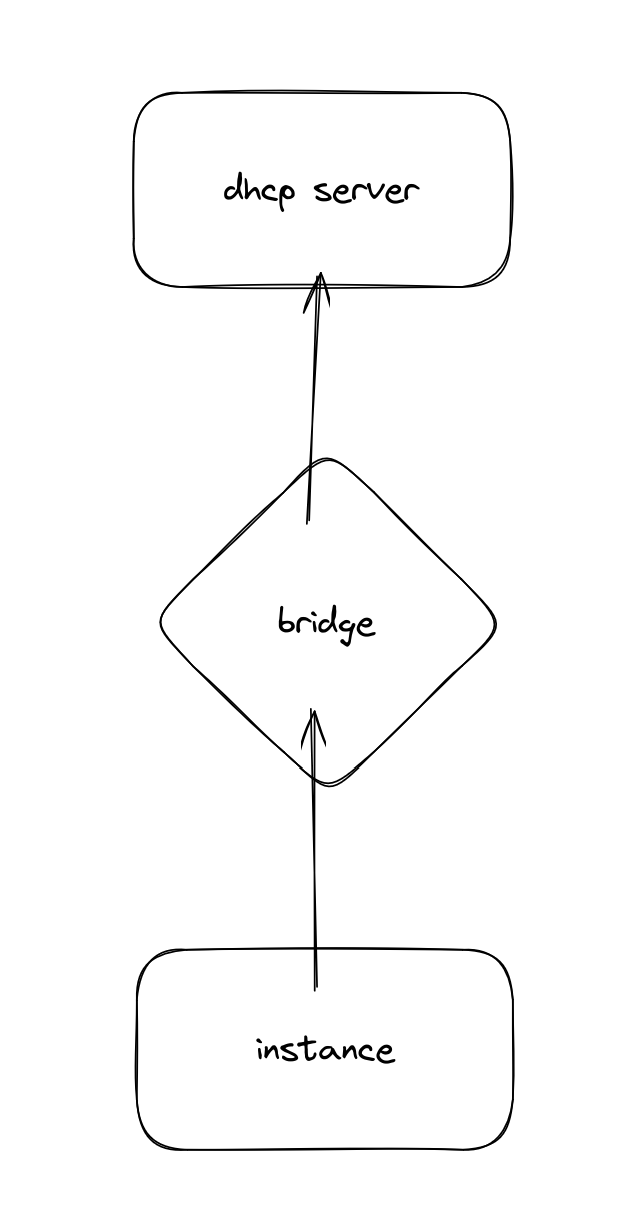
- The virtual equivalent of a real “router” can be an instance configured with two nic devices combined with a incus host “bridge” which acts as a switch that both the LAN side of the “router” instance and other LAN side instances can connect to. In its simplest form, there is NO internal bridge in the “router” instance.
Parts of the AI derived scheme shown above appear to be incorrect. You only need to pass one physical nic to the “router” instance - which will be the WAN interface (although this could be via a bridge created on the incus host).
For example, part of a “router” container config:
devices:
  eth0:
    nictype: physical
    parent: enp11s0
    type: nic
  eth1:
    nictype: bridged
    parent: br2
    type: nic
The public network is on eth0 and the private network on eth1.
In my example, the incus host interface enp11s0 is actually connected to an upstream router running DHCP on 192.168.20.x & the incus host bridge “br2” is non-persitent and was created using ip link commands. The bridge “br2” has no ip and no real members.
On the incus host:
root@debincus-vm:~# ip link show br2
13: br2: <BROADCAST,MULTICAST,UP,LOWER_UP> mtu 1500 qdisc noqueue state UP mode DEFAULT group default qlen 1000
    link/ether 6a:e1:da:81:1d:2b brd ff:ff:ff:ff:ff:ff
root@debincus-vm:~#
The network within my example “router” container is (note: there is no bridge here):
root@debincus-vm:~# incus shell d12-c5
root@d12-c5:~# ip a
1: lo: <LOOPBACK,UP,LOWER_UP> mtu 65536 qdisc noqueue state UNKNOWN group default qlen 1000
    link/loopback 00:00:00:00:00:00 brd 00:00:00:00:00:00
    inet 127.0.0.1/8 scope host lo
       valid_lft forever preferred_lft forever
    inet6 ::1/128 scope host
       valid_lft forever preferred_lft forever
4: eth0: <BROADCAST,MULTICAST,UP,LOWER_UP> mtu 1500 qdisc fq_codel state UP group default qlen 1000
    link/ether 52:54:00:1e:09:41 brd ff:ff:ff:ff:ff:ff
    inet 192.168.20.49/24 metric 1024 brd 192.168.20.255 scope global dynamic eth0
       valid_lft 5854sec preferred_lft 5854sec
    inet6 fe80::5054:ff:fe1e:941/64 scope link
       valid_lft forever preferred_lft forever
18: eth1@if19: <BROADCAST,MULTICAST,UP,LOWER_UP> mtu 1500 qdisc noqueue state UP group default qlen 1000
    link/ether 10:66:6a:a5:47:9a brd ff:ff:ff:ff:ff:ff link-netnsid 0
    inet 192.168.100.1/24 brd 192.168.100.255 scope global eth1
       valid_lft forever preferred_lft forever
    inet6 fe80::1266:6aff:fea5:479a/64 scope link
       valid_lft forever preferred_lft forever
root@d12-c5:~#
root@d12-c5:~# cat /var/lib/misc/dnsmasq.leases
1747955743 10:66:6a:7f:8e:21 192.168.100.50 d12-1 01:10:66:6a:7f:8e:21
1747969771 00:16:3e:8b:cf:af 192.168.100.59 testvm 01:00:16:3e:8b:cf:af
root@d12-c5:~#
Forwarding, masquerading and basic dnsmasq within the “router” container is as per the AI scheme above.
Part of a LAN side container config:
devices:
  eth0:
    nictype: bridged
    parent: br2
    type: nic
Network within a LAN side container:
root@d12-1:~# ip a
1: lo: <LOOPBACK,UP,LOWER_UP> mtu 65536 qdisc noqueue state UNKNOWN group default qlen 1000
    link/loopback 00:00:00:00:00:00 brd 00:00:00:00:00:00
    inet 127.0.0.1/8 scope host lo
       valid_lft forever preferred_lft forever
    inet6 ::1/128 scope host
       valid_lft forever preferred_lft forever
25: eth0@if26: <BROADCAST,MULTICAST,UP,LOWER_UP> mtu 1500 qdisc noqueue state UP group default qlen 1000
    link/ether 10:66:6a:7f:8e:21 brd ff:ff:ff:ff:ff:ff link-netnsid 0
    inet 192.168.100.50/24 metric 1024 brd 192.168.100.255 scope global dynamic eth0
       valid_lft 41885sec preferred_lft 41885sec
    inet6 fe80::1266:6aff:fe7f:8e21/64 scope link
       valid_lft forever preferred_lft forever
root@d12-1:~#
root@d12-1:~# resolvectl status --no-pager
Global
       Protocols: +LLMNR +mDNS -DNSOverTLS DNSSEC=no/unsupported
resolv.conf mode: stub

Link 25 (eth0)
    Current Scopes: DNS LLMNR/IPv4 LLMNR/IPv6
         Protocols: +DefaultRoute +LLMNR -mDNS -DNSOverTLS DNSSEC=no/unsupported
Current DNS Server: 192.168.20.1
       DNS Servers: 192.168.20.1
root@d12-1:~#

root@d12-1:~# traceroute 192.168.0.55
traceroute to 192.168.0.55 (192.168.0.55), 30 hops max, 60 byte packets
 1  d12-c5 (192.168.100.1)  0.085 ms  0.021 ms  0.029 ms
 2  192.168.20.1 (192.168.20.1)  1.217 ms  1.103 ms  1.008 ms
 3  192.168.0.55 (192.168.0.55)  1.034 ms  1.011 ms  1.275 ms
root@d12-1:~#
In my case the incus host address is 192.168.0.55.
So, now every instance whose device eth0 is bridged to incus host bridge “br2” will be on the private network while the “router” container is running.