What a nightmare today happened with me. Just started to use incus cluster for higher availability, but my vps provider shut my servers down without any message to me. My vps support nothing answering. After a long time (almost all day) support answers: spanhouse marked activity on ip as a spambot controller. when i checked spamhouse it marked trafficc on 8443 as botnet. so be careful.
Perhaps it was used by some other client (of the cloud company) doing such things before the IP address came to you.
When you launch a new cloud VM, check the IP address in any of those online reputation services.
The Botnet Controller List contains only specific IP address and not IP ranges. The website you have listed, has a process to report back when an IP address should no longer be on that list.
You did not black out your IP address. It is shown in the Technical information section of that screenshot.
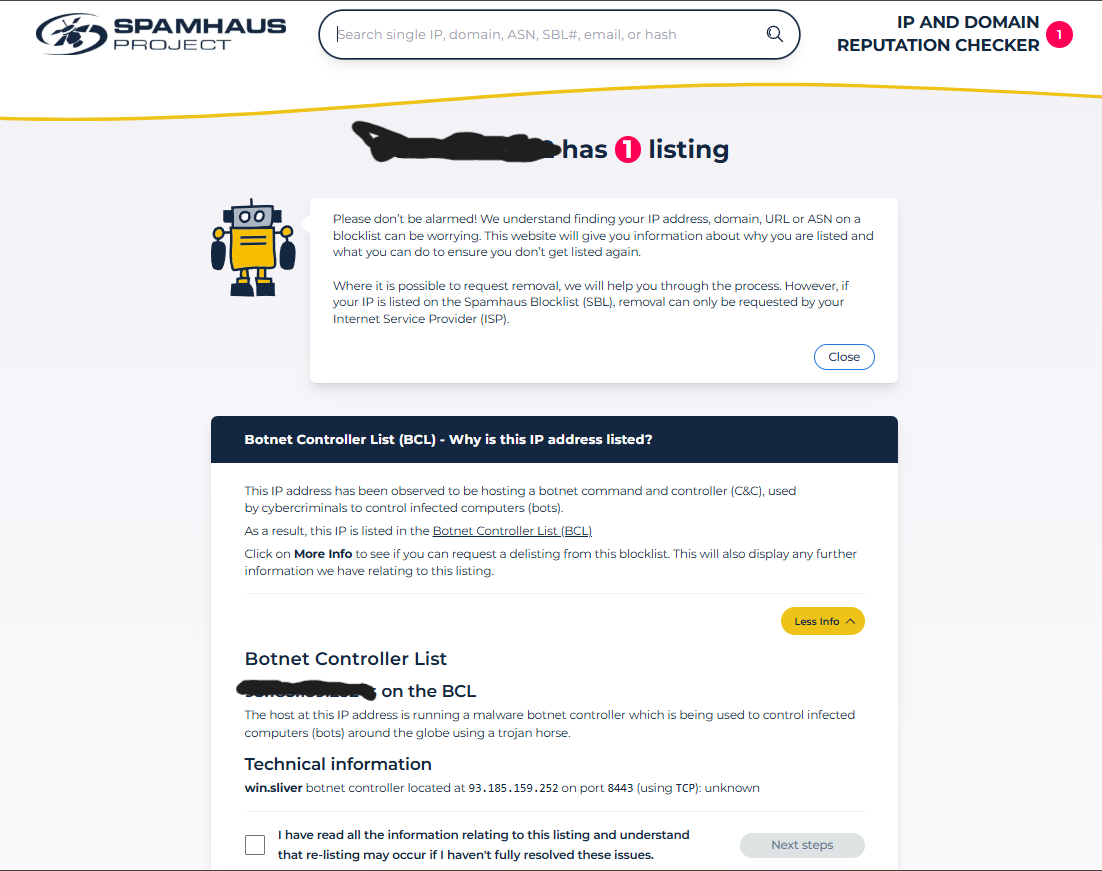
FYI, your IP address is still visible in the screenshot, you missed an entry at the bottom.
It looks like the address got unblocked as I could access it from here.
The response I’m getting is standard Incus, self-signed certificate clearly indicating this is Linux Containers, standard Incus response on the root and /1.0 endpoints.
Many people have Incus exposed publicly on port 8443, myself included on a variety of production clusters and we haven’t tripped any such checks.
If I was guessing, I’d say that the fact that your IP address is registered as part of a Russian IP block and tied to a VPS provider is the likely cause of the flag. There may have been some Russian ran botnets with CoC servers using HTTPS on port 8443 leading to such a detection rule.
These days the entire IPv4 address space gets scanned several times a day by a variety of scanners (https://www.shodan.io/ if you want to play with that kind of data), so it wouldn’t take long for the fact that tcp/8443 became available on your server to become public knowledge and for sites like Spamhaus to notice and update their lists.
Well it was hard stressing day without sleeping, of cource i missed ip address on screenshot. Actually is is even better, because it allowed to you investigate some details.
I guess the main question is whether you need access to Incus to be available to the entire world. If not, then put a firewall in place so your servers can communicate with each other and so any management system can also connect to the cluster and block the rest.
Thanks for good suggestion. Just testing incus. So adding firewall rules allowing to connect on this ports only for my nodes seams good solution and actually more correct for production i think.
No i can not contact them because they dont threat a person with public email as a people.
and they added again my new ip 185.218.137.162 has 1 listing. Could someone contact them please and explain that incus it is not a botnet? They actually killing reputation of incus. And moreover many hosting providers uses this stupid spamhaus as automatic blocker of users.
And now your IP address is unblocked. They do not have a way to contact them unless the IP address is currently blocked. Therefore, you cannot contact them at the moment. They ask that the owner of the server should make the report.
The way you describe the problem is very important. If the problem is not described to them properly, you will not get a good result. Here is an example.
Hi! I have this IP address 185.218.137.162 and it gets blocked by your BCL every so often. It is blocked as a bot controller. There is no bot controller. I use this server as an Incus cluster (hypervisor software), and this software exposes the port 8443. Can you please tell me what makes your system to flag my server as a “bot controller” on and off for the last several weeks?
unfortunately it is not so easy because of many providees uses this spamhaus. So it is best way to fix spamhaus detection system. I have contacted spamhaus, waiting for explanation from them.