The ssh2incus project is excited to announce the release of v0.9, a major milestone that introduces a web-based ssh access to Incus instances.
Overview
SSH2Incus v0.9 transforms how developers and admins interact with Incus by introducing a sleek, intuitive web dashboard alongside the existing command-line interface. This release brings professional-grade instance management capabilities to the browser without sacrificing the power and flexibility that command-line users expect.
Modern Web Dashboard
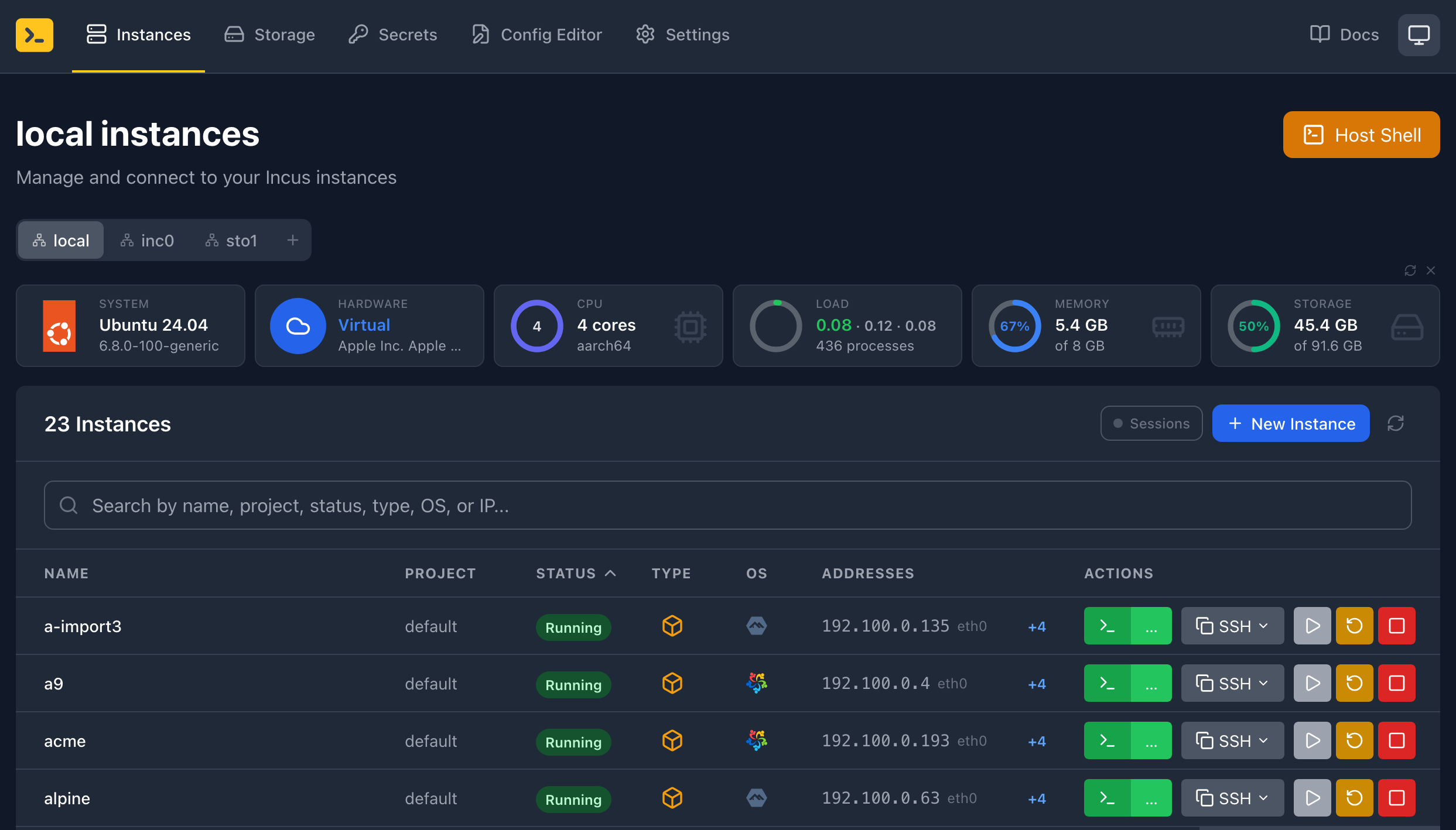
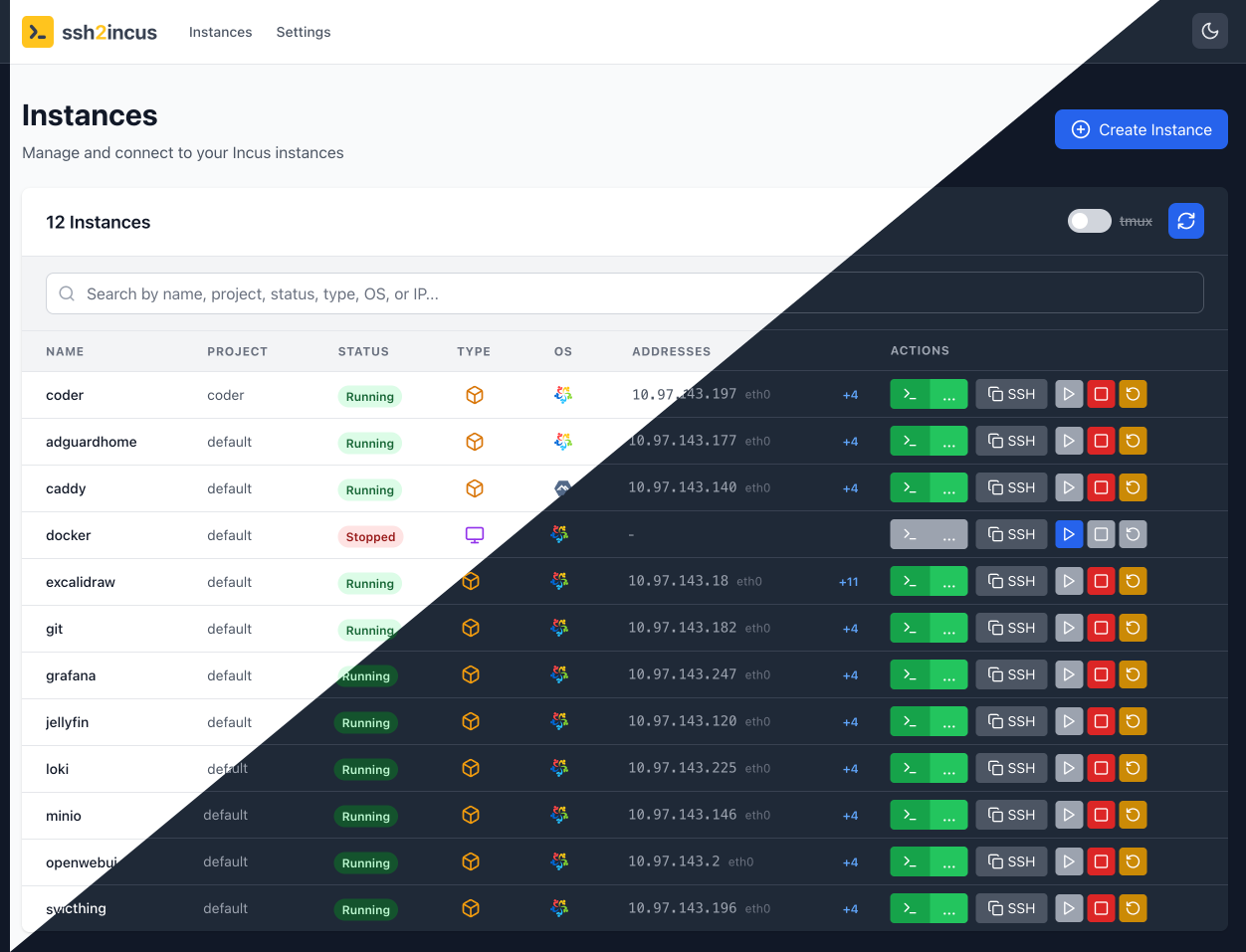
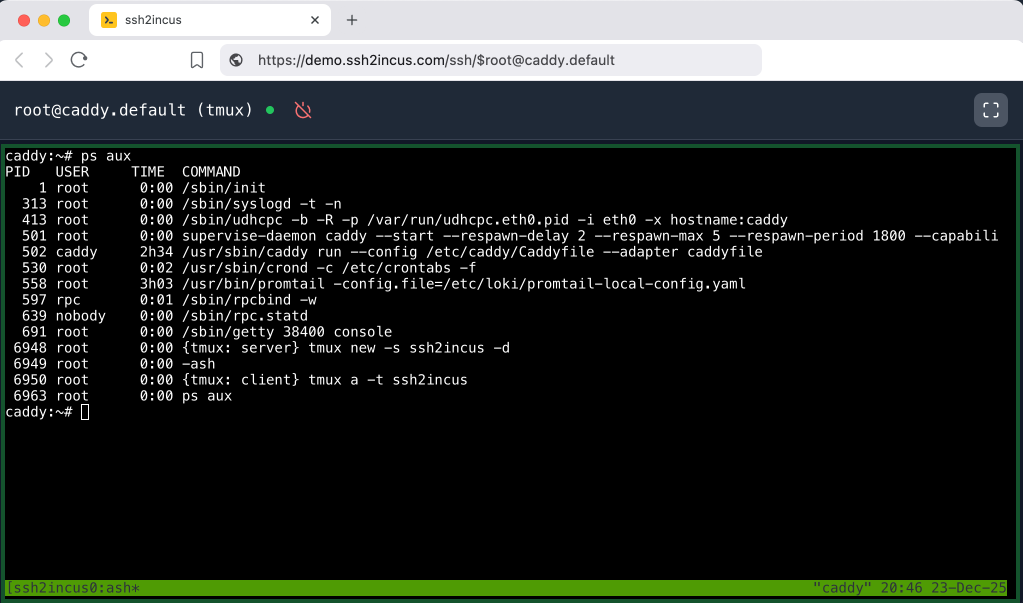
The new web interface provides a responsive, dark-mode-enabled dashboard for managing Incus instances and access terminal with optional session persistence using tmux or screen.
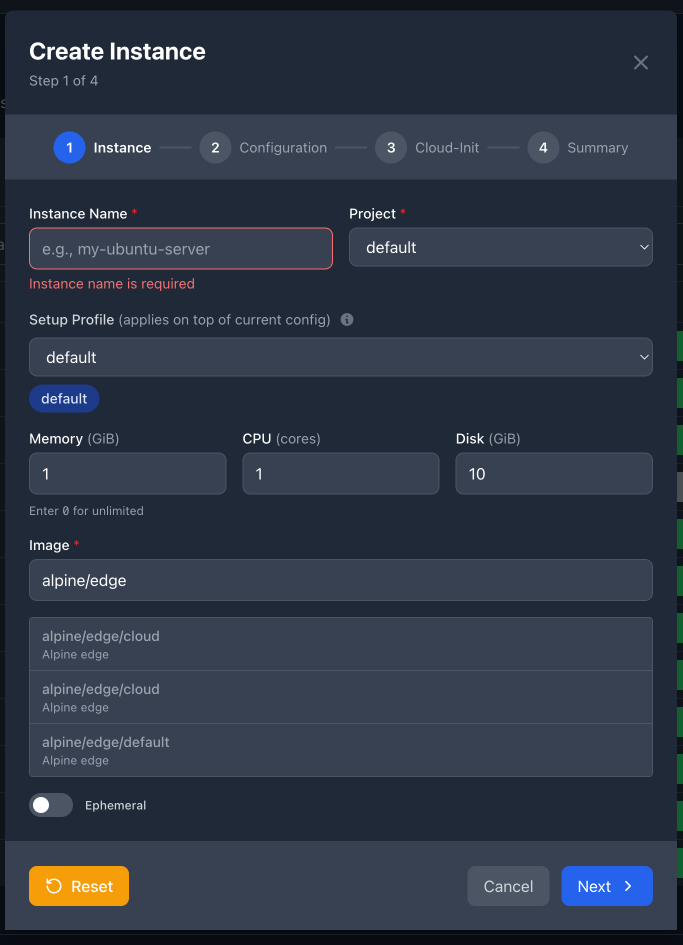
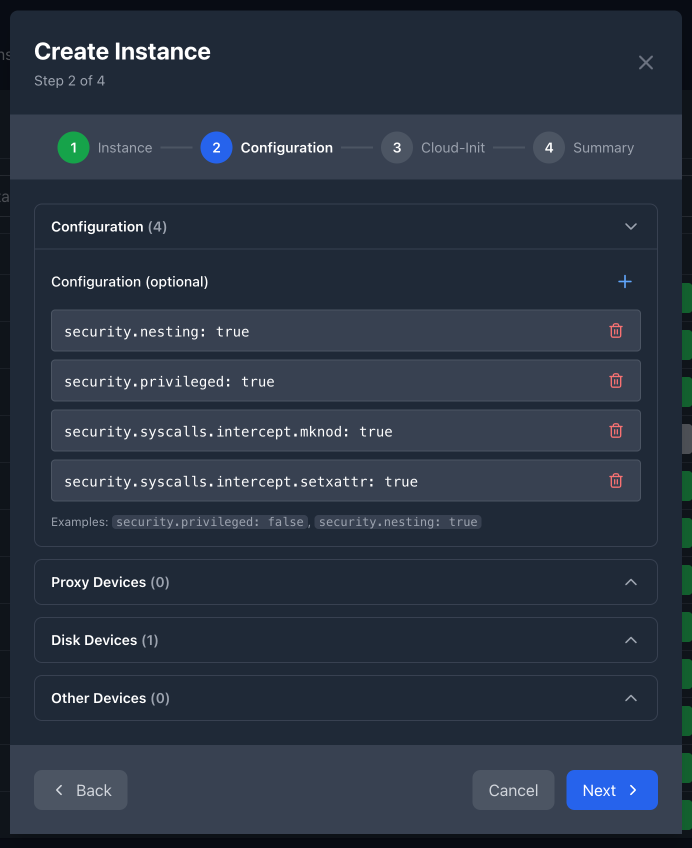
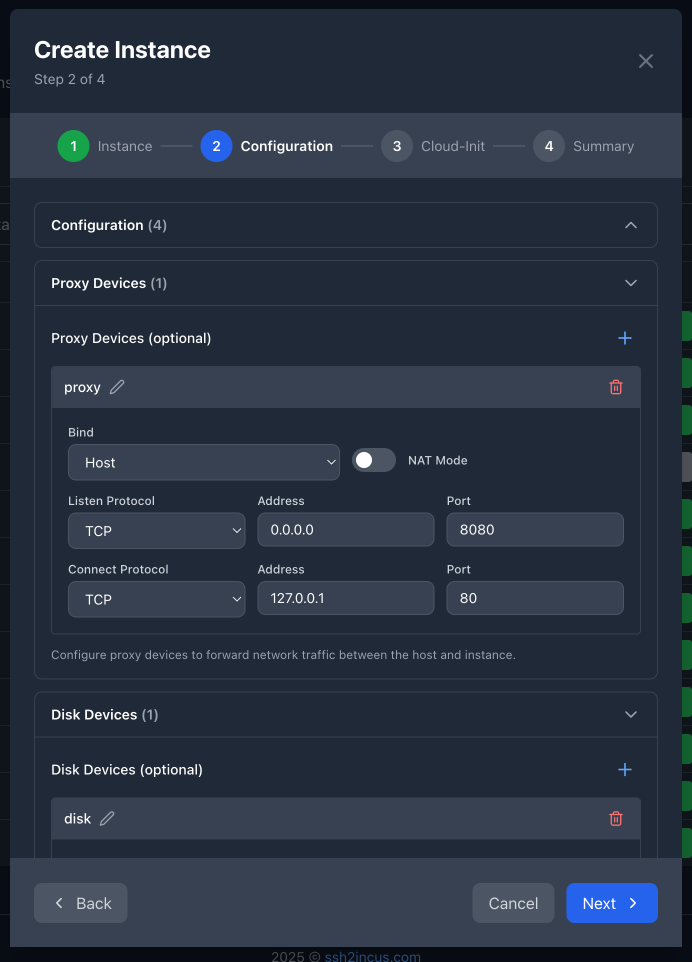
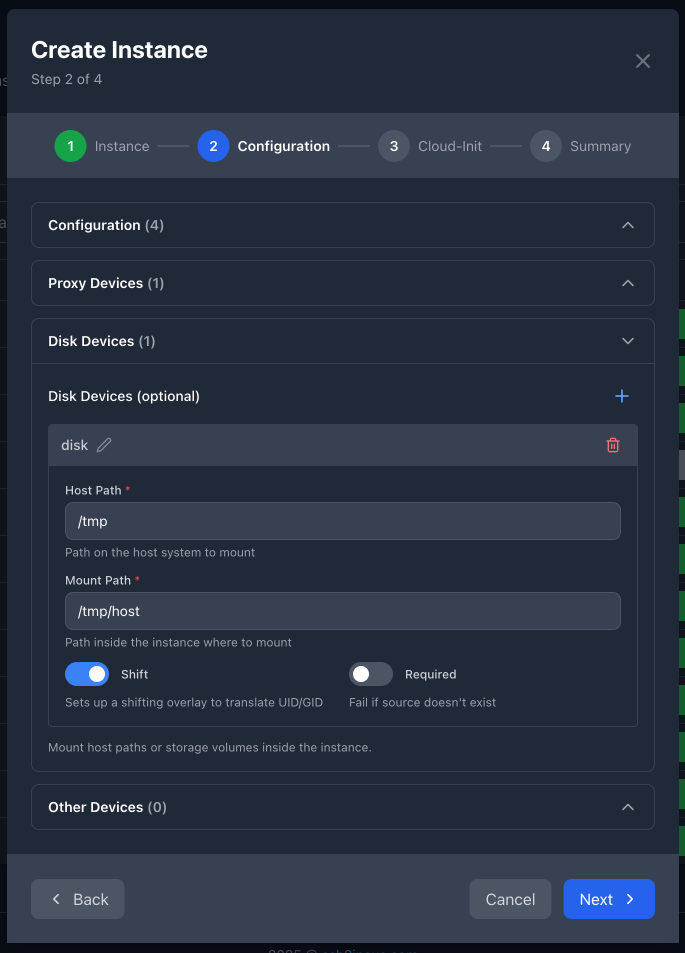
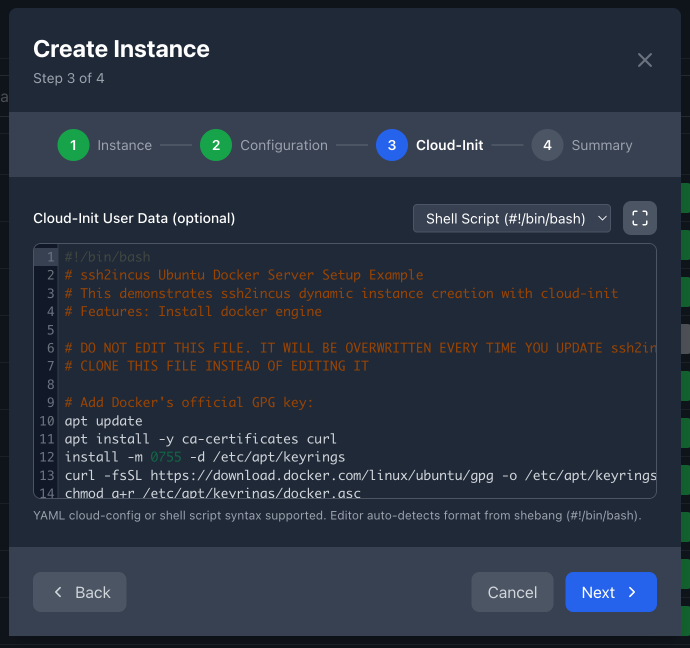
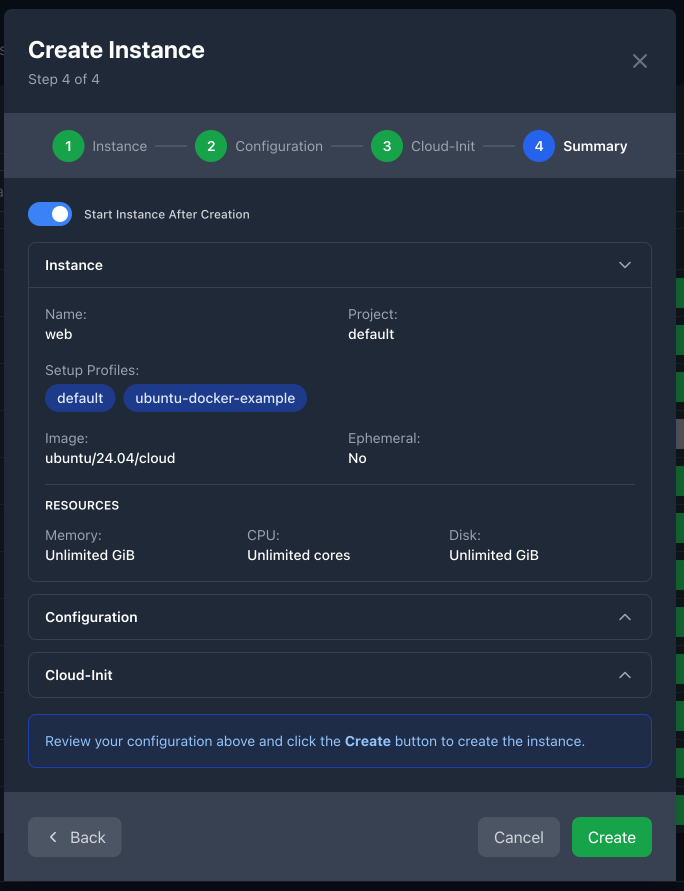
Creating new instances is now as easy as filling out a form. The new 4-step wizard guides users through every configuration option without requiring command-line syntax:
This looks like a really nice idea. I like the approach of not needing to run an SSH server inside every container or VM and instead handling access from the Incus host itself. That alone can simplify a lot of setups, especially when you’re managing many instances.
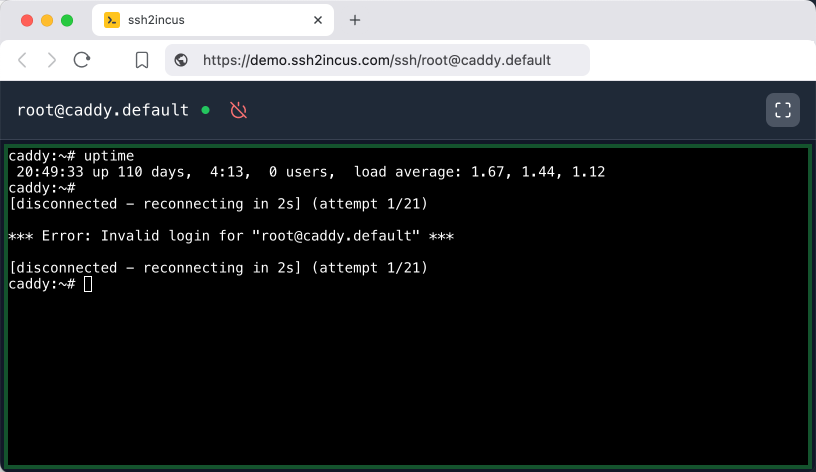
The web-based SSH console is a cool addition too. Being able to jump into a container from the browser without extra tooling feels very practical for day-to-day admin work, testing, or quick checks. It also makes Incus feel more accessible for people who don’t want to rely entirely on CLI workflows.
From a security perspective, it does seem important to be careful about how the web UI is exposed. Putting it behind a reverse proxy with proper TLS and auth would definitely be a must if it’s reachable from outside your LAN — similar to how you’d lock things down before routing traffic through external services.
Overall, this feels like a solid evolution of the old ssh2lxd idea, adapted well for Incus. Curious to see how people end up using it long-term and whether it becomes part of more standard Incus setups.
We’ve just released ssh2incus v0.10 with a whole lot of little improvements in the web UI and a few new features to simplify instance deletion using ssh. Here are some highlights:
Added
Instance Removal via SSH: Delete instances using ssh /rm/instance.project@host or ssh /remove/instance.project@host commands
Force deletion with /rm-f/ or /remove-force/ to skip confirmation
Requires root host user for security
Automatically handles ephemeral instance cleanup
Shows instance details before confirmation
Login String Explanation: New /explain/ command decodes complex login strings
We’re excited to share what’s coming in the next ssh2incus release in March 2026.
The web interface continues to improve, and you can now manage multiple remote Incus servers from a single ssh2incus instance.
New features include:
New Dashboard — See Incus server statistics, CPU, Memory, Storage utilization.
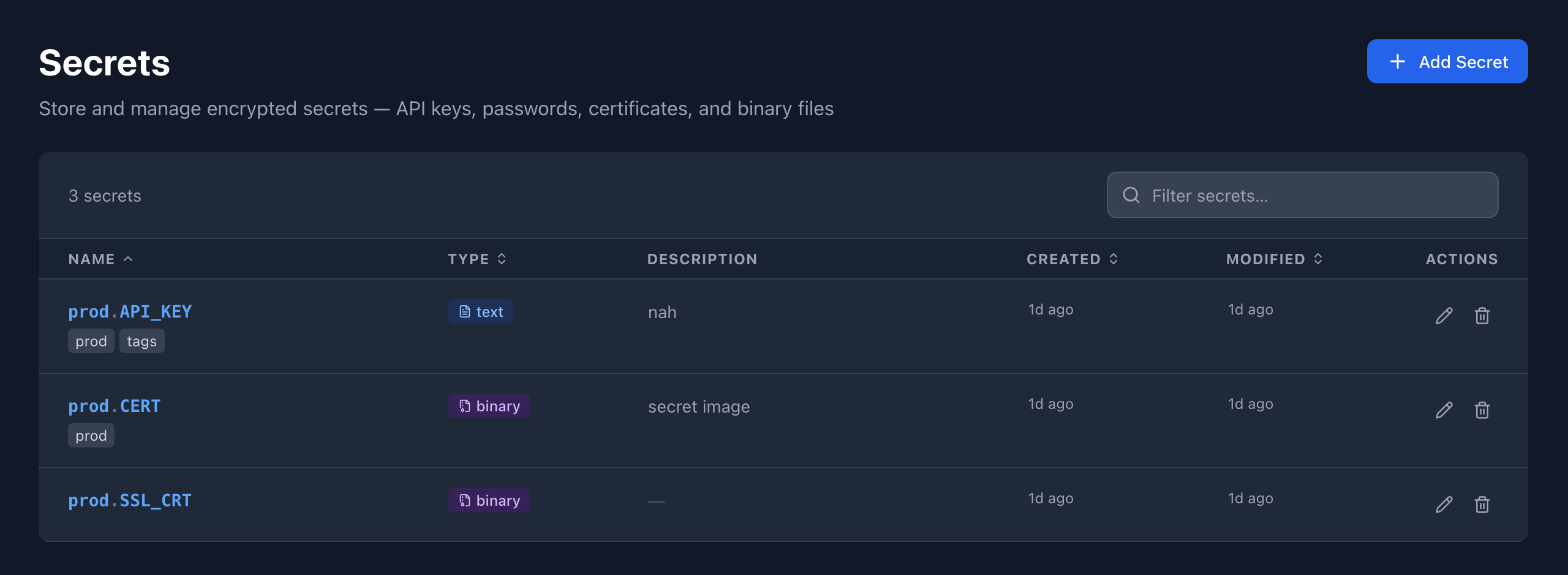
Secrets Management — Manage secrets for instance creation for use in environment variables and cloud-init scripts.
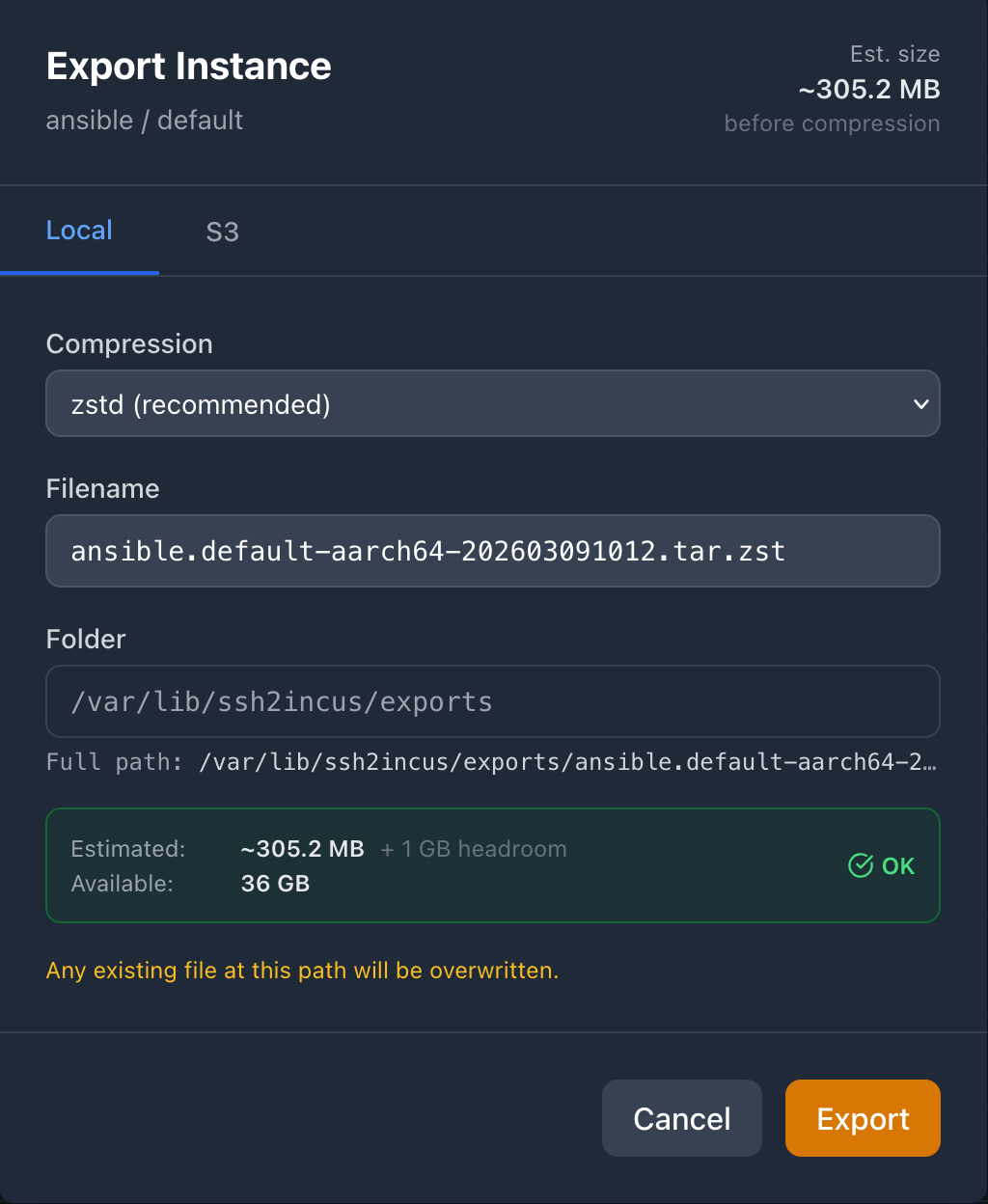
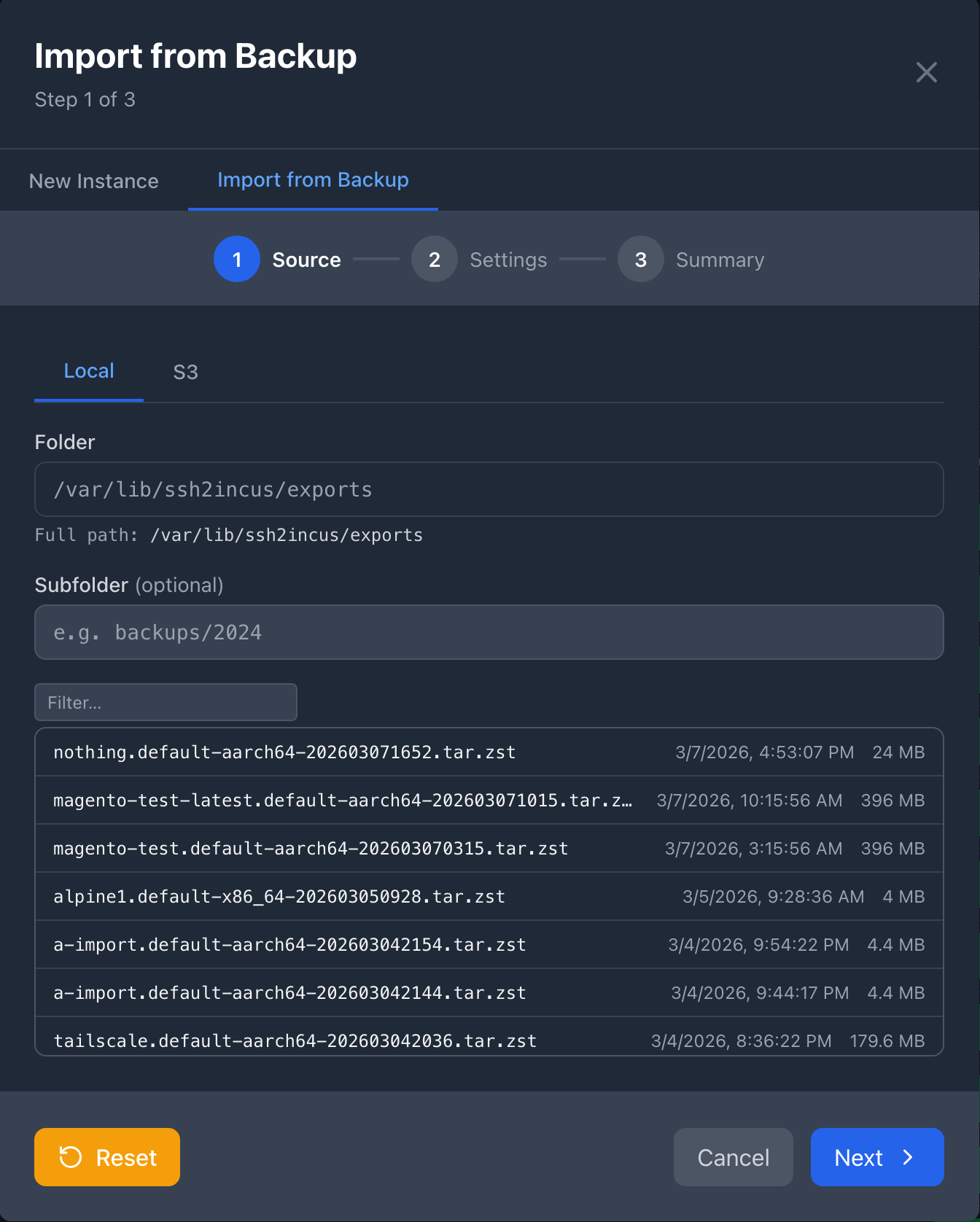
Instance Lifecycle — Import/export instances locally and to S3.
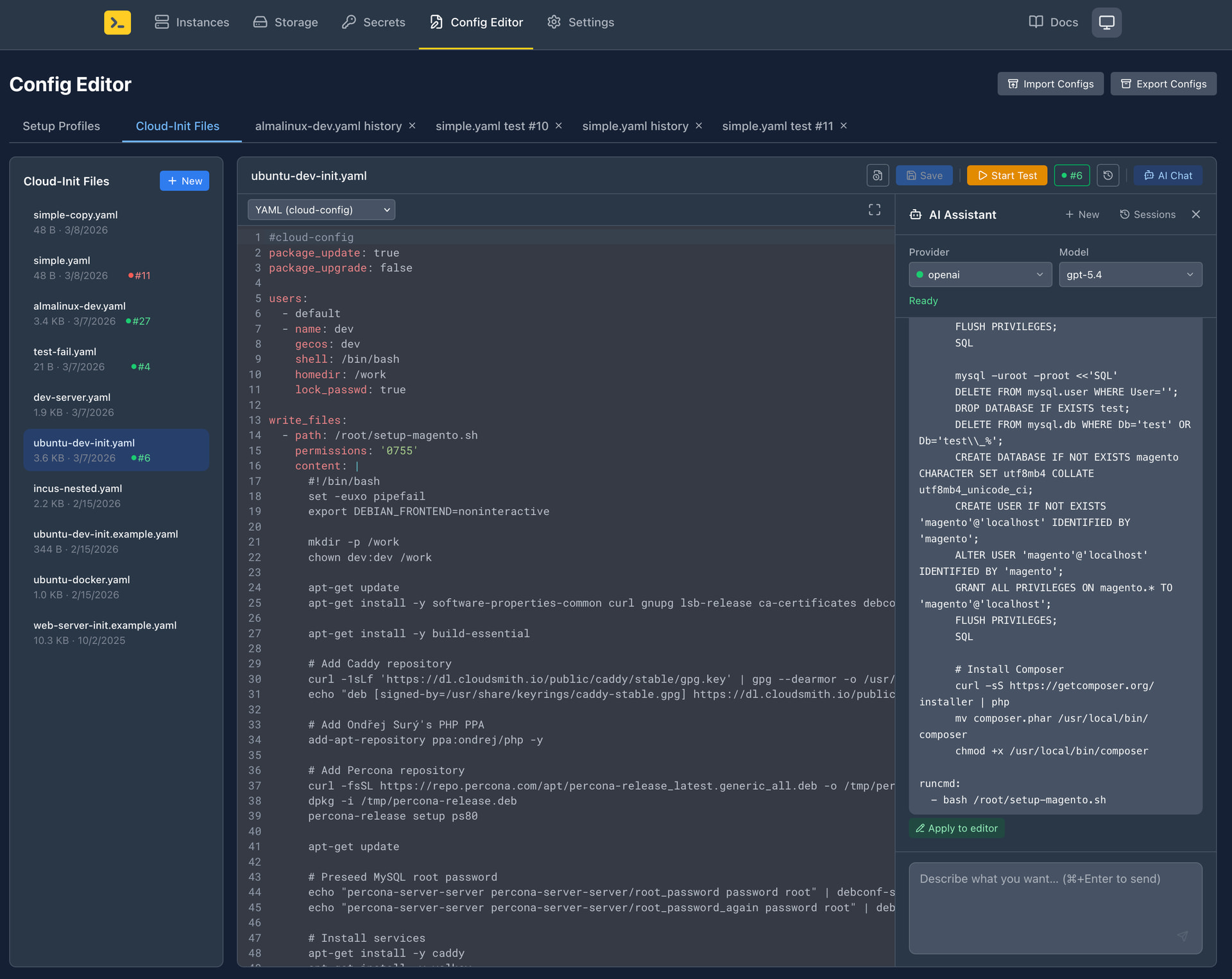
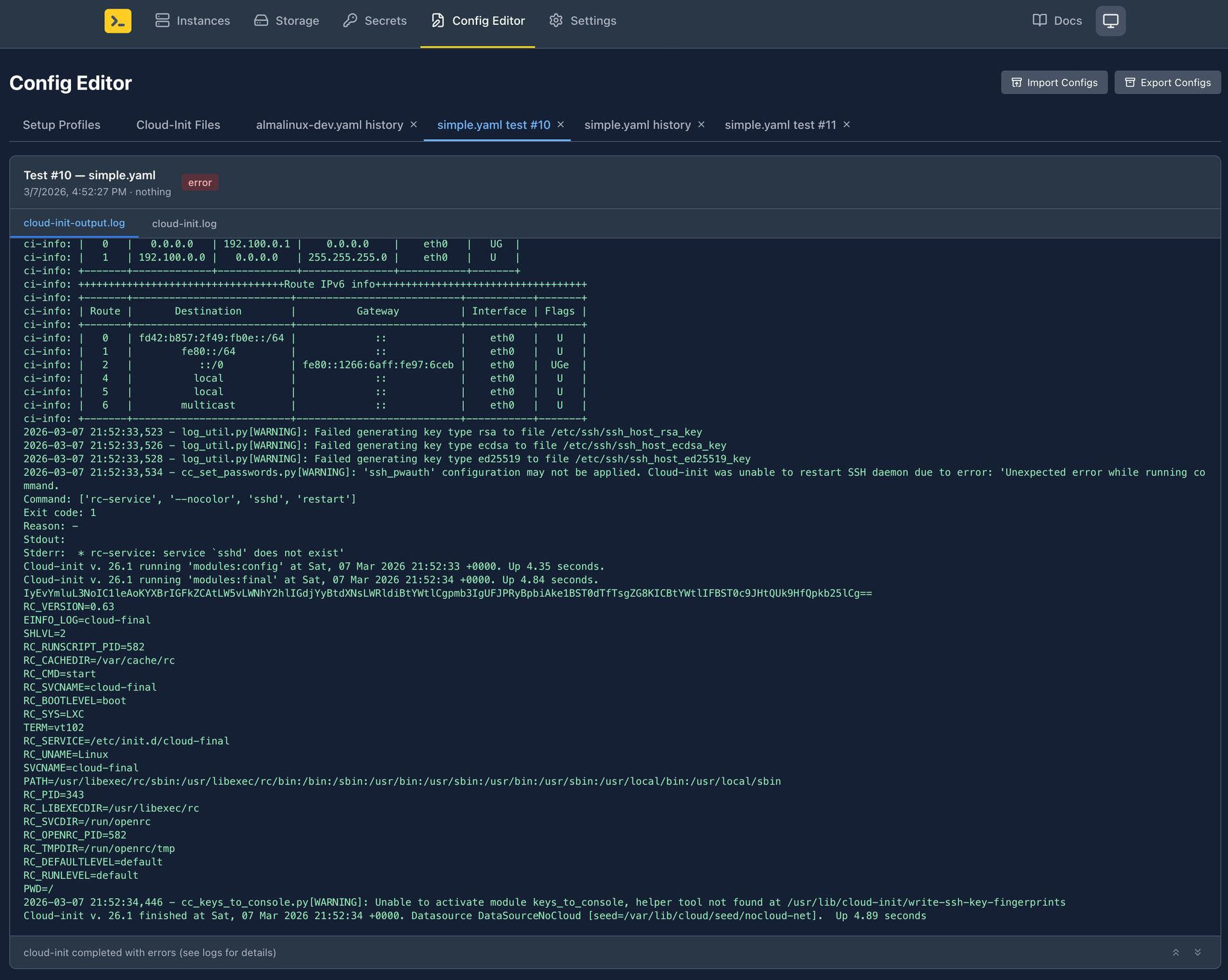
Config Editor — Create, manage, and test instance setup profiles and cloud-init files. An integrated AI assistant helps you edit or generate cloud-init configurations effortlessly.
Coming soon:
Infrastructure Services — Application Load Balancer (similar to AWS ALB), DNS Server (similar to AWS Route53), and SSL certificate management (similar to AWS ACM).
Best of all, everything runs self-hosted on your own infrastructure.
We use AI casually like a toothbrush. We fixed a long-standing memory leak that was difficult to debug, and AI tools helped with various other improvements. But 90-95% of what we have today was built by hand since 2021. We only started adopting agentic coding last year.
 Feature requests for additional functionality
 Bug reports with reproduction steps
 Ideas for improving the user experience
 Comments on the new profile merging behavior