The ssh2incus project is excited to announce the release of v0.9, a major milestone that introduces a web-based ssh access to Incus instances.
Overview
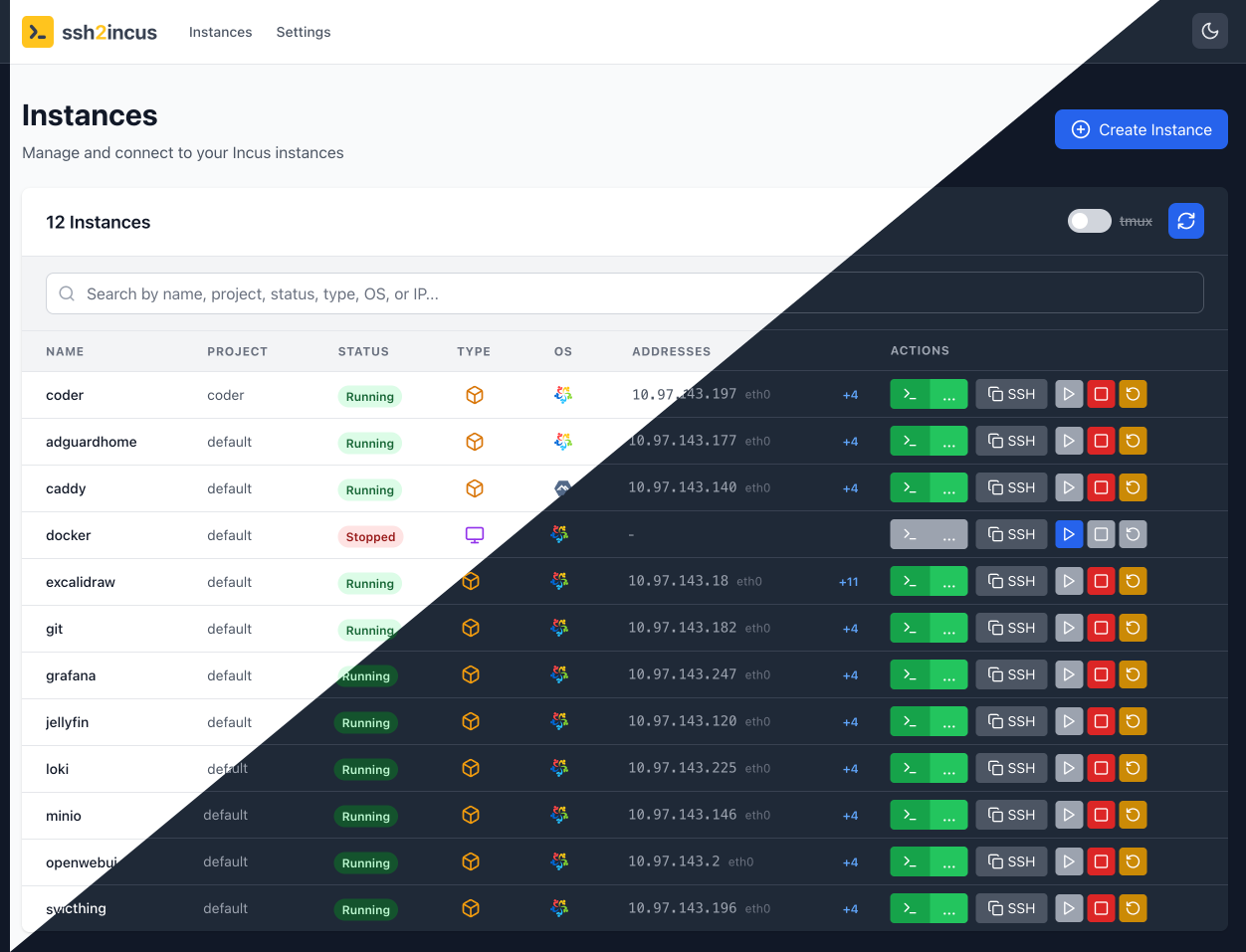
SSH2Incus v0.9 transforms how developers and admins interact with Incus by introducing a sleek, intuitive web dashboard alongside the existing command-line interface. This release brings professional-grade instance management capabilities to the browser without sacrificing the power and flexibility that command-line users expect.
Modern Web Dashboard
The new web interface provides a responsive, dark-mode-enabled dashboard for managing Incus instances and access terminal with optional session persistence using tmux or screen.
Web-Based Terminal
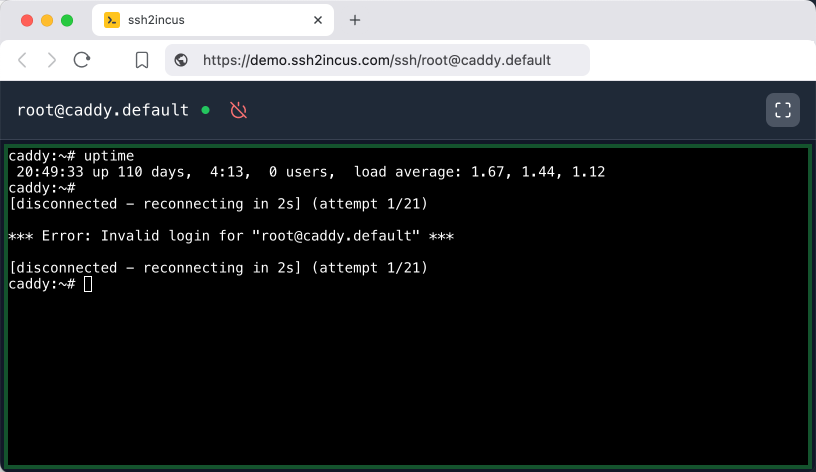
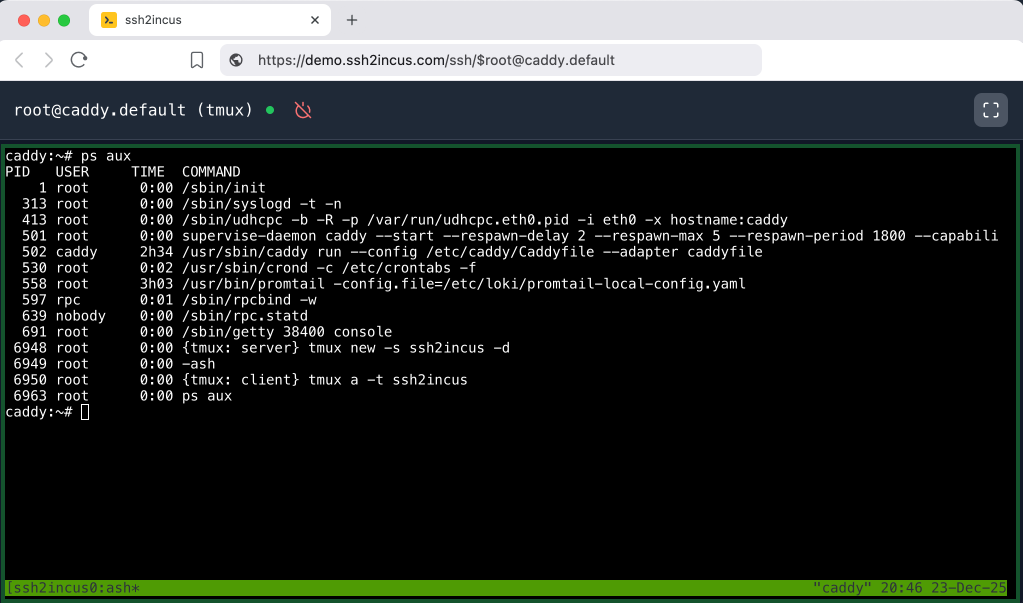
Access instance shells directly from the browser with the new terminal emulation:
- xterm.js integration for full terminal support
- Persistent sessions using tmux/screen
- Terminal resizing and interactive command support
- Real-time updates via WebSocket connection
- Automatic package installation for tmux/screen
Instance Creation Wizard
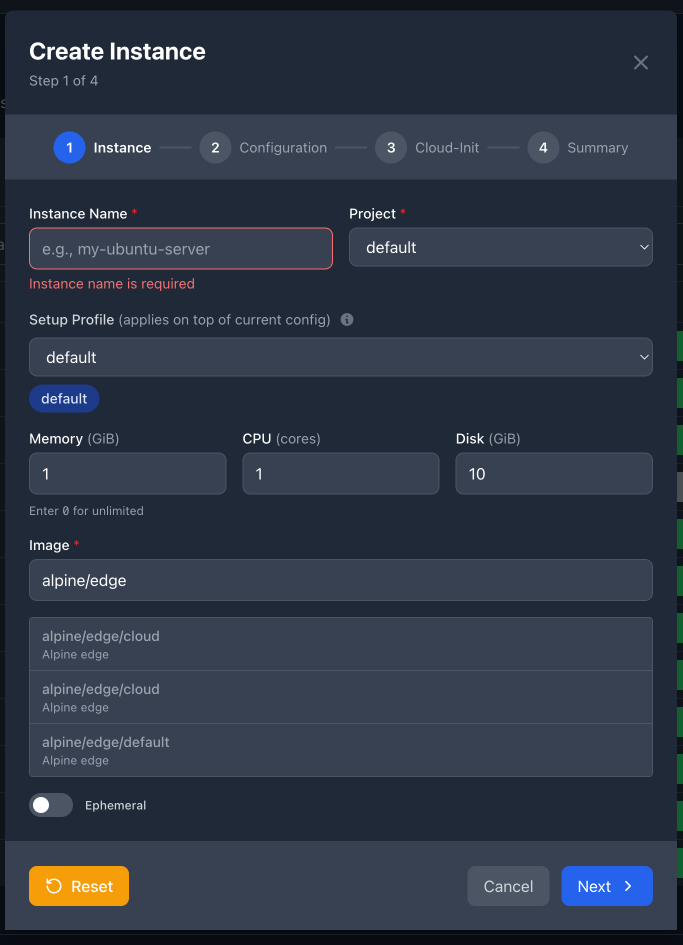
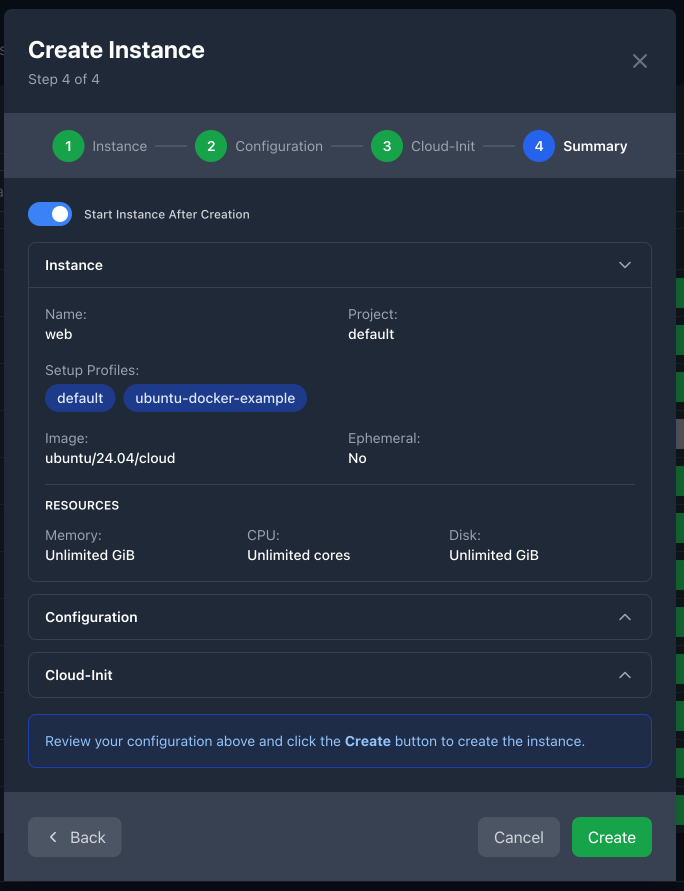
Creating new instances is now as easy as filling out a form. The new 4-step wizard guides users through every configuration option without requiring command-line syntax:
Step 1: Basic Configuration
- Instance name and project selection
- Automatic name uniqueness validation
- Profile selection with merging
- Image selection with searchable dropdown
- Resource allocation (CPU, Memory, Disk)
- Ephemeral toggle
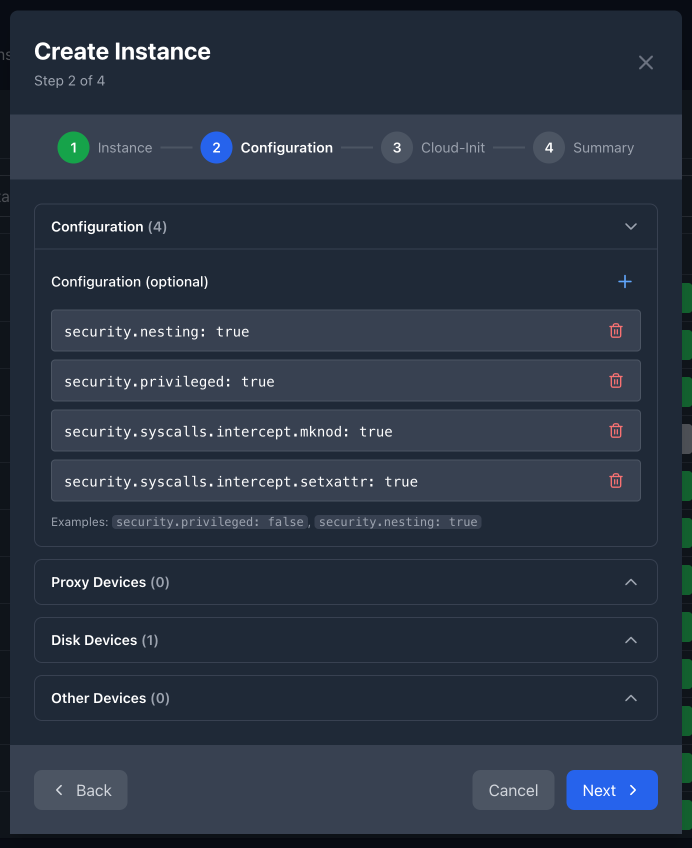
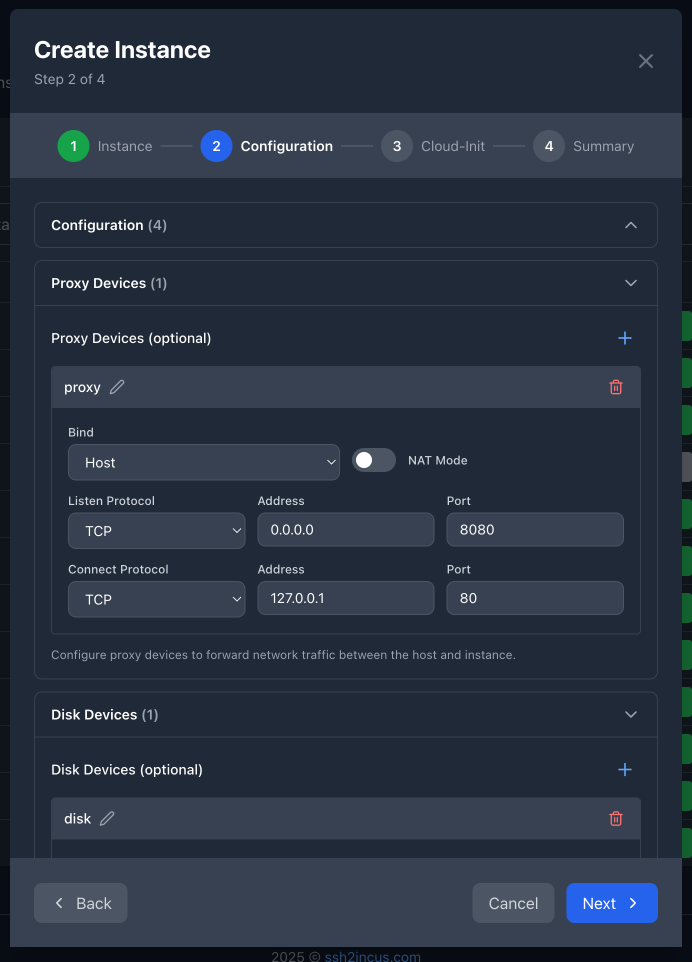
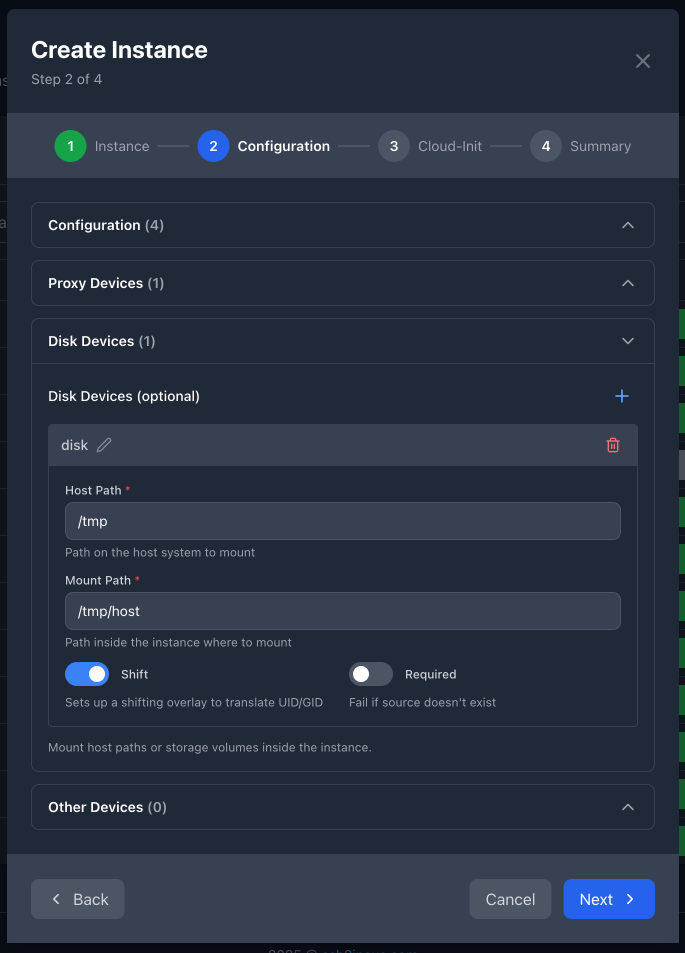
Step 2: Advanced Settings
- Configuration key-value pairs (e.g.,
security.privileged: true) - Specialized device editors:
- Proxy devices with TCP/UDP/Unix socket support and NAT mode
- Disk devices for mounting volumes and directories
- Generic devices for other device types
- Device name conflict detection
- Real-time validation with helpful error messages
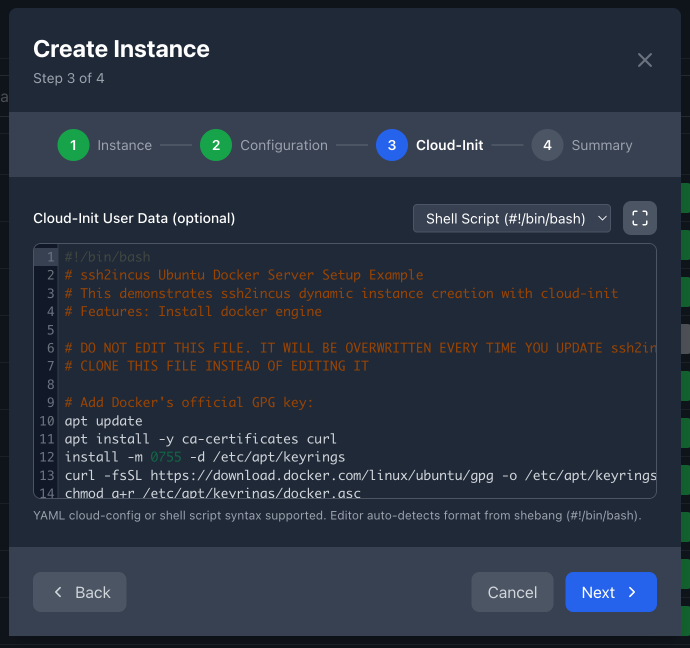
Step 3: Cloud-Init Configuration
- Code editor with syntax highlighting
- Support for YAML cloud-config and shell scripts
- Auto-detection of bash script via shebang
- Smart warning: Alerts users when selected image doesn’t support cloud-init
- Preloaded cloud-init data from selected profile
Step 4: Review & Create
- Complete configuration summary before creation
- Applied profiles
Download from GitHub
Community Feedback
Your feedback is valuable! Please share it via our community board:
 Feature requests for additional functionality
 Bug reports with reproduction steps
 Ideas for improving the user experience
 Comments on the new profile merging behavior