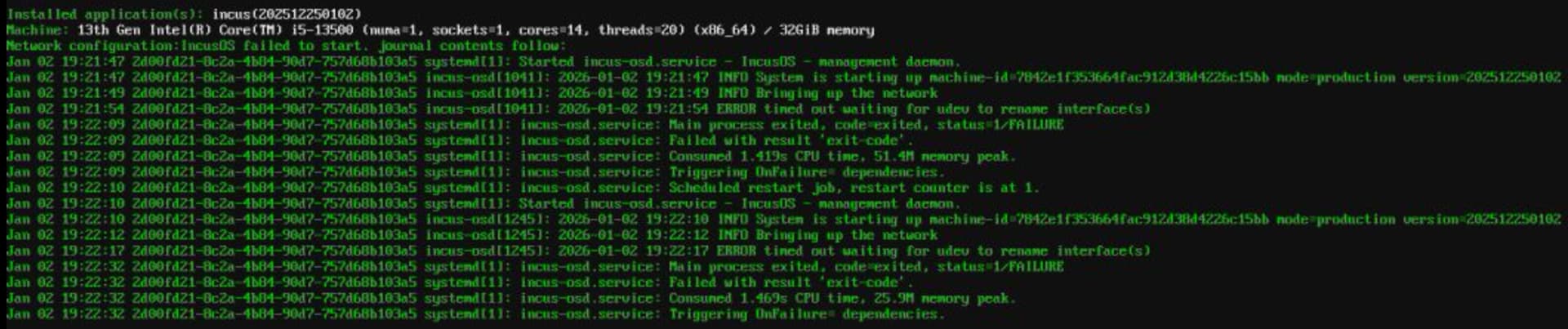
Hi, I’m just wondering what I can do to further diagnose this problem. This is a new install on bare-metal, running off a USB drive. The initial startup went fine, and it was able to update itself.
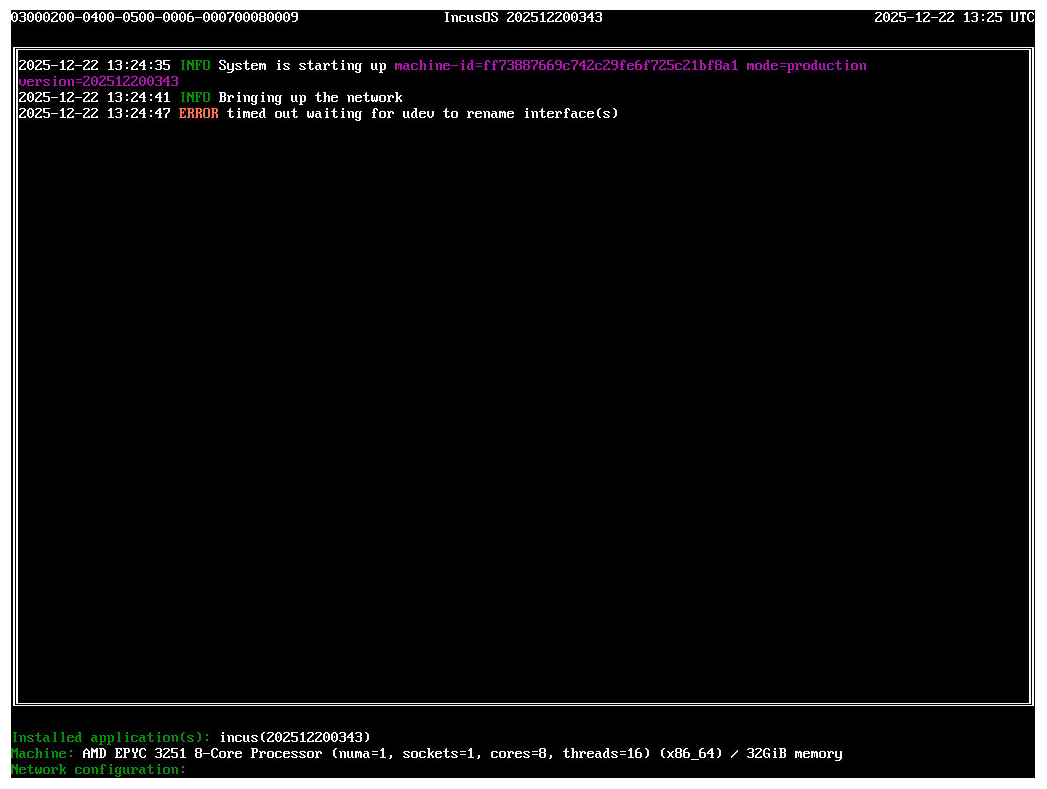
But after shutting down and starting up again, I am met with this screen. Booting into the previous version also results in the same error: timed out waiting for udev to rename interface(s)
Run into the same issue occasionally. As far as I know this is related to some underlying network interface issue. In most cases a restart solved it for me but sometimes I had to reset my network settings.
Properly best to file an issue on the IncusOS github providing as much details as you can. Did you try to reinstall and can you reproduce it?
I haven’t tried reinstalling yet, but I will if there aren’t any other options to try. Luckily there isn’t really any significant configuration that I would lose.
That normally means that an interface MAC address it’s looking for can’t be found.
My gut feeling here is that this machine may have a network interface with a dynamic MAC address, like a virtual network interface used for a BMC.
If that’s left in the network configuration, then you may hit that situation after reboot.
I’d recommend re-installing and when the server is online, go through incus admin os system network edit and make sure that your network configuration only touched the interfaces you actually care about, that should fix the issue of it not finding some interface on boot.
@gibmat we probably should better handle missing network interfaces
I actually just hit this too in some of my testing; in my case it’s definitely triggered by a MAC change on the network interface.
IncusOS keys network configuration around MACs, since we typically don’t expect them to be changing on us. I’d have to think about how we can handle this – if an interface is configured but its MAC doesn’t match, maybe we could try to re-detect it based on the interface name? That would mirror how we handle interface-to-MAC mapping in the network seed, but would only work if the interface name still matches what the kernel sees.
I was going more after the, let’s complain loudly about it in log but move on and not fail the entire boot
That will at least make it clear what happened which in the case of VM will allow for it to be corrected (changing the MAC in the VM config) or on a physical system will let you know that you have a NIC that doesn’t have a stable MAC and that you shouldn’t rely on that NIC.
I ran into this issue today with my production system after I dual-booted into Proxmox. Is there a way to recover from this error, without losing data?
That error normally indicates that a NIC can’t be found or that the MAC address of a NIC has somehow changed, both of which should basically never happen on a physical system.
If you had some kind of USB NIC plugged in earlier which is now gone, you’ll want to make sure to plug that back in. That is, unless you had edited your network config to remove configuration for any device that you didn’t care about.
Given you do have your recovery key, it’d be useful for you to boot the system on some kind of live media, then use that to access the encrypted root partition and extract /var/lib/incus-os/state.txt, that should give us a good idea of what MAC addresses it’s looking for and what may be missing.
@gibmat I guess we need an issue to keep track of relaxing the check so we can still boot with some missing NICs?
I’m trying to find /var/lib/incus-os/state.txt but I cannot find it in local/incus. The whole dataset empty from my side after mounting it (mount -t zfs -o ro local/incus /mnt). Am I looking in the wrong direction?
Is that on real server hardware? We’ve sometimes seen BMCs expose an internal USB NIC for management/monitoring, those often come without a fixed MAC.
In any case, once it’s out of your state file you should be fine as IncusOS will just ignore any new device that’s not in its config.
But it’s a good reminder to always run incus admin os system network edit after installation to tidy up the network configuration, remove any inferface you don’t actually need and maybe also tweak things like the hostname and interface roles.
Looks like it’s in the state section, so that’s fine. It just shows that your server indeed seems to be getting some kind of virtual USB Ethernet device for some reason and that this device gets a random MAC on every boot…

 I’d have to think about how we can handle this – if an interface is configured but its MAC doesn’t match, maybe we could try to re-detect it based on the interface name? That would mirror how we handle interface-to-MAC mapping in the network seed, but would only work if the interface name still matches what the kernel sees.