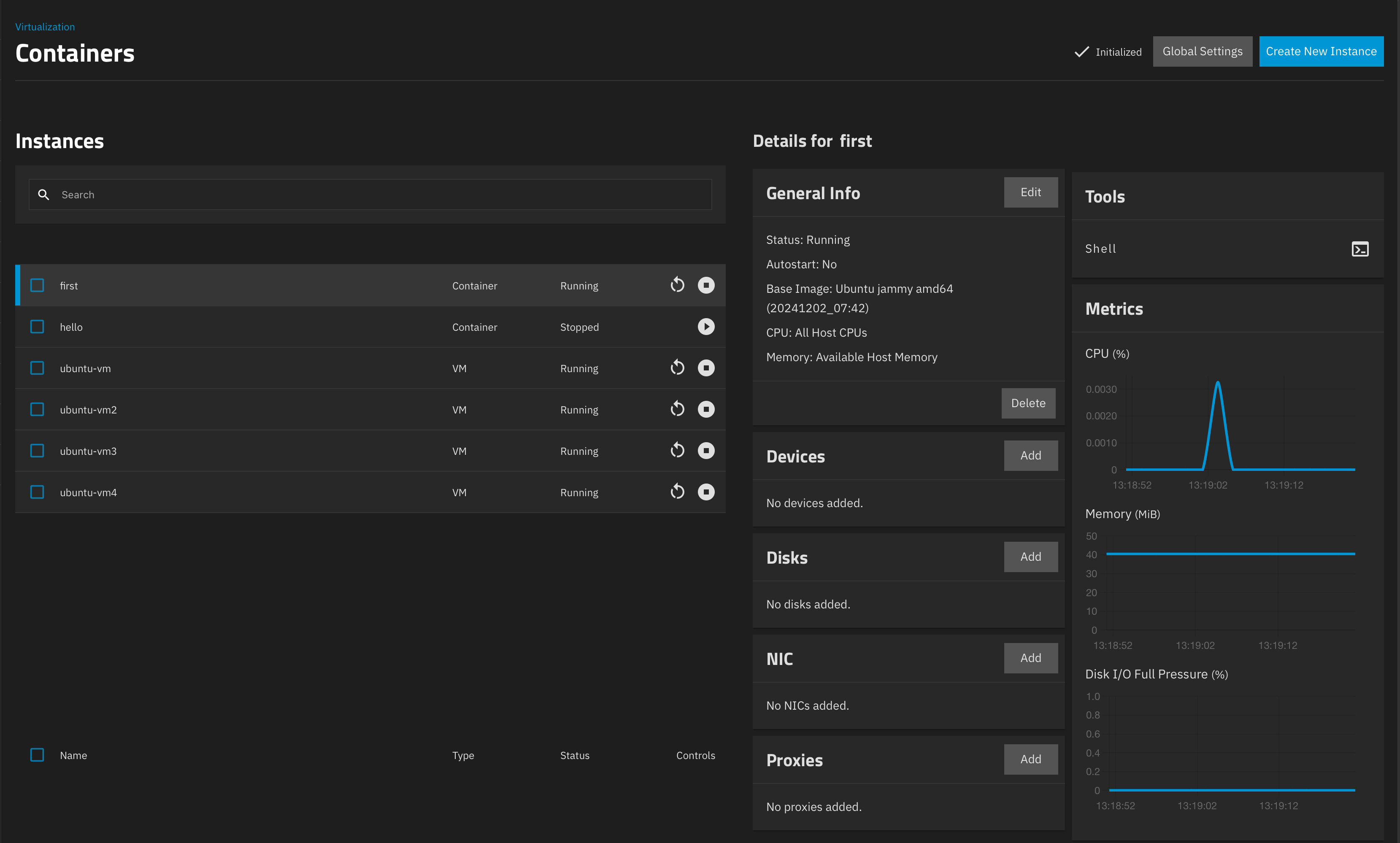
I’m in the process of evaluating Incus as an alternative to Proxmox. Proxmox has served me well for over a decade now, but the lack of Docker image (OCI image) support is a real burden. The latest release of Incus, with its support for OCI, is a game changer.
I’ve already started exploring Incus and its web UI. However, I haven’t found much information about its replication support. In Proxmox, I use this feature to replicate the storage on 2 or 3 nodes. This is useful for two scenarios: (1) When I need to perform maintenance on one node, I can migrate all the containers and VMs to different nodes where the data is already replicated, making the migration much faster. (2) It also serves as a backup to recover in case of data loss.
I’ve already started exploring Incus and its web UI. However, I haven’t found much information about its replication support
It’s difficult to find it in the documentation, even when you know it’s there, but another option is to use zfs or btrfs storage with snapshots, and perform incremental copies with the --refresh flag.
Unfortunately, you’d still have to script a periodic call to incus copy --refresh foo bar: for each instance. But it might be worth considering.
In the long run, if incus gains a storage driver for linstor that would be great. That has been mooted for a long time.
BTW, personally I avoid incus clustering, as it adds new failure modes which can be difficult to recover from, and is only really needed if you have shared storage. You should be able to use incus copy --refresh between independent incus nodes (or independent incus clusters) just fine.
EDIT: if you copy to an independent node or cluster, then the copy can have the same name as the original. This may either be helpful or confusing, depending on your use case. If you copy within a cluster, even to a different node, then the copy must have a different name.
We have recently moved 2 of our 3 hosting setups from LXC without replication resp. LXC with iSCSI-blockdevices backed by zVols on a TrueNAS storage, to Proxmox, but we continue to have problems with unexpected hard reboots, so Incus is on our radar too.
Currently the easy and managable ZFS replication between nodes is the “killer feature” that keeps us with Proxmox, I agree with Patrik that easy replication and efficient node-switching is crucial. We could live without Proxmox’ HA feature (although it’s quite nice) and manual switching, and we’re almost agnostic between ZFS and BTRFS (although there’s an IP risk hovering over ZFS).
I wouldn’t call CephFS an option. We’ve made 2 or 3 attempts at it, all ended with a clear NO, too complicated, too slow, too many risks.
Same for DRBD which we left several years ago, after all kinds of negative experiences, including a bug that had been reported 3+ times but had not been taken seriously until we hired a kernel expert (and commiter) to track it down, fix it, and get it fixed in vanilla upstream (and even backported to LTS kernels).
So, Thanks Simos for the Incus Clusters link, looks like it’s becoming a real option (it was too much of an infant when we decided for Proxmox as intermediate to midtem strategy).
ZFS has been in Ubuntu since I think 2018, and nothing material has happened, so I don’t think there’s anything to worry about. In any case, it’s unclear who would sue whom.
(I am not a lawyer, don’t take any of this as legal advice, always seek your own legal advice)
A common misconception with the whole ZFS thing is that Oracle could get grumpy about it and cause trouble. That’s incorrect. ZFS is released under the CDDL license which is a pretty permissive Open Source license.
The issue with the Linux kernel is about ZFS integrating (linking) against GPL code as this may constitute a derived work and violate the GPLv2 license of the Linux kernel.
Whether ZFS can be considered a derived work of the Linux kernel when it originated from a completely different operating system is where things get pretty murky and generally is an area that most think is better left grey as a decision in one direction or another may have significant impact on many other pieces of software.
Now if ZFS was found to be in violation of the Linux kernel’s GPLv2 license, the harm caused wouldn’t have been to Oracle but instead to the individual Linux kernel developers who developed the kernel APIs and code that ZFS uses. Those are the individuals who would hold a valid claim against whoever is distributing ZFS linked with the Linux kernel.
On that last one, a common loop-hole used by a number of distributions is to not ship ZFS pre-linked, this in theory avoids the whole issue by instead having the individual users performing the linking (or in the case of DKMS, the entire build) locally on their system, shifting the potential license violation onto the individual end user and avoiding ever distributing potentially problematic binaries.
From my reading and experience both Proxmox and TrueNAS have full ZFS replication support. Easily manage able through their UI. Unfortunately they have no support for Incus as far as I know.
There is a way to run Incus on TrueNAS Scale by switching into developer mode. It actually works pretty well as far as I can tell. For easy upgrades of TrueNAS you need to install Incus on it’s own Dataset (/var/lib/incus) and use a dedicated pool or pool/dataset for Instances. As both Incus and TrueNAS use ZFS. You can see all containers, volumes, etc in TrueNAS and can create your replication rules and let Incus handle snapshoots as you like.
It would be of course great if one of them would support Incus out of the box without any modifications but this properly will take a while…
I also looked for the “HA” functionality of Proxmox in Incus.
I still wish that a similar “HA” functionality based on ZFS would be implemented in Incus in the future.
It would nice if Incus could maintain a replica of a ZFS volume on another node so that a VM could be started on that node if the original VM goes down for some reason.
Let me invite you to try to use syncoid/sanoid in parallel with Incus-created snapshots from instances or storage volumes.
To copy or move an instance, using the snapshots of its storage volume under the hood, is currently possible.
copy also allows to --refresh an instance, --stateless, if so desired.
      --refresh                 Perform an incremental copy
      --refresh-exclude-older   During incremental copy, exclude source snapshots earlier than latest target snapshot
One could use a task scheduler with an engine of your choice to run this command repeatingly.
Looking at the existing implementation: Adding a --schedule=<CronSpec> option there could also be made available to configure regular execution of the job. Then this could also be added as a configuration option to the instance.
copy:
  # either
  destination: [[<remote>:]<destination>]
  # or
  destination:
    name: [[<remote>:]<destination>]
    schedule: "0 0 * * *"
  # or
  destination:
    # when given, issues a one-off copy
    # if schedule: is also given, repeat
    - [[<remote>:]<destination>]
    - name: [[<remote>:]<destination>]
      # optional schedule, takes precedence over default schedule
      schedule: "0 6 * * *"
    - # …
  # optional default schedule
  schedule: @daily
  # [flags] as keys
copy: statements in the configuration also invite to allow a shorter syntax for one-time invocations of incus copy [<remote>:]<source>[/<snapshot>] without specifying additional parameters.
Maybe this is something we would like to schedule development time for?
I’m in the very early stages of looking at MooseFS (https://moosefs.com/) which is certainly easier than Ceph to set up and it’s fairly agnostic to what the underlying storage is. For homelabs the only caveat you should be aware of is that in the free version you can only have one master node (although you can have many backups, they need to be brought up manually if the primary fails).