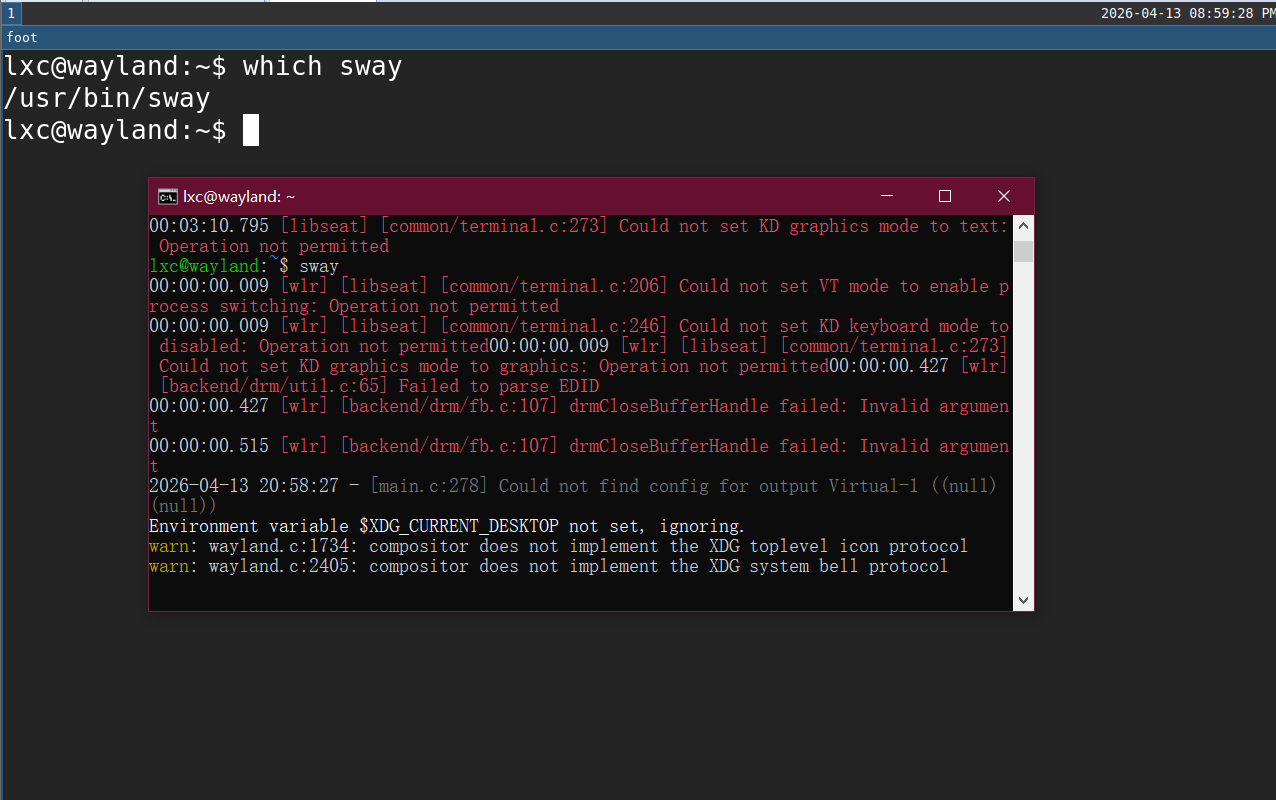
I’m please to tell you all after 6 mouths of experiment, I successfully ran sway in container and direct display wayland in host without nesting. But no input now, I’m too excited to wait to finish all then tell you the good new. I promise I will research input in the future.
It’s very easy, you only need /dev/tty0 and /dev/tty1 and a gpu(optional).
devices:
  tty0:
    gid: '44'
    path: /dev/tty0
    source: /dev/tty0
    type: unix-char
  tty1:
    gid: '44'
    path: /dev/tty1
    source: /dev/tty1
    type: unix-char
  gpu:
    gid: '44'
    gputype: physical
    pci: 0000:00:0f.0
    type: gpu
Let me explain why 2 ttys:
- without tty, wayland compositor will crush crying
Could not open tty0 to update VT - with only tty0, wayland compositor will crush crying
Could not open terminal for VT 1 - with only tty1, wayland compositor will crush crying
Could not open tty0 to update VT
So wayland compositor need tty0 and a VT to start. Give tty0 and tty1, bang, it starts. If you want to look logs, here they are:
No tty log
00:00:00.001 [libseat] [common/terminal.c:162] Could not open target tty: No such file or directory
00:00:00.002 [libseat] [seatd/seat.c:70] Could not open tty0 to update VT: No such file or directory
00:00:00.002 [libseat] [common/terminal.c:162] Could not open target tty: No such file or directory
00:00:00.002 [libseat] [seatd/seat.c:80] Could not open terminal for VT 0: No such file or directory
00:00:00.002 [libseat] [seatd/seat.c:544] Could not open VT for client
00:00:00.002 [libseat] [common/terminal.c:162] Could not open target tty: No such file or directory
00:00:00.002 [libseat] [seatd/seat.c:94] Could not open terminal to clean up VT 0: No such file or directory
00:00:10.015 [backend/backend.c:105] Timeout waiting session to become active
00:00:10.015 [backend/backend.c:407] Failed to start a DRM session
00:00:10.015 [../src/server.c:466] unable to create backend

Some friendly trouble-shooting help
===================================

If a seat could not be created, this may be caused by lack of permission to the
seat, input and video groups. If you are using a systemd setup, try installing
polkit (sometimes called policykit-1). For other setups, search your OS/Distro's
documentation on how to use seatd, elogind or similar. This is likely to involve
manually adding users to groups.

If the above does not work, try running with `WLR_RENDERER=pixman labwc` in
order to use the software rendering fallback
00:00:10.019 [libseat] [common/terminal.c:162] Could not open target tty: No such file or directory
00:00:10.020 [libseat] [seatd/seat.c:94] Could not open terminal to clean up VT 0: No such file or directory
only tty0 log
00:00:00.002 [libseat] [common/terminal.c:162] Could not open target tty: No such file or directory
00:00:00.002 [libseat] [seatd/seat.c:80] Could not open terminal for VT 1: No such file or directory
00:00:00.002 [libseat] [seatd/seat.c:544] Could not open VT for client
00:00:00.002 [libseat] [common/terminal.c:162] Could not open target tty: No such file or directory
00:00:00.002 [libseat] [seatd/seat.c:94] Could not open terminal to clean up VT 1: No such file or directory
00:00:10.014 [backend/backend.c:105] Timeout waiting session to become active
00:00:10.014 [backend/backend.c:407] Failed to start a DRM session
00:00:10.014 [../src/server.c:466] unable to create backend

Some friendly trouble-shooting help
===================================

If a seat could not be created, this may be caused by lack of permission to the
seat, input and video groups. If you are using a systemd setup, try installing
polkit (sometimes called policykit-1). For other setups, search your OS/Distro's
documentation on how to use seatd, elogind or similar. This is likely to involve
manually adding users to groups.

If the above does not work, try running with `WLR_RENDERER=pixman labwc` in
order to use the software rendering fallback
00:00:10.019 [libseat] [common/terminal.c:162] Could not open target tty: No such file or directory
00:00:10.019 [libseat] [seatd/seat.c:94] Could not open terminal to clean up VT 1: No such file or directory
only tty1 log
00:00:00.002 [libseat] [common/terminal.c:162] Could not open target tty: No such file or directory
00:00:00.002 [libseat] [seatd/seat.c:70] Could not open tty0 to update VT: No such file or directory
00:00:00.003 [libseat] [common/terminal.c:162] Could not open target tty: No such file or directory
00:00:00.003 [libseat] [seatd/seat.c:80] Could not open terminal for VT 0: No such file or directory
00:00:00.003 [libseat] [seatd/seat.c:544] Could not open VT for client
00:00:00.003 [libseat] [common/terminal.c:162] Could not open target tty: No such file or directory
00:00:00.003 [libseat] [seatd/seat.c:94] Could not open terminal to clean up VT 0: No such file or directory
00:00:10.015 [backend/backend.c:105] Timeout waiting session to become active
00:00:10.015 [backend/backend.c:407] Failed to start a DRM session
00:00:10.015 [../src/server.c:466] unable to create backend

Some friendly trouble-shooting help
===================================

If a seat could not be created, this may be caused by lack of permission to the
seat, input and video groups. If you are using a systemd setup, try installing
polkit (sometimes called policykit-1). For other setups, search your OS/Distro's
documentation on how to use seatd, elogind or similar. This is likely to involve
manually adding users to groups.

If the above does not work, try running with `WLR_RENDERER=pixman labwc` in
order to use the software rendering fallback
00:00:10.020 [libseat] [common/terminal.c:162] Could not open target tty: No such file or directory
00:00:10.020 [libseat] [seatd/seat.c:94] Could not open terminal to clean up VT 0: No such file or directory
I only tested wlroots wayland compositors. We don’t really need a gpu, add environment WLR_RENDERER=pixman for software render. Then you start a wlroots wayland compositor with environment WLR_LIBINPUT_NO_DEVICES=1 which means no input devices. Like sway: WLR_LIBINPUT_NO_DEVICES=1 sway, or labwc: WLR_LIBINPUT_NO_DEVICES=1 labwc.
Here is the screenshot:
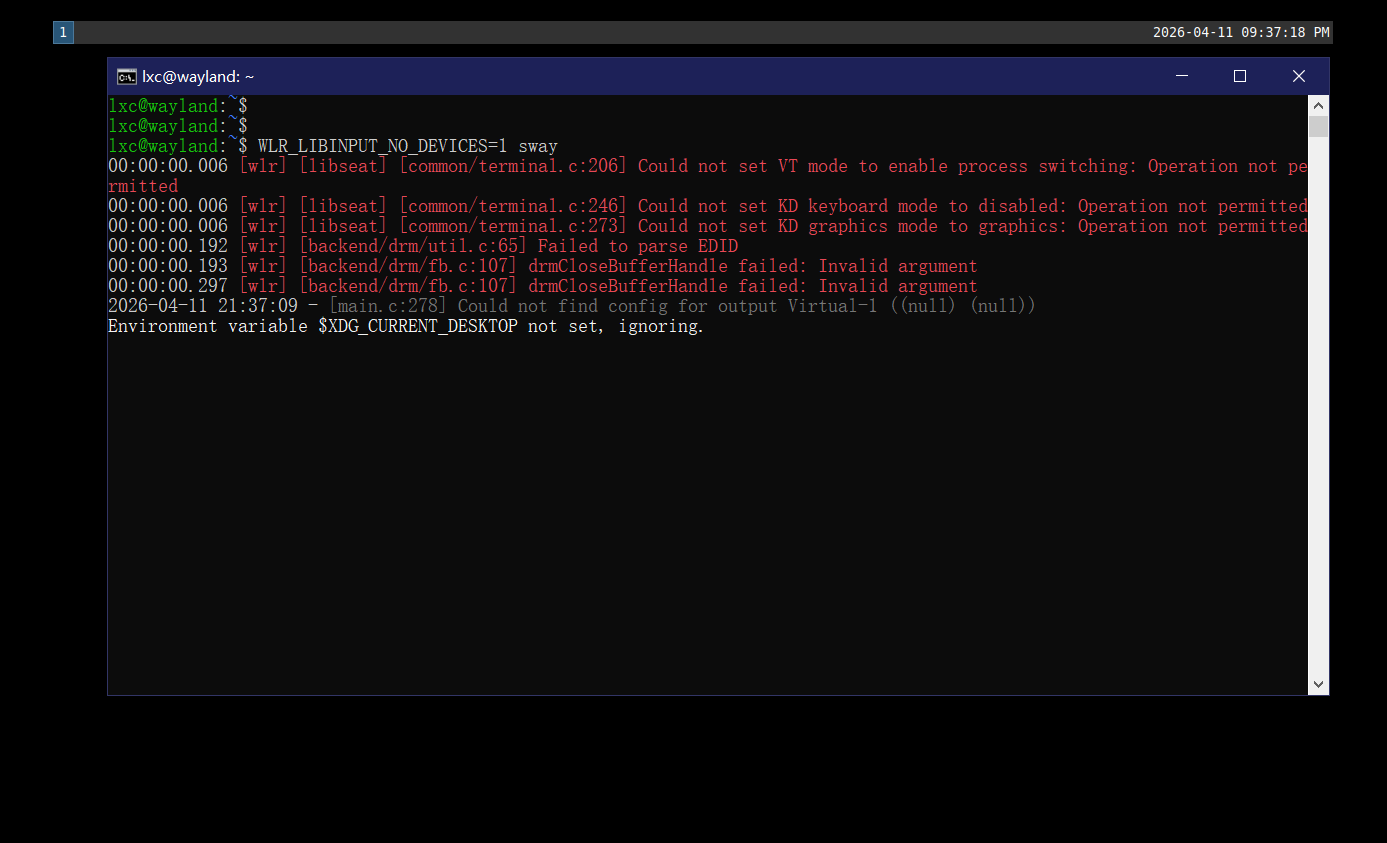
Yeah, no input yet, X11 method doesn’t apply to wayland, you know how long I figure out input in X11, it may take longer, as there is no clue.
Here is special thanks for clues: