Incus-compose 1.0 has been released

Six and a half months after the first announcement and 22 betas and 2 rcs later, v1.0.0 is out.

incus-compose brings the familiar Docker Compose workflow to Incus: multi-container apps from standard Compose files. Just point it at a compose.yaml and run incus-compose up. The idea started with Brian’s proof-of-concept; this is a ground-up build, rewritten three times to get the core right.

What’s in 1.0:

The workflow you know:

  • Familiar commands: up, down, start, stop, restart, list (and ps), logs, exec, config, plus build, healthd, incus (pass-through), and self-update
  • Compose project parsing via compose-go: .env interpolation, profiles, depends_on, secrets, and configs
  • Automatic compose.incus.yaml override file - keep the upstream compose file untouched and put Incus tuning next to it doc
  • Windows and macOS clients: No Docker Desktop, no WSL, no local Linux VM. incus-compose and the incus client are portable Go binaries — from a Windows or macOS desktop you drive a remote Incus host over HTTPS and manage OCI containers, LXC system containers, and VMs directly. See Installing on Windows.
  • Configuration via INCUS_COMPOSE_* environment variables for every flag, with a configurable parallel worker count doc

Images:

  • OCI image pulling from docker.io, ghcr.io, and other registries
  • Two-stage image cache in a dedicated Incus project (survives down/up, avoids registry rate limits)
  • Local image building via Podman/Docker doc

Networking:

  • Bridge networks with automatic name sanitization; external pre-existing networks
  • Static IPv4/IPv6 addresses with automatic DHCP ranges doc
  • Port forwarding via proxy devices or kernel NAT mode doc

Storage:

  • Storage volumes with UID/GID shifting; bind mounts (pass-through by default, optional seeding) doc
  • Per-volume storage pool placement - pin a database volume to your fast SSD pool doc

Operations:

  • Health checks, restart policies, and depends_on: service_healthy ordering via the ic-healthd sidecar doc
  • Service scaling with up --scale and orphan pruning
  • Incus project isolation
  • Resource limits and other advanced compose features (shm_size, container_name, etc.)

Beyond any OCI engine:

  • Project-wide resource limits - cap CPU and memory for the entire stack, enforced by Incus doc
  • GPU, USB, and raw disk passthrough per service via x-incus-compose.devices doc
  • The full Incus API as an escape hatch: any instance, network, or volume option passes straight through via x-incus doc

Compose command parity: Most docker compose verbs map directly; the rest (images, cp, top, events, kill) are covered through the incus passthrough. Not implemented yet: run, pause/unpause, port — the full table with alternatives is in the CLI Reference.

Install:

curl -sSfL https://raw.githubusercontent.com/lxc/incus-compose/main/install.sh | sh -s -- -b ~/.local/bin

From 1.0.0-beta.16 or later, just run: incus-compose self-update

Arch users: an incus-compose-bin and incus-compose-git (maintained by @neitsab and @jochumdev) are available.

Docs: docs.incus-compose.org — getting started, CLI reference, compose compatibility (what works, what doesn’t), and architecture. Working examples — including a full Immich stack — live in the repo under examples/.

What’s next:

  • healthd rewrite: Event-driven discovery via the Incus event API instead of poll-and-reload, running once per server instead of per project (#31, milestoned v1.1.0).
  • backup command: (#45)
  • Contributor opportunities: The parity table doubles as a contribution map. run, pause/unpause, and port are open ground. Each is self-contained and a great first project—pick one, open an issue, and I’ll help you scope it.

Committers and co-maintainers are welcome.

Thanks to the testers who shaped this from the first betas: @Sagi (early bug fixes, the storage-pool patch), @neitsab (AUR package, IncusOS testing), @pyrodogg (service-name DNS, the bind-mount seeding critique that changed the design), @kgoetz, @edorgeville, @bburky, and @blurry (unmanaged bridges, network shares, USB/GPU devices). @bketelsen wrote the original proof-of-concept this started from. @stgraber brought the project into the lxc organization and helped with implementation details and feature work on the Incus side.

I run incus-compose in production myself: Immich, Wiki.js, LeafWiki, Gitea, Caddy, Kimai, and a DNS stack. Feedback from real-world compose projects remains the most useful thing you can send.

René

Repo: GitHub - lxc/incus-compose: Bring the familiar Docker Compose workflow to Incus — run compose.yaml files natively on Incus · GitHub
Releases: Releases · lxc/incus-compose · GitHub
Changelog: incus-compose/CHANGELOG.md at main · lxc/incus-compose · GitHub
Previous threads: early development, beta feedback

10 Likes

I hope there are no Dragons inside. But with our army of dragons hunters (testers) we can do this easy!

I used this command to update the healthd of all my stacks:

for i in "caddy" "dns" "gitea" "immich" "a-leafwiki" "a-test-project" "kimai" "some-other-wiki" "oci-registry-cache"; do \
  pushd $i; \
  incus-compose healthd down; \
  incus-compose healthd up --pull=always; \
  popd; \
done
1 Like

Congrats on the hard work, I look forward to trying it out, it looks really well deserved :partying_face:

Do you want issues to your repo or posted in the thread? I know I had issues with private gitlab before, I haven’t confirmed that position still exists - but I expect it does. No trying to be downer really excited to try this out.

Thanks!

It’s all on GitHub would be nice if write an issue when you find a dragon.

Questions ofc here or in new Threads, just tag them incus-compose.

Writing from my :selfie::mobile_phone:

Ill find some time to write up an issue, good luck in the mean time :slight_smile:

Don’t say you found something? Curios :blush:

Hi guys, I can’t thank you enough for Incus. Where it shines is resource utilization. I am running 1 VM and 2 containers on my pi 5 8 GB. I was using Proxmox for this but then though about incus due to less overhead.

This incus-compose will give additional direction to the whole world containerization. My homelab is full of the docker-compose stacks.

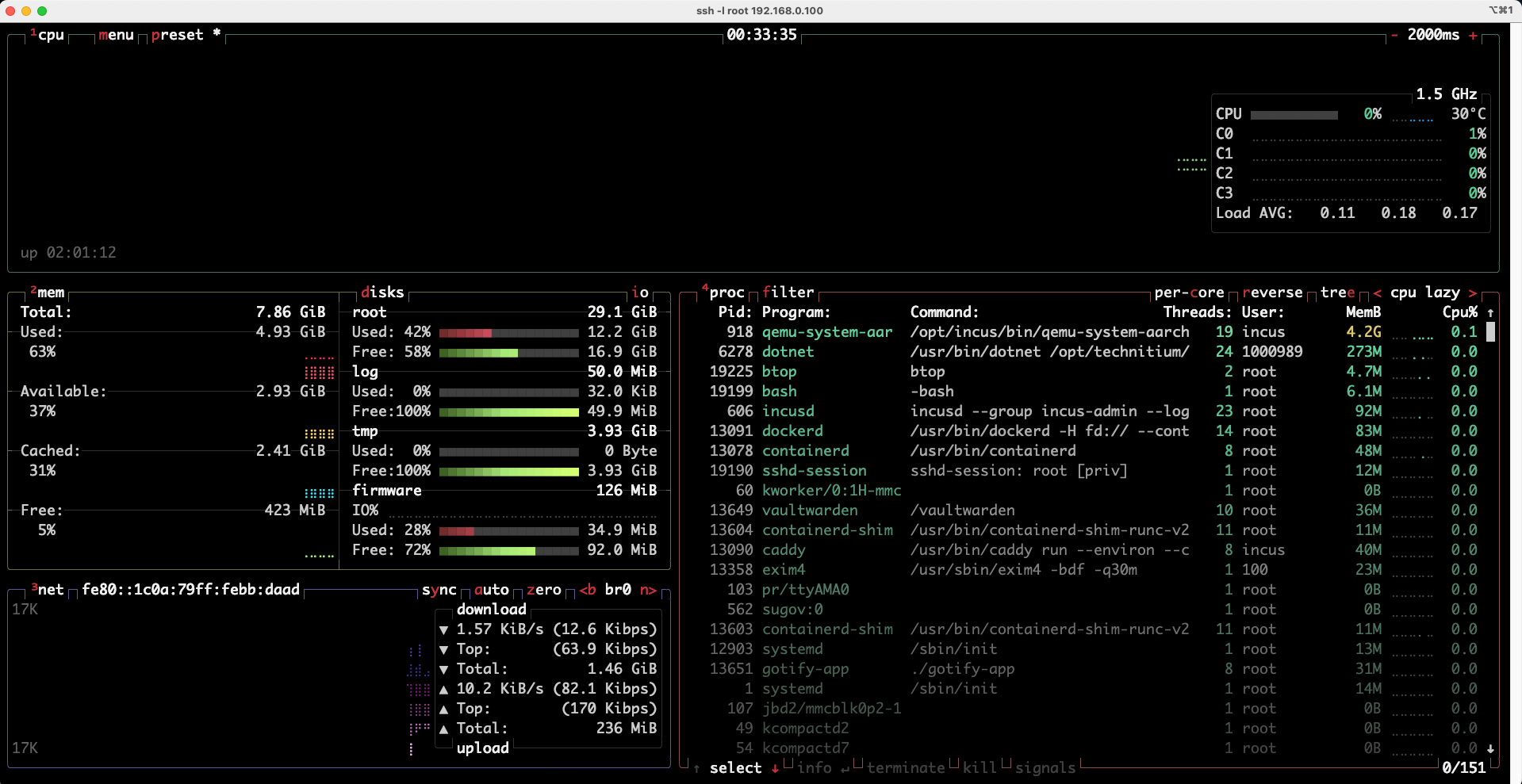
Attaching below my pi5 stats while running VMs and containers.

1 Like

A PI 5 running VMs, soooo funny and great at the same time.

Thank you for sharing and thanks for giving ic a try :slight_smile:

Let’s not abuse this thread to much for other stuff, will ask in your thread about the PI :slight_smile:

EDIT: Missed that you wrote about something else in that other thread.

How did you get Proxmox running on the PI I’m so curious.

EDIT2: Will activate my PI4 and test around with it - that will be fun.

2 Likes

I used the pveport on pi 5. My main server was HP Elitedesk 800 G3 mini which I replaced with this pi 5. Power consumption is same but wanted something handy and challenging to maintain :wink:

1 Like

I just wan’t to congrats the release and say tank you for bringing incus to the masses!

I hope you and Stéphane will make it internal part of Incus anouncing “incus compose” very soon.

1 Like

Do you want incus compose incus config trust add :stuck_out_tongue_winking_eye: ? I’m sure we’ll come up with something the community will love. Personally, I’d first love to see incus-compose battle-tested; once that’s done — plus the backup command and the healthd rewrite — we can think about packaging incus-compose with Incus, maybe as a subcommand and/or as an individual command.

Hope you have fun with ic @tai8pan, I’m having fun with the release. :slight_smile:

1 Like

Personally, I think that add-certificate should be kept out until people like me witness it.

No rush at all.

It was just a metaphor to express how much I value the importance of the service for the Incus ecosystem, and my hope for its tight integration into it.

As the project was already adopted by the LxC organization, I feel the Incus ecosystem is heading in a very good direction.

One more project that I’m following with big hope is the Ararat WebUI.

After incus-compose has been released, fore a rookie like me, a good control plane is the only thing that stops me from migrating all my selfhosted VMs and containers to Incus.

2 Likes

Same, I have big hope in Ararat as well. There will be a public meeting July 13. at 9pm UTC. July 13 at 7pm UTC :slight_smile:

1 Like

If you replace dockerd with podman and incus-compose you save about 150MiB of memory.

Congrats!

Not sure if this changed since your post, but the download script and repository are out of sync.

kgoetz@L23001:~$ curl -sSfL https://raw.githubusercontent.com/lxc/incus-compose/main/install.sh | sh -s -- -b ~/.local/bin -d
lxc/incus-compose info checking GitHub for latest tag
lxc/incus-compose debug http_download https://github.com/lxc/incus-compose/releases/latest
lxc/incus-compose info found version: 1.0.0 for v1.0.0/linux/amd64
lxc/incus-compose debug downloading files into /tmp/tmp.2vBz6EE1fF
lxc/incus-compose debug http_download https://github.com/lxc/incus-compose/releases/download/v1.0.0/incus-compose_1.0.0_linux_amd64.tar.gz
lxc/incus-compose debug http_download https://github.com/lxc/incus-compose/releases/download/v1.0.0/incus-compose_1.0.0_checksums.txt
lxc/incus-compose err http_download_curl received HTTP status 404

In the script checksums are defined as

CHECKSUM=${PROJECT_NAME}_${VERSION}_checksums.txt

while at Releases · lxc/incus-compose · GitHub checksums does not include project name and version.

updating the install script things run correctly

kgoetz@L23001:~$ bash ./install.sh -b ~/.local/bin -d
lxc/incus-compose info checking GitHub for latest tag
lxc/incus-compose debug http_download https://github.com/lxc/incus-compose/releases/latest
lxc/incus-compose info found version: 1.0.0 for v1.0.0/linux/amd64
lxc/incus-compose debug downloading files into /tmp/tmp.JHvaaI8IuE
lxc/incus-compose debug http_download https://github.com/lxc/incus-compose/releases/download/v1.0.0/incus-compose_1.0.0_linux_amd64.tar.gz
lxc/incus-compose debug http_download https://github.com/lxc/incus-compose/releases/download/v1.0.0/checksums.txt
lxc/incus-compose info installed /home/kgoetz/.local/bin/incus-compose
kgoetz@L23001:~$ ls -lh ~/.local/bin/incus-compose 
-rwxr-xr-x 1 kgoetz kgoetz 23M Jul 11 22:24 /home/kgoetz/.local/bin/incus-compose

1 Like

Lovely catch, had to rename to checksums.txt cause of attribution, thank you.

Maybe will rename it back on the next release.

Fixed!

1 Like

Labels like user.label.incus-compose.project and user.label.incus-compose.service as described in docs - compose-compatibility#labels have been an easy feature to add. BUT I’m sure those will be important in the future for discovery.

As in the doc, tools like traefik, caddy and dnsweaver all could work with incus and incus-compose this way - no docker.sock needed!

For tools like DNSWeaver I can think of adding:

services:
  database:
    image: postgresql:18-alpine
  api:
    # btw: both work here as registry seperator ":" and "/"
    image: myregistry:myuser/myapi:latest 
    depends_on:
      database:
        condition: service_healthy

networks:
  default:
    x-incus-compose:
      dns:
        # Having servers set will instruct incus-compose to not update dnsmasq
        # this will make `up` faster and more reliable.
        # This will map to `oci.dns.nameservers` on each container that is attached
        # to this network.
        servers:
            - 10.0.0.2 
        # will map to `oci.dns.domain`,
        # `{project}` will be replaced with the projects name.
        domain: {project}.home.example.com
        # will map to `oci.dns.search`
        search: {project}.home.example.com

It would replace all internal dns handling with an external one.
This is already possible by setting x-incus."oci.xxx" at each container!

so is it that podman is required for incus-compose? sorry, I am new to this.