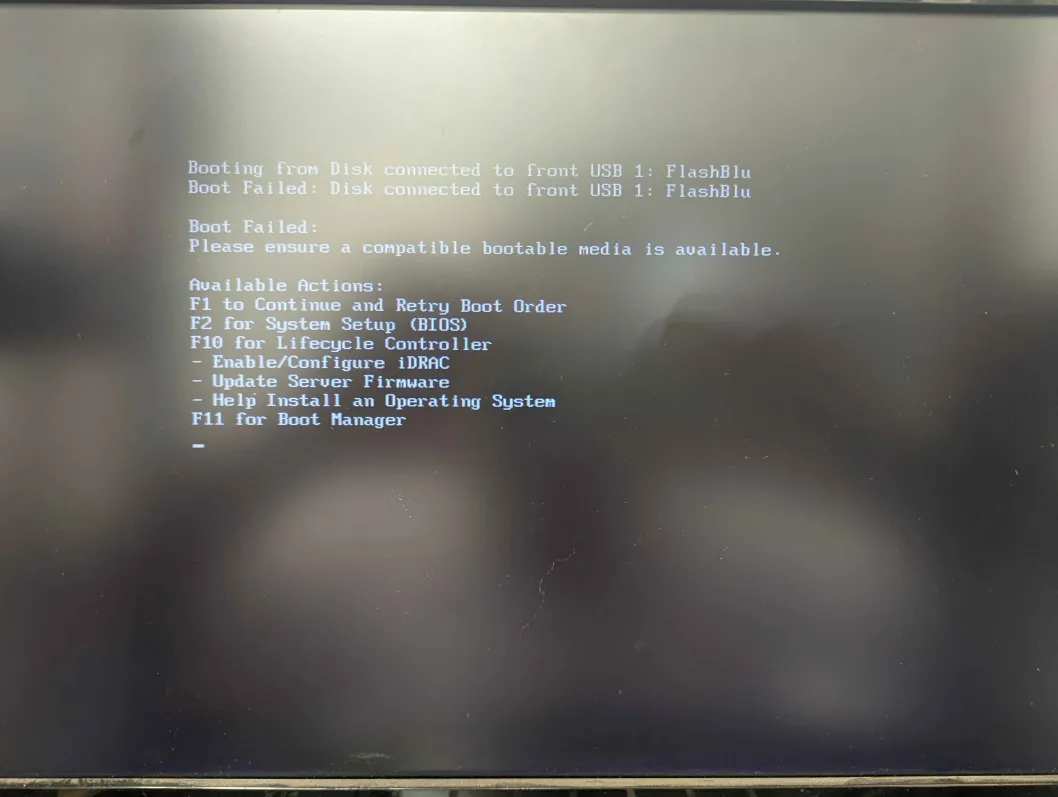
I was recently informed of IncusOS by a friend on a networking server, and have been attempting to install to no avail for several hours now. I’m on a Dell PowerEdge R450 and using the web-based image generator, but every time I attempt to boot from USB—either the .img or flashing the .iso using something like Rufus—it detects the USB drive in the boot screen, but then fails to detect a compatible bootable media on the drive. I am using as bone-stock of an installation as I can, telling it to use whatever defaults are set, and am not sure how else to proceed. I have SecureBoot enabled, have deleted all my KEKs and db certificates except the one indicated by the guide, and have TPM enabled.
Apologies for the literal screen shot, I haven’t a way to capture the screen at the moment.
You’re directly writing the .img to the USB stick via something like dd, rather than copying the .img file onto an already-formatted USB stick
The server is booting with UEFI, not legacy BIOS
We’ve also seen some servers that required the Microsoft or other vendor db certificates to be present for storage/network hardware to properly initialize. I’d be surprised if a USB controller required that, but you might try resetting the Secure Boot certificates, then replacing PK/KEK with IncusOS and appending IncusOS to the current db entries.
It turns out I fell victim to the first; after properly etching the .img I was able to load the PK/KEK/db information. I now, however, am facing an issue where the OS gives the following error: IncusOS failed to verify PE binaries: ERROR: open /sys/class/tpm/tpm0/pcr-sha256/4: no such file or directory
Should I try disabling my TPM2 module and installing that way?
That would be sub-optimal. We’ve actually recently had another user encounter the same error; you might find some of the debugging steps in After installing IncusOS getting PCR-04-SHA256 TPM error useful in possibly resetting your TPM to a good state.
Unfortunately, I appear to be unable to install IncusOS as it is only detecting what it labels as a SCSI controller; as the SSD in use on this PowerEdge is a SATA drive, I can only conclude that IncusOS is unable to detect my drive (unlike other distros I have used in the past), and as such I will be returning to using Incus as a program instead. Please let me know if there is any information I can get you that would help to resolve this issue in future for others to be able to install.
What exactly are you seeing? We’ve definitely had cases where we need to add an additional driver here and there, but generally installation goes through fine, with boot post installation being the problem.
This is with a Fedora live image, so please let me know if I should be doing something differently:
When I ls /dev/disk/by-id and copy the ID it gives there for the disk (ata-xxxxxx), I input that (edit: into the web configurator, this is with a new image) and boot from the installation media. It then says it only detects a different disk (scsi-yyyyyy), and all mentions on the screen are to a drive located at /dev/sdb (the intended target drive is listed in Fedora or other distros as /dev/sda).
The order of /dev/sdX is based on boot detection order so what’s /dev/sda could be /dev/sdb on next boot depending on whether something is causing the kernel to scan in a slightly different order.
How many drives are you expecting on this system?
Note that the image customizer allows for selecting the target disk based on disk size rather than based on identifier, that’s often an easier way to handle this.
Ah, okay. I though sdX was based on drive UUID or somesuch, so I appreciate the info (:
For some reason the issue appeared to be installing onto an empty drive; I installed Debian and over-wrote it with a fresh IncusOS image and that installed, but it failed to boot the OS:
Failed to start initrd.target: Transaction for initrd.target/start is destructive (initrd-debug-info.service has ‘start’ job queued, but ‘stop’ is included in transaction).
Fallback to the single-user shell.

Cannot open access to console, the root account is locked.
See sulogin(8) man page for more details.
then it cycles through some debug information. I currently have a live Fedora image booted if you need me to grab any system info. From reading other forum posts, I checked lsblk and found 8 partitions, if I’m reading it correctly; and ls -lh /sys/class/block/*/device/device/driver says the file/directory does not exist. I don’t have an easy way to get the information for an lsmod dump but I can figure it out if needed.